
JBL speakers and headphones for pure and deep sound!
In cart {{totalProductsCount}} item(s)
Your cart is empty
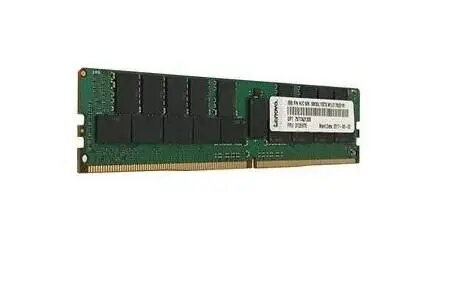
Lenovo 8GB DDR4 UDIMM Memory Module
The Lenovo 8GB DDR4 UDIMM memory module is a high-quality component designed to boost the performance and responsiveness of your desktop computer. By increasing your system's available memory, this module allows for smoother multitasking, faster application loading, and more efficient handling of daily computing tasks. Engineered for reliability and stability, it integrates seamlessly into compatible desktop motherboards, providing a dependable upgrade path for users looking to extend the lifespan and capability of their hardware.
This memory module offers a significant improvement in system efficiency by reducing the need for the operating system to rely on slower storage drives for temporary data. The DDR4 technology ensures higher data transfer rates and lower power consumption compared to older memory standards, contributing to a more responsive computing experience. Its UDIMM form factor is specifically designed for desktop environments, ensuring a secure and stable connection that maintains consistent performance even during extended periods of use.
This module is not compatible with laptop computers or systems that require SO-DIMM memory modules. It is also not suitable for high-end professional workstations or gaming rigs that require specialized high-frequency memory or ECC error-correcting capabilities.
To install the memory module, ensure your computer is powered off and disconnected from the power source. Open the computer case and locate the memory slots on the motherboard. Carefully align the notch on the module with the key in the memory slot. Press down firmly on both ends of the module until the side clips snap into place, securing the RAM. Once installed, close the case, reconnect the power, and restart your computer. The system should automatically detect the new memory capacity during the boot process.
For optimal performance, it is recommended to install memory modules in matching pairs if your motherboard supports dual-channel architecture. Always handle the module by its edges to avoid touching the gold contact pins, and ensure you are grounded to prevent static discharge during installation.
{{highlightedFeature.featureTitle}}:
{{getProductFeatureValueById(product, highlightedFeature.featureId)}}
{{ productComparisonGenerationError }}
