Leave your address - as soon as the price of the product goes down, you'll know about it right away
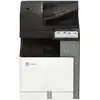
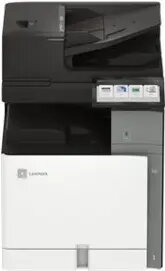
Multifunction Printer Lexmark XC8355 Laser Color
In cart {{totalProductsCount}} item(s)
Your cart is empty
Multifunction Printer Lexmark XC8355 Laser Color
Leave your address - as soon as the price of the product goes down, you'll know about it right away
Multifunction Printer Lexmark XC8355 Laser Color
The Lexmark XC8355 Laser Color multifunction printer provides high-speed color printing and copying designed for busy office environments. With print and copy speeds up to 55 pages per minute, support for A4 and Legal media sizes, and a 700-sheet standard capacity, the device is built to handle large document workflows. Connectivity options include USB 2.0, Gigabit Ethernet and Wi-Fi (ac), enabling flexible integration into wired and wireless networks. The unit combines reliable laser color output with multifunction capabilities to support everyday office document tasks.
The printer delivers fast monochrome and color output suitable for high-volume tasks while maintaining consistent image quality. A generous paper capacity reduces the need for frequent reloading, and multiple connectivity options make it easy to connect from desktops, laptops and mobile devices. Built-in multifunction features streamline workflows by combining printing, copying and scanning functions in a single device, saving space and simplifying device management.
Install the printer on a stable surface and connect it to your network via Ethernet or wireless setup using the device control panel. Load compatible paper into the main tray and check the paper size setting matches A4 or Legal as required. Install drivers and any recommended software on user computers to enable full multifunction functionality, then follow the on-screen prompts to configure default print settings, network preferences and scanning destinations. Use the control panel to select copy and scan jobs and adjust quality or finishing options as needed.
For reliable operation, use manufacturer-recommended consumables and keep paper trays loaded to minimize interruptions. Place the device in a well-ventilated area and schedule periodic maintenance such as cleaning the scanner glass and updating firmware to ensure consistent performance and security on networked installations.
{{highlightedFeature.featureTitle}}:
{{getProductFeatureValueById(product, highlightedFeature.featureId)}}