

Multifunction Printer Lexmark CX922de Laser Colour
7,801.49 €
Keep track of price changes
You keep track of price changes
Watch the price drop
Leave your address - as soon as the price of the product goes down, you'll know about it right away
You keep track of price changes
Multifunction Printer Lexmark CX922de Laser Colour
{{email}}
You keep track of price changes
Multifunction Printer Lexmark CX922de Laser Colour
{{email}}
{{selectedOffer && selectedOffer.price | formatAmount}}
Short description
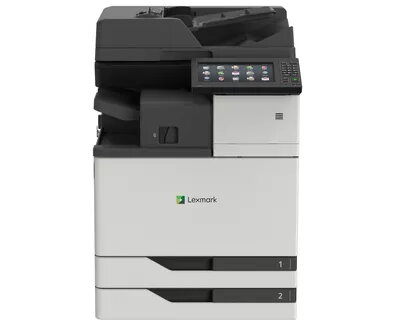
The Lexmark CX922de is a versatile multifunction printer that offers high-quality laser printing, copying, scanning, and faxing capabilities. With a maximum resolution of 1200 x 1200 DPI and print speeds of up to 45 ppm, it efficiently handles color documents. It supports A3 paper size and features duplex printing and scanning, making it ideal for busy office environments. Its sleek black and white design fits seamlessly into any workspace.
Available for order:
1 pcs.
Warranty:
2 Years
SKU:
405887


Deliver the order:
to the Customer Service Center at Kengaraga 2b, Riga
07.08.2026
{{selectedOffer.officeDeliveryString}}
free
Customer service center
2b. Kengaraga str., Riga, Latvia, LV-1063
07.08.2026
{{selectedOffer.officeDeliveryString}}
free
Courier Delivery
Please note that in case of a large parcel additional delivery costs may apply!
From 53.99 € (Weight: 132.50 kg)

Payment Methods:
Bank transfer, Bank cards on-line, Apple Pay, Google Pay, Leasing for legal entities
Leasing for legal entities:
from 271.49 euros per month


