Save time and money with our discounts!
In cart {{totalProductsCount}} item(s)
Your cart is empty
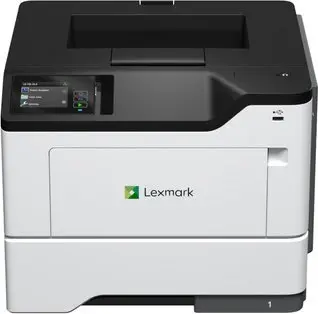
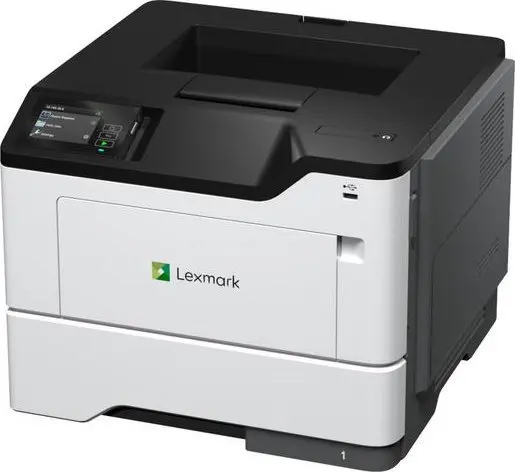
Lexmark MS631dw Laser Printer A4 Monochrome 1200 x 1200 DPI 47 ppm Duplex Wi-Fi
The Lexmark MS631dw monochrome laser printer is engineered specifically for demanding business environments that require reliable, high-speed document output. Combining advanced laser technology with a sturdy black and white design, this device delivers sharp text and clear graphics at a professional resolution. Built to support heavy office workloads effortlessly, it integrates robust connectivity options including built-in Wi-Fi, Ethernet LAN, and USB ports to fit seamlessly into modern network infrastructures.
This business-class printer offers exceptional productivity with a high print speed of up to 47 pages per minute, significantly reducing waiting times for large documents. Automatic duplex printing comes standard, helping organizations cut paper consumption and streamline operations. Designed for heavy duty cycles, the printer handles up to 175,000 pages per month, making it a dependable asset for high-volume office tasks. Its versatile media handling accommodates plain paper, card stock, labels, and envelopes, while the built-in display and intuitive interface ensure straightforward management.
This device is strictly a monochrome printer and cannot produce color documents, making it unsuitable for graphic design tasks or marketing materials that require color. Additionally, its large physical footprint and high-capacity capabilities may exceed the space and volume requirements of home users or very small micro-offices.
Begin by placing the laser printer on a stable, flat surface near a power outlet and your network router if using a wired connection. Load your chosen media, such as plain paper or envelopes, into the adjustable input trays. Connect the printer to your computer or mobile network via USB, Ethernet, or Wi-Fi. Install the necessary printer drivers or use compatible mobile printing applications to send your documents. Monitor print tasks and adjust settings directly using the integrated built-in display.
For optimal performance and longevity, use recommended paper types and original Lexmark print cartridges. Perform routine maintenance as indicated by the built-in display and keep the printer firmware updated to maintain security standards.
{{highlightedFeature.featureTitle}}:
{{getProductFeatureValueById(product, highlightedFeature.featureId)}}
{{ productComparisonGenerationError }}