Save time and money with our discounts!
In cart {{totalProductsCount}} item(s)
Your cart is empty
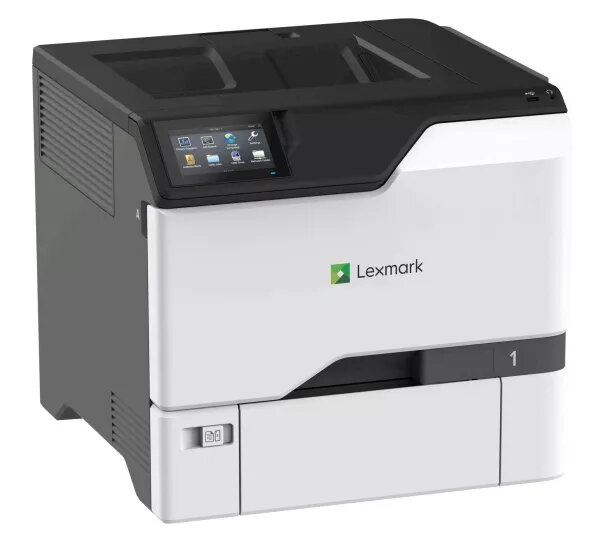
Printer Lexmark C4342 Laser Colour 1200 x 1200 DPI
The Lexmark C4342 Laser Colour printer delivers reliable colour and monochrome output with a maximum resolution of 1200 x 1200 DPI. Designed for A4 workflows, this laser printer supports duplex printing and a print speed of up to 40 pages per minute for both colour and black-and-white documents. Its monthly maximum duty cycle of 120,000 pages and medium-weight build make it suitable for busy office environments that require consistent, high-quality prints in a compact footprint. The unit is available in a two-tone white and black finish and uses laser print technology for sharp text and stable colour reproduction.
The printer provides fast, consistent printing at 40 ppm in both colour and black-and-white, combined with 1200 x 1200 DPI resolution for detailed output. Duplex printing is supported out of the box to reduce paper use. With a high monthly duty cycle, the Lexmark C4342 is built for sustained workloads typical of departmental or small enterprise use. Its A4 compatibility and straightforward design simplify integration into existing office setups.
Place the Lexmark C4342 on a stable, level surface with sufficient ventilation. Load A4 paper into the main tray and configure paper type and size through the printer control panel or driver software. Connect the printer to your network or workstation following the supplied setup guide, then install the appropriate drivers to enable full functionality. Use the control panel or connected device to select duplex printing, adjust print quality settings, and manage job queues. Regularly check consumable levels and perform routine maintenance as indicated by the device status notifications.
For consistent print quality and reliable operation, use paper that matches the selected media type in the printer settings and perform scheduled maintenance checks. Enable duplex printing where appropriate to reduce paper use, and monitor monthly print volumes to stay within the rated duty cycle. Keep the device in a dust-free environment and follow manufacturer guidance for consumables and firmware updates.
{{highlightedFeature.featureTitle}}:
{{getProductFeatureValueById(product, highlightedFeature.featureId)}}
{{ productComparisonGenerationError }}