

JBL speakers and headphones for pure and deep sound!
In cart {{totalProductsCount}} item(s)
Your cart is empty
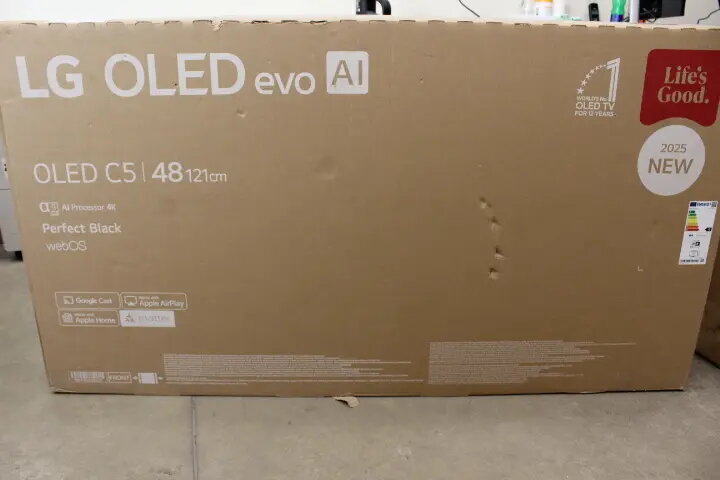
Television LG OLED48C51LA 48" OLED Display 4K Resolution
The LG OLED48C51LA 48" OLED Display 4K Resolution is a 48-inch Smart TV that combines OLED panel technology with native 4K resolution and the webOS 25 platform. The OLED panel provides individually lit pixels for deep blacks, high contrast and wide viewing angles, while 4K resolution preserves fine detail in movies, series and games. The TV’s slim profile and minimal bezel design are intended for wall-mounting or placement on a stand in living rooms, bedrooms or dedicated media areas. Connectivity options and smart platform features enable streaming, screen sharing and integration with compatible smart home devices.
The OLED display offers per-pixel light control for accurate black levels and strong contrast, improving perceived detail in dark and bright scenes. Native 4K resolution ensures sharp images and text clarity on the 48-inch screen. webOS 25 supplies a user interface for quick access to popular streaming services and apps, and the smart platform includes voice assistant support and network connectivity for streaming and casting. The TV's slim form factor reduces visual clutter and facilitates installation in small to medium-size rooms. HDR support and gaming-focused features enhance performance for fast-motion content and interactive entertainment.
Connect the TV to a power source and follow the on-screen setup to configure language, network connection and user accounts for streaming services. Use the remote control or compatible voice assistant to navigate webOS 25, download or open apps, and switch input sources. For external devices, connect consoles, set-top boxes or media players to the HDMI inputs and select the appropriate input from the Home menu. Adjust picture settings such as brightness, contrast, and color temperature within the picture menu to match viewing conditions and content type.
For best image quality, enable the appropriate picture preset for the content type and ensure the TV firmware is up to date. Position the screen at eye level when seated and allow sufficient ventilation around the chassis. When gaming, use a low-latency input mode and connect via a high-speed HDMI cable. To preserve panel performance, avoid prolonged static images at high brightness and use automatic or manual screen-saver features if required.
{{highlightedFeature.featureTitle}}:
{{getProductFeatureValueById(product, highlightedFeature.featureId)}}
{{ productComparisonGenerationError }}