

Save time and money with our discounts!
In cart {{totalProductsCount}} item(s)
Your cart is empty
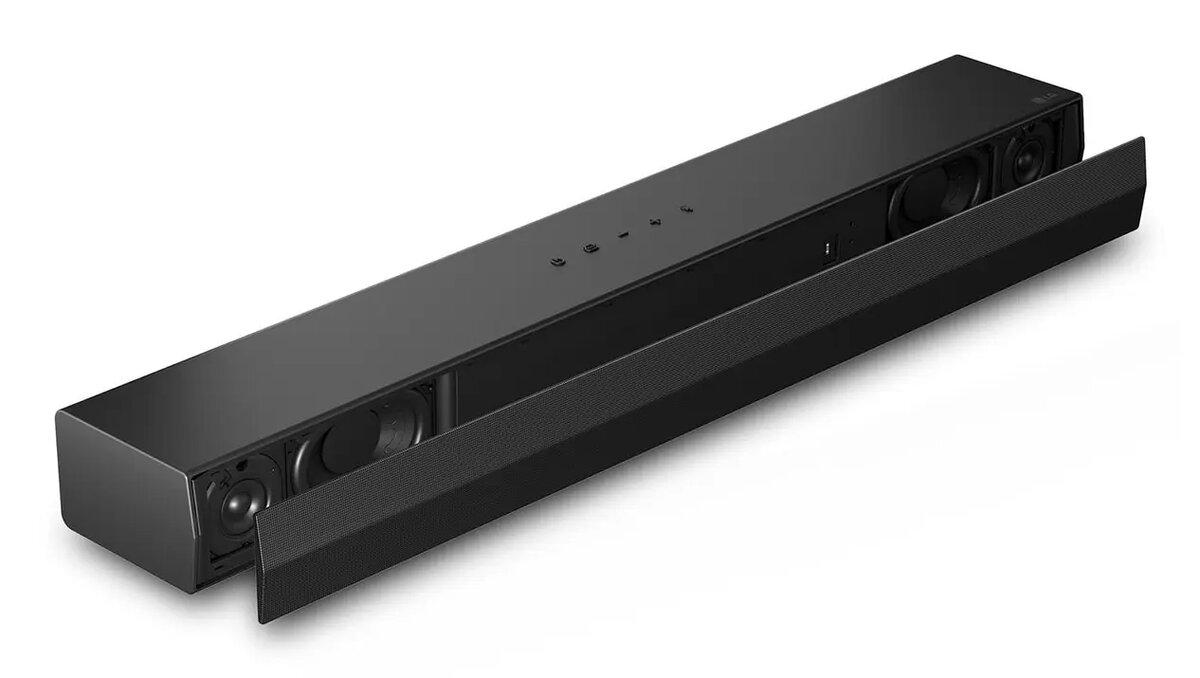
Soundbar LG S20A 2.0 channels, 50 W, Bluetooth SBC/AAC, wired & wireless, black, 650×99×63 mm
The LG S20A is a compact 2.0-channel soundbar designed to improve TV audio for films, series and music in small living rooms or home entertainment spaces. With a total RMS power of 50 W and support for DTS Digital Surround and Dolby Digital decoding, the unit provides clearer dialogue and a fuller soundstage compared with TV speakers. Its slim black enclosure measures 650 × 99 × 63 mm and includes both wired and wireless connection options, including Bluetooth SBC and AAC, for flexible placement and simple pairing with compatible devices.
The soundbar delivers a balanced audio output across mid and high frequencies thanks to its four-speaker configuration and 50 W RMS power, suitable for everyday TV viewing and music playback. Support for Dolby Digital and DTS Digital Surround improves spatial effects from compatible sources. Compact dimensions and a low-profile design allow the unit to fit under most TVs or be mounted close to the display while the combination of HDMI ARC (Audio Return Channel), optical and Bluetooth connectivity enables easy integration with modern TVs, media players and mobile devices.
Place the LG S20A directly below or in front of your TV or mount it according to the TV stand or wall-mount instructions. Connect the soundbar to the TV using an HDMI cable via the ARC port where available for simplified audio control; alternatively use an optical cable for digital audio or pair a mobile device via Bluetooth for wireless playback. Power on the soundbar, select the appropriate input source, and adjust the volume and sound mode from the soundbar remote or the TV remote if HDMI ARC is enabled. For best dialogue clarity, choose a sound mode that emphasizes center channels or vocal range if available on connected sources.
Keep the area around the soundbar clear of obstructions to avoid muffling the drivers and place the unit at listening height when possible. When using Bluetooth, ensure the source device is within typical wireless range and free from major obstructions. For the most consistent audio synchronization with picture, use HDMI ARC when supported by both TV and source device.
{{highlightedFeature.featureTitle}}:
{{getProductFeatureValueById(product, highlightedFeature.featureId)}}
{{ productComparisonGenerationError }}