


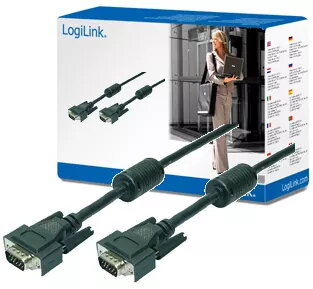
LogiLink VGA cable HD15 to HD15 10m 1080p black with dual ferrite cores
Offer for a legal entity, non-cash payment.
Short description


Cheapest delivery:
Unisend LV
Product information
Description
The LogiLink VGA cable HD15 to HD15 10m 1080p black with dual ferrite cores is a reliable solution for connecting personal computers or laptops equipped with an analog video output to displays such as monitors and projectors. Measuring 10 meters in length, this monitor and display cable provides ample reach for setups where the video source and the display unit are located at a greater distance from one another, such as in conference rooms, classrooms, or larger office desks. Built with robust materials and thorough construction, it maintains signal integrity over extended runs.
Advantages
This LogiLink VGA cable features integrated dual ferrite cores on the connectors, which actively reduce high-frequency interference and minimize signal distortion. The built-in electromagnetic shielding further protects the video signal from external electrical noise, ensuring a stable and clear picture. Additionally, the connectors are equipped with secure thumb screws that allow for a firm and stable connection, preventing accidental disconnections during use and supporting flicker-free playback even at high resolutions.
Suitable for
- Connecting a desktop PC or laptop to an external monitor
- Linking a computer to a projector in a conference room or classroom
- Extended-distance video routing between source devices and display screens
This cable may not be suitable for modern digital-only display interfaces such as HDMI, DisplayPort, or USB-C, as it is strictly designed for analog VGA connections. Systems that lack a traditional VGA video output port will require an appropriate signal adapter or converter.
Key specifications
- Cable length: 10 meters
- Connector type 1: VGA HD15 male
- Connector type 2: VGA HD15 male
- Supported resolution: Up to 1080p Full HD
- Interference reduction: Dual ferrite cores
- Shielding: Electromagnetic shielding
- Color: Black
To use the cable, first ensure that both your computer and your display device are powered off. Connect one end of the VGA cable to the VGA output port on your PC or notebook and secure the connection by tightening the thumb screws. Then, connect the other end of the cable to the VGA input port on your monitor or projector, securing those screws as well. Power on your devices and adjust your display settings if necessary.
What to consider before purchase
- Verify that both your source device and display feature compatible VGA HD15 ports
- Confirm that a 10-meter cable length is sufficient for your physical layout without creating excessive slack
- Ensure that your display setup utilizes analog video signals rather than digital-only connections
Usage recommendations: Route the cable away from power lines and heavy electrical equipment to minimize potential electromagnetic interference. Avoid tightly bending or sharply kinking the cable during installation to preserve its internal wiring and ensure long-term durability.
Features
- Connector 1:
- VGA (D-Sub)
- Cable length:
- 10 m
- Connector 2:
- VGA (D-Sub)
- Product colour:
- Black
Stock data
| Warehouse | Stock | Delivery to the store | Store Price | |
| EU4 | 25 | 21.12.2026 | 18.49 € | Add to cart |
| WH109 | 25 | 21.12.2026 | 45.49 € | Add to cart |
- 18.49 €Stock: 25Delivery Date: 21.12.2026Warehouse: EU4Add to cart
- 45.49 €Stock: 25Delivery Date: 21.12.2026Warehouse: WH109Add to cart


