


{{ totalProductsCount }}

In cart {{totalProductsCount}} item(s)

Total:
{{sum | formatAmount}}

Your cart is empty

header-product Logitech Tap Scheduler 952-000091 Meeting Room Touch Controller 10.1" IPS 400 cd/m² Graphite

Logitech Tap Scheduler 952-000091 Meeting Room Touch Controller 10.1" IPS 400 cd/m² Graphite

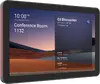
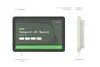
Logitech Tap Scheduler Meeting Room Controller Photo 1
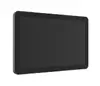
Logitech Tap Scheduler Meeting Room Controller Photo 2
Logitech Tap Scheduler Meeting Room Controller Photo 3
Logitech Tap Scheduler Meeting Room Controller Photo 4
Logitech Tap Scheduler Meeting Room Controller Photo 5
Logitech Tap Scheduler Meeting Room Controller Photo 6
Logitech Tap Scheduler Meeting Room Controller Photo 7
Logitech Tap Scheduler Meeting Room Controller Photo 8
Logitech Tap Scheduler Meeting Room Controller Photo 9
Logitech Tap Scheduler Meeting Room Controller Photo 1
Logitech Tap Scheduler Meeting Room Controller Photo 2
Logitech Tap Scheduler Meeting Room Controller Photo 3
Logitech Tap Scheduler Meeting Room Controller Photo 4
Logitech Tap Scheduler Meeting Room Controller Photo 5
Logitech Tap Scheduler Meeting Room Controller Photo 6
Logitech Tap Scheduler Meeting Room Controller Photo 7
Logitech Tap Scheduler Meeting Room Controller Photo 8
Logitech Tap Scheduler Meeting Room Controller Photo 9
Out of stock.
View similar!

Short description

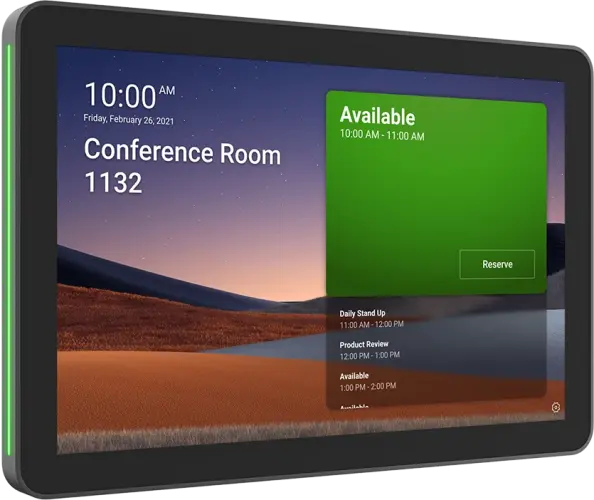
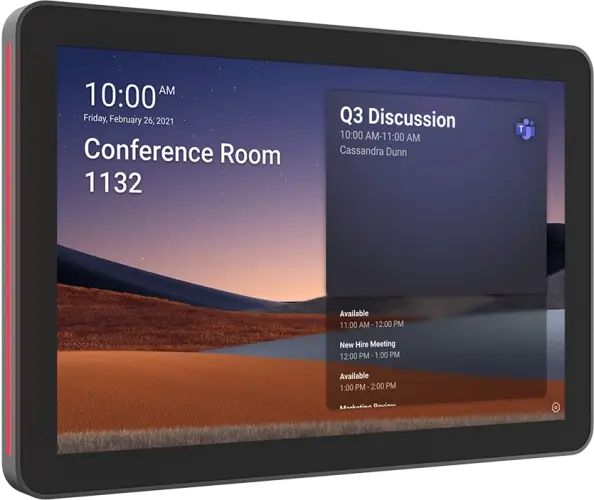
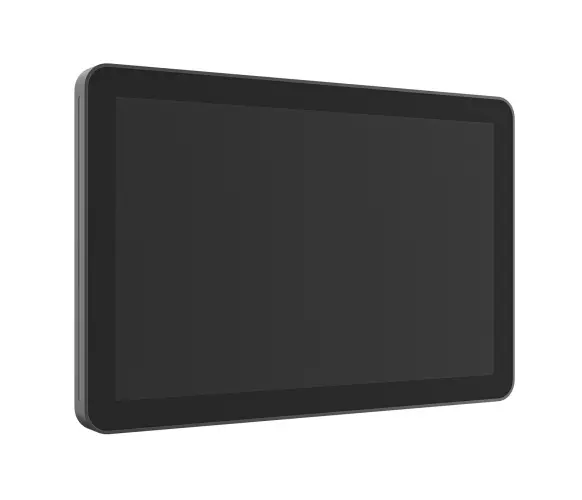
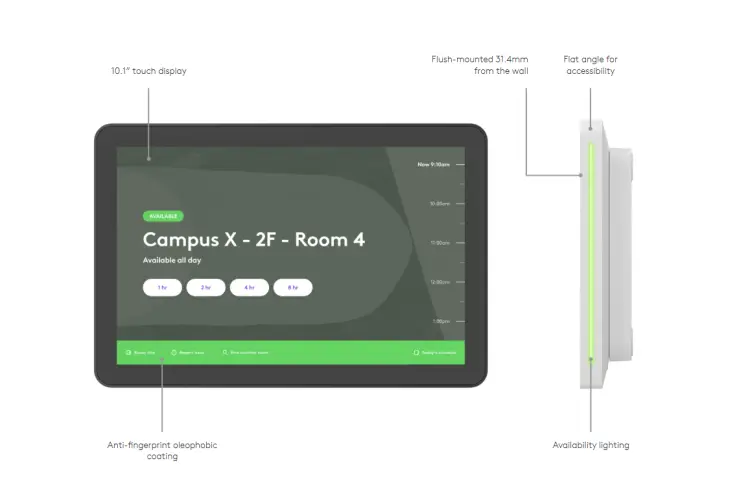
Logitech Tap Scheduler 952-000091 meeting room touch controller features a 10.1-inch IPS display with a brightness of 400 cd/m² in a graphite finish. Designed for seamless workspace management, it facilitates room scheduling, booking, and meeting visibility in modern office environments. This purpose-built panel integrates easily with leading scheduling solutions to optimize workplace efficiency.
Warranty: 2 Years
SKU: 12634733

delivery
Information regarding the items availability for purchase will be posted on this site
price
Item cost information will be published on this site
Together cheaper
{{product.price | formatAmount}}
{{product.title}}
{{productBundle.reference.specialPrice | formatAmount}}
{{productBundle.title}}
{{productBundlePreviousPrice | formatAmount}}
{{productBundleSpecialPrice | formatAmount}}

You saving {{productBundleYouSave | formatAmount}}

Product information

Description

The Logitech Tap Scheduler 952-000091 Meeting Room Touch Controller is a dedicated 10.1-inch IPS touch panel designed to streamline workspace management and meeting room scheduling in modern office environments. Featuring a clear display with a brightness of 400 cd/m² and finished in a professional graphite color, this device provides high visibility and integrates seamlessly into various architectural office layouts. It serves as a centralized interface for viewing room availability, booking ad-hoc meetings, and managing workspace utilization efficiently.

Advantages

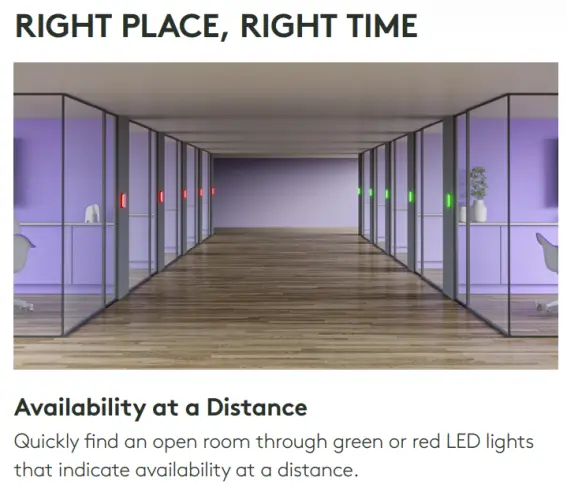
This purpose-built scheduling panel enhances office productivity by reducing confusion and eliminating scheduling conflicts outside conference rooms. The integrated LED light indicators clearly show room status from a distance, allowing employees to quickly identify availability. Its robust design is optimized for continuous operation in professional environments, and cable management options ensure a clean, reliable installation on glass, wall, or mullion surfaces.

Suitable for

  • Managing meeting room bookings in corporate offices
  • Displaying room availability and upcoming schedules in real-time
  • Coordinating workspace utilization in shared co-working spaces
  • Integrating with leading enterprise room scheduling software solutions

When it may not be suitable

This device is specifically designed as a meeting room scheduling controller and does not function as a general-purpose tablet, personal computer, or entertainment monitor. It requires a compatible room scheduling service and network infrastructure to operate effectively, making it unsuitable for standalone use without supporting software platforms.

Key specifications

  • Display size: 10.1 inchesPanel type: IPSBrightness: 400 cd/m²Finish: GraphitePrimary function: Meeting room scheduling and touch control

How to use

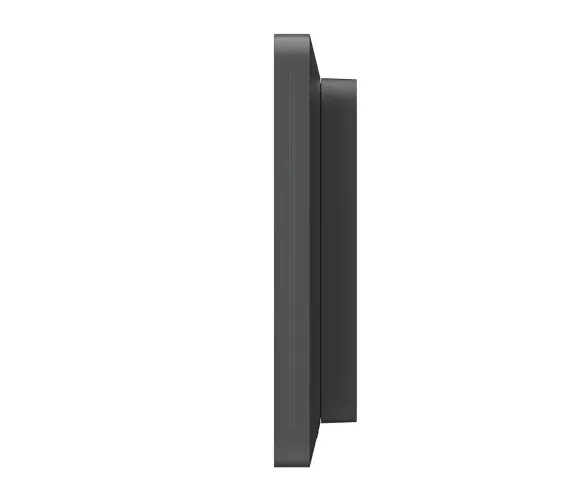
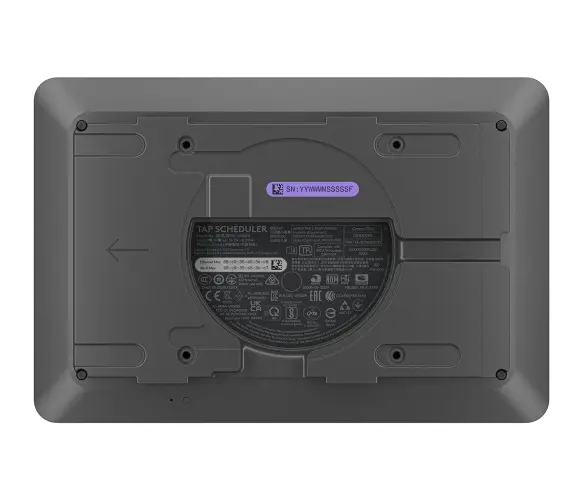
Mount the controller securely outside the meeting room using the appropriate mounting accessories for glass, walls, or door mullions. Connect the device to your local network and power source using the provided cabling options. Follow the on-screen setup prompts to link the panel with your organization's supported room scheduling and calendar software. Once configured, users can view daily schedules, check room status via the indicator lights, and book or extend meetings directly from the touch interface.

What to consider before purchase

  • Verify compatibility with your organization's existing calendar and scheduling software platform
  • Assess the availability of network connectivity and power infrastructure at the intended mounting location
  • Determine the appropriate mounting accessories required for your specific wall or glass surface
Usage recommendations: Install the Logitech Tap Scheduler at eye level near the entrance of the conference room where it is clearly visible and easily accessible. Ensure the device is connected to a stable network and a continuous power supply to maintain uninterrupted scheduling visibility. Regularly update the integrated software to ensure optimal performance and security within your workspace management ecosystem.

Description

Machine translation. Load original

Similar products

{{product.title}}
Show details Hide details

{{highlightedFeature.featureTitle}}:

{{getProductFeatureValueById(product, highlightedFeature.featureId)}}

{{product.price | formatAmount}}

Product comparison

The Logitech Tap Scheduler 952-000091 Meeting Room Touch Controller is compared against the Logitech Rally Board 65. While both products are from Logitech and designed for modern office environments, they serve entirely different purposes and form factors. The Tap Scheduler is a compact touch panel dedicated to room scheduling and booking, whereas the Rally Board 65 is a large-format mobile display built for presentations and video conferencing.

⚙️ The table below compares the device type, screen size, primary purpose, and key characteristics of each option.

FeatureLogitech Tap SchedulerLogitech Rally Board 65Practical significance
Device TypeTouch-enabled room scheduling panelLarge-format mobile display cartTap Scheduler is designed for wall mounting outside the room, while Rally Board is positioned inside for group collaboration.
Primary PurposeMeeting planning, room booking, status visibilityPresentations, collaborative meetings, video conferencingThe first optimizes office scheduling and logistics, while the second acts as the main visual medium for meetings.
Display10.1-inch IPS, 400 cd/m²65-inch LCDThe compact panel is ideal for quick status checks, while the large display ensures high visibility for all participants.

◎ The table below evaluates which product is more suitable for specific office use cases and buyer needs.

Use caseRecommended productWhy
Managing meeting room availabilityLogitech Tap SchedulerA dedicated compact device that integrates with leading scheduling software to clearly display room booking status right at the entrance.
Delivering presentations and video callsLogitech Rally Board 65A large display with a mobile cart setup that provides an ideal workspace for multimedia viewing and collaborative discussions inside the room.
Logitech Tap Scheduler is a specialized workspace management tool built specifically for room scheduling outside meeting spaces. By contrast, Logitech Rally Board 65 is a large display designed for interactive collaboration inside the room. Rather than competing directly, these products fulfill distinct roles within a fully equipped modern office.
Might be useful
{{product.manufacturerName}}
{{product.categoryName}}
{{product.title}}
{{product.specialPrice}}
{{product.price}}

Customer reviews

Customer questions

FAQ

What payment options are available?

AiO.lv offers several payment methods: Bank transfer. All transactions are 100% secure and encrypted.

Can this product be purchased for a company (with VAT)?

Yes. AiO.lv works with legal entities in Latvia and across Europe. The product price already includes VAT. For certain product categories, as well as for companies from other EU countries with a valid VAT number, a 0% VAT rate may apply. We issue the invoice immediately after the order is placed, support electronic BIS invoices, and automatically generate all necessary accounting documents. You can complete the purchase for a company online — simply select the company profile and choose bank transfer as the payment method during checkout.

What is the warranty period?

All Logitech products come with an official 2 Years warranty. It covers all manufacturing defects and malfunctions that may occur during use. The warranty is valid at all authorized Logitech service centers and through AiO.lv

Can the product be returned after purchase?

Yes, you can return the product within 14 days of purchase if you bought it as a consumer (not a legal entity). Returns are possible without giving any reason — the main condition is that the product retains its original appearance and full set of accessories. We will make the process as simple and convenient as possible: just contact our customer support team, and we will help you arrange the return.

Where should I contact for warranty service?

For warranty-related questions you can contact the AiO.lv (SIA VSPRO) customer support team. We will assist with consultation, warranty claim processing, and coordination with certified service centers.
warranty
14-Day Return Policy We are confident in our quality, but if the purchase doesn’t fit — you have 14 days to return the product with peace of mind.
shipping
Fast Delivery Get your orders as quickly as possible — right to your door, parcel lockers, or pickup points across Latvia and the EU.
payment
Secure Payment Pay the way you prefer: cash, VISA, MasterCard, Apple Pay, Google Pay, bank transfer, or 0% installment plan.
warranty
Quality Since 2008 AiO.lv has been on the market for over 18 years and has earned trust — with more than 6000 genuine positive reviews on Google.