
Leave your address - as soon as the price of the product goes down, you'll know about it right away
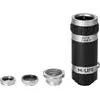
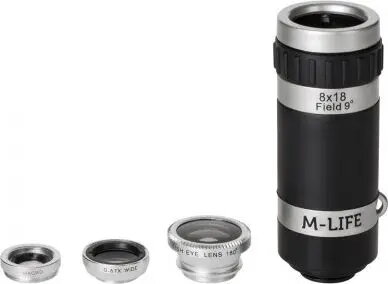
Lens Set 4-in-1 for Smartphone and Tablet, M-LIFE ML0694
In cart {{totalProductsCount}} item(s)
Your cart is empty
Lens Set 4-in-1 for Smartphone and Tablet, M-LIFE ML0694
Leave your address - as soon as the price of the product goes down, you'll know about it right away
Lens Set 4-in-1 for Smartphone and Tablet, M-LIFE ML0694
The M-LIFE Lens Set 4-in-1 for Smartphone and Tablet ML0694 is a compact kit of clip-on optics designed to expand the photographic capabilities of mobile devices. The set includes multiple interchangeable lenses that modify focal characteristics to achieve effects such as wider field of view and detailed close-ups. Lenses attach quickly to phones and tablets with a universal clip, enabling fast switch between modes while shooting photos or videos on the go.
This lens set provides a practical way to diversify mobile photography without permanent changes to a device. The clip-on system fits a wide range of smartphones and tablets and allows rapid swapping of lenses for different scenes. Lightweight construction and a compact carrying solution make the set convenient for travel and everyday use. Optical elements are designed to reduce common aberrations for acceptable image quality in typical daylight and indoor situations.
Align the chosen lens over the device camera and secure it with the clip so the optical center matches the camera sensor. Check the framing in the device viewfinder and adjust the clip position if vignetting or misalignment appears. Swap lenses by unclipping the current lens and attaching another element from the set; handle optical surfaces by the edges and, if necessary, clean with a soft microfiber cloth before use. When shooting macro subjects, move the device slowly to find the correct focus distance.
For consistent results, use the wide-angle lens in well-lit scenes to minimise noise and maintain image sharpness. When using the macro lens, stabilise the device or use a tripod to avoid motion blur at close distances. Store lenses in their protective compartments to prevent scratches and dust accumulation on optical surfaces.
{{highlightedFeature.featureTitle}}:
{{getProductFeatureValueById(product, highlightedFeature.featureId)}}