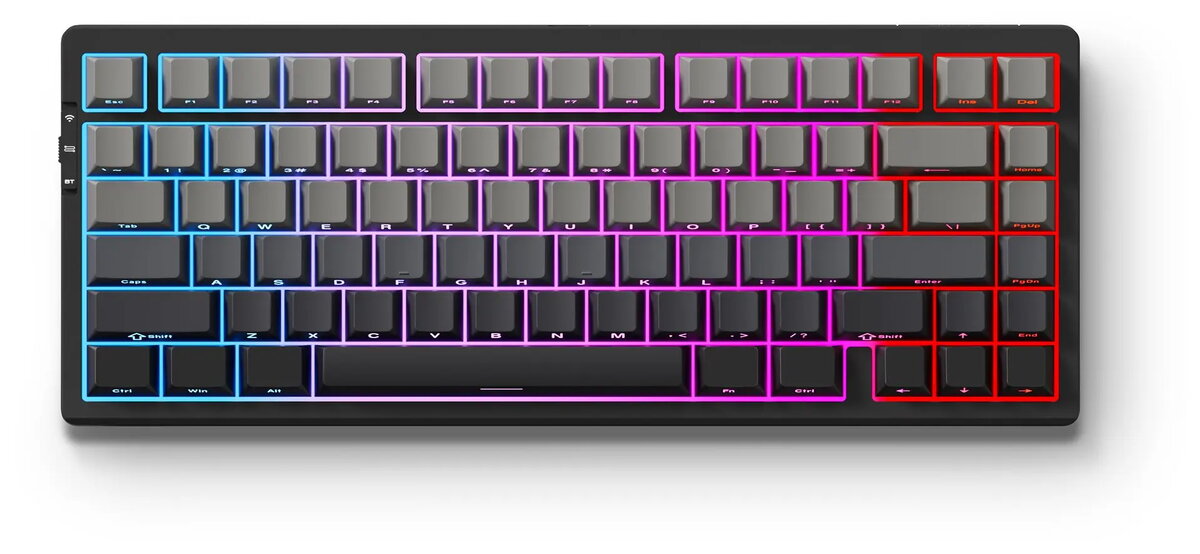
The Mchose G75 Pro Matcha Latte v2 (MC-G75-13) is a tenkeyless mechanical keyboard engineered for both typing and gaming. It features a standard keyset and a mechanical switch layout that provides tactile or linear feedback depending on the installed switches. As a Pro variant, the G75 Pro includes programmable functionality for key remapping and macros, a compact layout that saves desk space, and a construction focused on durability and consistent key response.
Advantages
The keyboard delivers precise and repeatable keystrokes thanks to mechanical switches and a solid build, supporting sustained typing and gaming sessions. Programmable keys and customizable layers give flexibility for workflows and game profiles, while the tenkeyless layout reduces footprint and improves mouse reach. The Matcha Latte v2 colorway offers a subdued aesthetic that fits many workstations and gaming setups.
Suitable for
- Typing-intensive work such as programming, writing, and data entry
- Competitive and casual gaming where fast, consistent input matters
- Users who prefer compact keyboards without a numeric keypad
- Custom key mapping and macro users seeking programmable controls
When it may not be suitable
The tenkeyless layout omits a dedicated numeric keypad, which may not suit users who frequently enter numbers or use spreadsheet work extensively. If a silent low-profile membrane keyboard is required for very quiet environments, a mechanical keyboard with audible or tactile switches may not be ideal.
Key specifications
- Form factor: Tenkeyless (compact, without numeric keypad)
- Switch type: Mechanical switches (various switch options may be available; switch model affects tactile/linear feel)
- Keycap profile: Standard keyset profile compatible with common mechanical keycaps
- Programmability: Remappable keys and macro support across layers
- Connectivity: Wired USB connection for low-latency input
- Material and build: Sturdy chassis designed for sustained daily use
How to use
Connect the keyboard to a compatible device via the USB cable and allow the operating system to recognize the device. Use included or downloadable configuration software to remap keys, record macros, and set up layers according to your workflow or game profiles. For standard use, type and play with default key assignments; switch to custom profiles when needed for specific applications or games. Maintain the keyboard by keeping keycaps clean and avoiding liquid exposure.
What to consider before purchase
- Whether a tenkeyless layout fits your workflow or if a full-size keyboard is necessary for numeric input
- Preferred mechanical switch type (tactile, linear, or clicky) and whether switches are hot-swappable
- Need for programmable layers and macro functionality for your tasks or games
- Compatibility with your operating system and any required configuration software
Usage recommendations
For optimal performance, select switch types that match your typing and gaming preferences, create dedicated profiles for different applications, and regularly clean keycaps. Use a stable USB connection and store the keyboard in a dry environment to preserve longevity.