Filters you can trust. Pure water every day.
In cart {{totalProductsCount}} item(s)
Your cart is empty
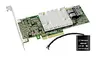
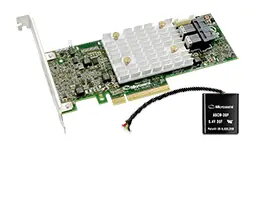
RAID controller Microsemi SmartRAID 3154-8i PCIe x8 12 Gbit/s MD2 half-height
Microsemi SmartRAID 3154-8i is a PCI Express x8 RAID controller in an MD2 half-height form factor designed for server and workstation storage arrays. It supports SAS and SATA III drives with up to 12 Gbit/s transfer rate and implements RAID levels 0, 1, 1 ADM, 5, 6, 10, 50 and 60. The adapter provides integrated flash-based cache protection and supports SSD caching and write-back/read caching through maxCache technology to accelerate transactional and database workloads. Dimensions are 167 × 64 mm and the card is compatible with Windows 7/8/10 x64 and Windows Server 2008/2012/2016 x64.
The SmartRAID 3154-8i offers high throughput with 12 Gbit/s SAS/SATA ports and PCIe x8 host interface, enabling fast sequential and random I/O when paired with 12 Gbps SSDs. Integrated cache protection uses a flash-backed scheme and a tethered capacitor module to ensure cached data is preserved in case of power loss, avoiding reliance on batteries. Support for maxCache 4.0 brings read and write-back SSD caching to improve latency and IOPS for mixed workloads. The controller supports mixed mode operation so RAID arrays and raw devices can coexist, and includes management via Microsemi's maxView HTML5 web interface for local and remote configuration and monitoring.
Install the SmartRAID 3154-8i into an available PCIe x8 slot on a compatible server or workstation motherboard. Connect SAS/SATA drive channels using appropriate mini-SAS HD or compatible cabling to the controller ports. Configure RAID arrays or mixed-mode raw devices using the adapter firmware interface during boot or through Microsemi's maxView HTML5 management utility for local or remote setup. To enable SSD caching, create an SSD cache pool and configure maxCache policies (read or write-back) according to workload needs. Ensure the capacitor module for cache protection is properly attached and monitored by the firmware.
For best performance, pair the controller with 12 Gbps SSDs for caching and use a mix of SSD cache pool and high-capacity HDDs for bulk storage. Use maxCache 4.0 write-back caching for write-intensive transactional workloads and read caching optimizations for read-heavy applications. Monitor cache health and firmware updates via maxView and ensure the flash-backed cache protection module is installed and tested during system maintenance windows.
{{highlightedFeature.featureTitle}}:
{{getProductFeatureValueById(product, highlightedFeature.featureId)}}
{{ productComparisonGenerationError }}