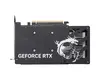
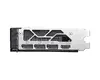
-
Minimum system power supply:
The lowest power that is needed.
-
550 W
-
Cooling type:
The method used to cool the device or to cool the air around the device.
-
Active
-
Dual Link DVI:
A dual-link DVI interface sends data over both of the DVI links to the monitor, and this is how higher resolutions are achieved. With dual-link DVI, a resolution of 2048 x 1536 is possible.
-
No
-
OpenGL version:
OpenGL (Open Graphics Library) is a specification defining a cross-language cross-platform API for writing applications that produce 3D computer graphics (and 2D computer graphics as well). The interface consists of over 250 different function calls which can be used to draw complex three-dimensional scenes from simple primitives.
-
4.6
-
DirectX version:
DirectX is a collection of APIs (application programming interfaces) for easily handling tasks related to game programming on the Microsoft Windows operating system.
-
12 Ultimate
-
TV tuner integrated:
Device has an in-built TV tuner.
-
No
-
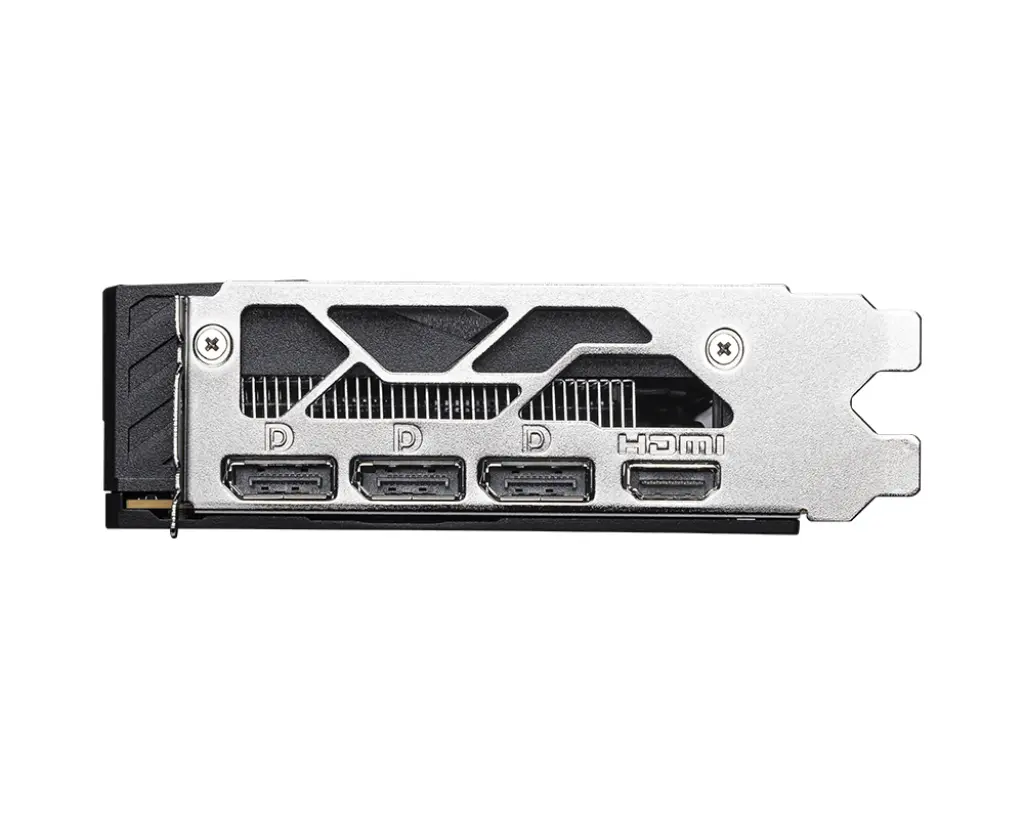
DisplayPorts quantity:
Number of DisplayPorts. A DisplayPort is a digital display interface developed by the Video Electronics Standards Association (VESA). The interface is primarily used to connect a video source to a display device such as a computer monitor, though it can also be used to carry audio, USB, and other forms of data.
-
3
-
DVI-I ports quantity:
This is the amount of DVI-I interfaces. Digital Visual Interface (DVI) is a video display interface developed by the Digital Display Working Group (DDWG). The digital interface is used to connect a video source to a display device, such as a computer monitor. DVI-I is DVI integrated, which means it can support digital and analog.
-
0
-
DVI-D ports quantity:
This is the amount of DVI-I interfaces. Digital Visual Interface (DVI) is a video display interface developed by the Digital Display Working Group (DDWG). The digital interface is used to connect a video source to a display device, such as a computer monitor. DVI-D means DVI digital, which means it can only support digital, but not analog.
-
0
-
HDMI ports quantity:
The number of sockets (ports) for HDMI connections. HDMI (High-Definition Multimedia Interface) is a compact audio/video interface for transferring uncompressed video data and compressed/uncompressed digital audio data from a HDMI-compliant device ("the source device") to a compatible computer monitor, video projector, digital television, or digital audio device. HDMI is a digital replacement for existing analog video standards.
-
1
-
Interface type:
-
PCI Express x16 5.0
-
Memory bus:
Hardware and software that connects the main memory to the memory controller in computer systems. Originally, general-purpose buses like VMEbus and the S-100 bus were used, but to reduce latency, modern memory buses are designed to connect directly to DRAM chips, and thus are designed by chip standards bodies such as JEDEC.
-
128 bit
-
Graphics card memory type:
The type of memory used by the video card. Often a combination of dedicated memory (Video RAM or VRAM) and dynamic system memory is used. UMA stands for Unified Memory Architecture, and is a computer memory architecture that allows the graphics processing unit to share system memory. Other abreviations: RAM = Random Access Memory, SDRAM = synchronous dynamic RAM, DDR = double-data-rate.
-
GDDR6
-
Discrete graphics card memory:
-
8 GB
-
CUDA:
CUDA (aka Compute Unified Device Architecture) is a parallel computing platform and programming model created by NVIDIA and implemented by the graphics processing units (GPUs) that they produce. CUDA gives program developers direct access to the virtual instruction set and memory of the parallel computational elements in CUDA GPUs.
-
Yes
-
Maximum resolution:
The maximum number of pixels that can be displayed in the image. It is usually quoted as width × height,: for example, "1024 × 768" means the width is 1024 pixels and the height is 768 pixels.
-
7680 x 4320
-
Graphics processor:
Also known as a graphics processing unit (GPU), this is a specialized electronic circuit designed to rapidly manipulate and alter memory to accelerate the creation of images in a frame buffer intended for output to a display. GPUs are used in embedded systems, mobile phones, personal computers, workstations, and game consoles. Modern GPUs are very efficient at manipulating computer graphics.
-
GeForce RTX 5050
-
Graphics processor family:
The category to which the graphics processor (GPU) belongs e.g. Southern Islands family of Radeon processors (made by AMD), GeForce 600 (made by NVIDIA).
-
NVIDIA