Dreame vacuums for fast and efficient cleaning!
In cart {{totalProductsCount}} item(s)
Your cart is empty
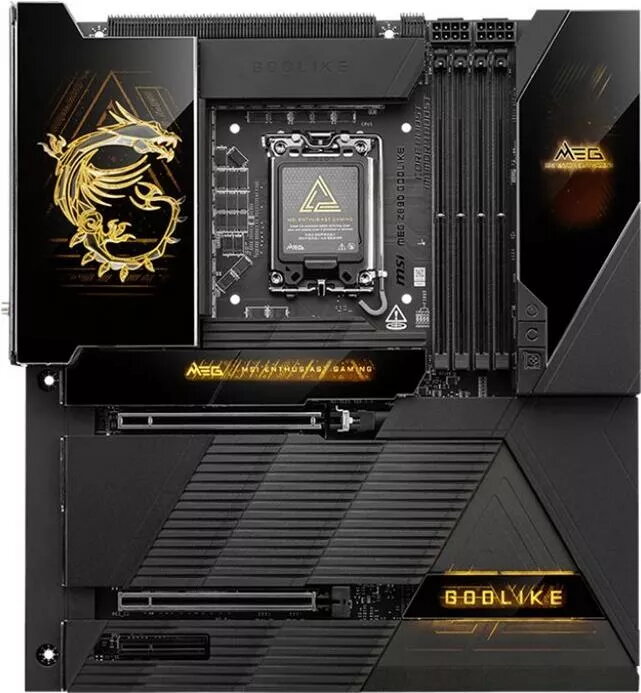
Motherboard MSI MEG Z890 GODLIKE - Z890 chipset, LGA1851 Socket, Extended ATX
The MSI MEG Z890 GODLIKE is an Extended ATX motherboard built around the Intel Z890 chipset with an LGA1851 CPU socket. It supports the latest Intel processors designed for this socket and offers a platform intended for high-performance desktop builds. The board integrates multiple PCIe expansion slots, a broad array of USB ports and high-speed networking options, together with reinforced power delivery and advanced thermal solutions to sustain demanding workloads and gaming sessions.
The motherboard provides robust power delivery designed to support high-core-count CPUs and sustained multi-threaded loads. Multiple PCIe slots and reinforced slot construction enable flexible multi-GPU or add-in card configurations. A comprehensive set of USB and networking interfaces simplifies peripheral connectivity and high-bandwidth data transfer. Integrated thermal controls and heatsinks support stable operation under heavy use while the Extended ATX form factor accommodates additional components and improved layout options.
Install the MSI MEG Z890 GODLIKE into a compatible E-ATX chassis, align and secure the board to the case standoffs. Mount a compatible LGA1851 CPU following the CPU and socket manufacturer instructions, then fit the appropriate CPU cooler ensuring proper contact and cooling capacity. Insert memory modules into the recommended DIMM slots to enable dual- or multi-channel operation. Connect storage devices into the SATA ports or M.2 slots as required, and populate PCIe slots with graphics cards or expansion cards. Connect power supply cables to the 24-pin ATX and CPU power headers and attach front-panel and I/O cables. After hardware assembly, enter the motherboard firmware to verify component detection, configure memory and boot settings, and apply any firmware updates provided by the manufacturer.
Use a quality ATX-compatible power supply with sufficient wattage and the necessary auxiliary CPU power connectors. Ensure case airflow and CPU cooling match the thermal output of installed components. For systems running heavy loads or overclocked settings, monitor temperatures and update firmware and drivers regularly to maintain stability and compatibility with new processors and peripherals.
{{highlightedFeature.featureTitle}}:
{{getProductFeatureValueById(product, highlightedFeature.featureId)}}
{{ productComparisonGenerationError }}