JBL speakers and headphones for pure and deep sound!
In cart {{totalProductsCount}} item(s)
Your cart is empty
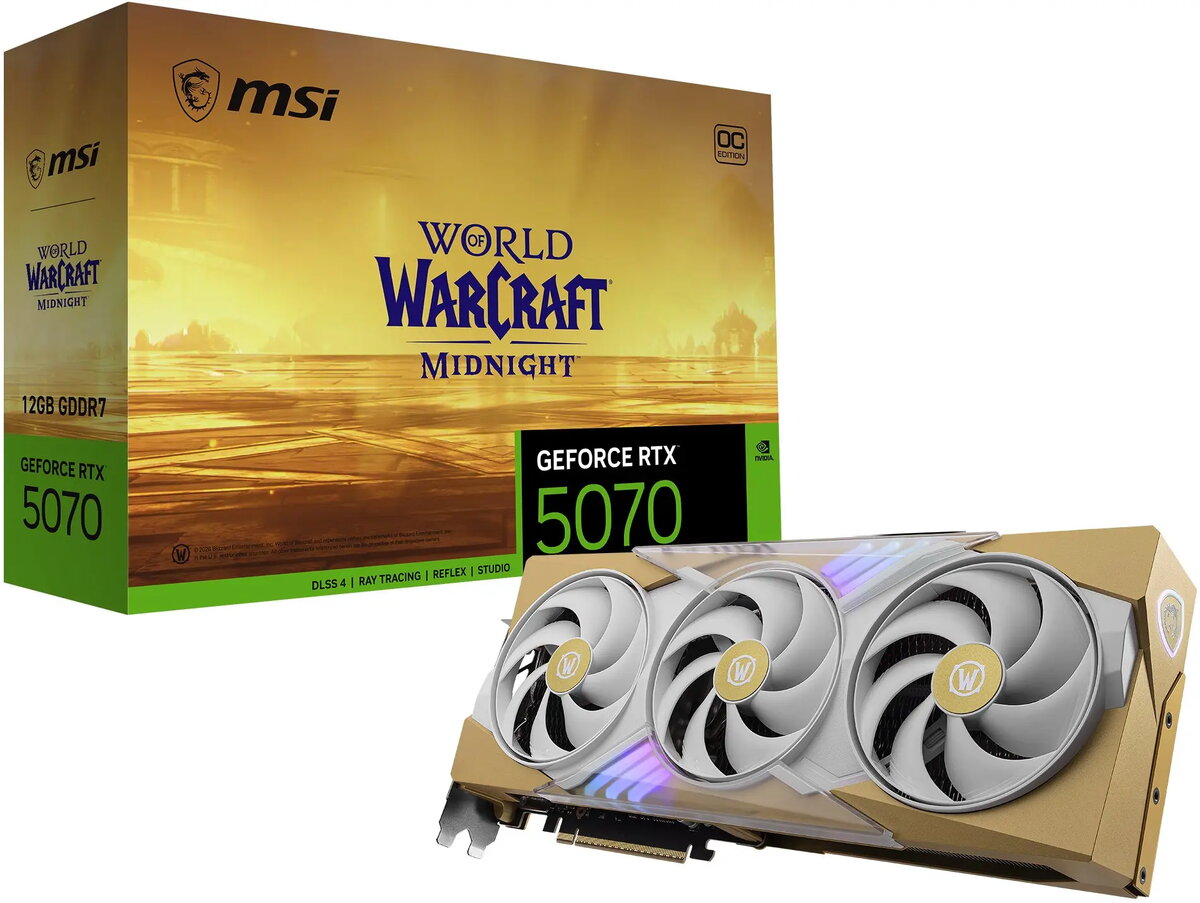
Graphics card MSI GeForce RTX 5070 World of Warcraft Midnight Light Edition OC 12GB GDDR7 DLSS4
The MSI GeForce RTX 5070 World of Warcraft Midnight Light Edition OC 12GB GDDR7 is a factory-overclocked gaming graphics card designed for modern AAA titles and content creation workflows. It combines a 12GB GDDR7 frame buffer with NVIDIA architecture features such as hardware-accelerated ray tracing and DLSS4 AI upscaling to deliver improved frame rates and image quality at high resolutions. The Midnight Light Edition styling provides a themed aesthetic while retaining standard PCIe compatibility and a multi-fan cooling solution tuned for sustained performance.
This graphics card offers a balance of performance and efficiency with faster memory bandwidth from GDDR7 and factory overclocking that raises out-of-the-box clock speeds for better real-world performance. Hardware ray tracing cores enable realistic lighting and reflections in supported titles, and DLSS4 provides AI-driven upscaling to increase playable frame rates with minimal image quality loss. The card’s cooling system and PCB design are optimized for temperature control and stable operation under prolonged loads, making it suitable for extended gaming and creative sessions.
Install the card into a compatible PCI Express x16 slot on a motherboard with sufficient physical clearance and power delivery. Connect required auxiliary power cables from a power supply that meets the card’s recommended wattage and rail specifications. Install the latest drivers from the GPU vendor to enable features such as DLSS4 and ray tracing, and configure display settings through the driver control panel or game menus. Ensure proper case airflow to maintain optimal temperatures during extended workloads.
For best results, pair the card with a modern multi-core CPU and a power supply that provides stable, adequate power headroom. Keep GPU drivers updated, monitor temperatures during heavy use, and use driver or game settings to balance resolution and quality with performance depending on the target frame rate.
{{highlightedFeature.featureTitle}}:
{{getProductFeatureValueById(product, highlightedFeature.featureId)}}