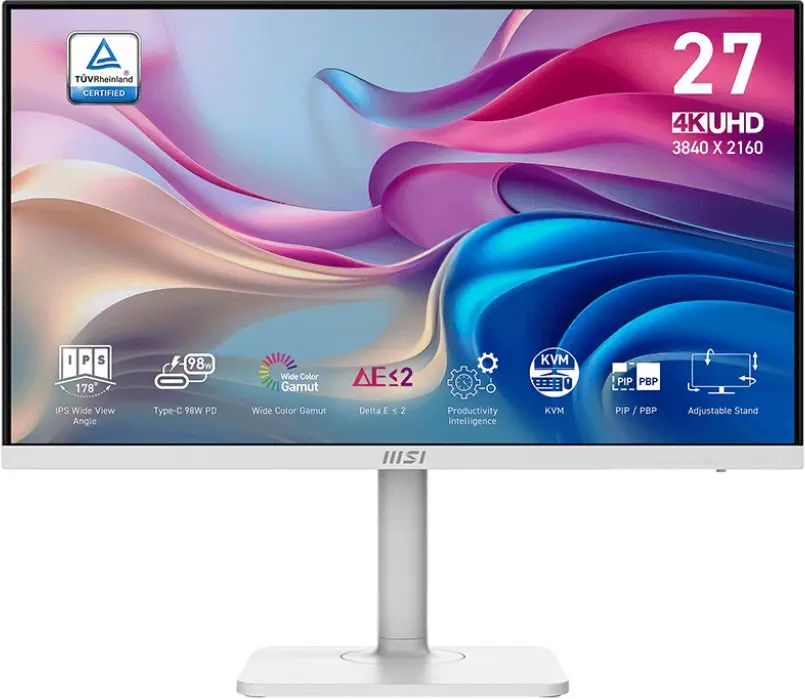
The MSI Modern MD272UPHW Monitor is compared with several alternative models from the MSI brand, including the MSI Modern MD272UPHW 27-inch 4K Ultra HD IPS Computer Monitor, Monitor MSI MODERN MD272UPHGDE 27" 4K Ultra HD 3840 x 2160, Monitor MSI Modern MD272UPSW 27" 4K Ultra HD 3840 x 2160, MSI Modern MD342CQPDE Business Monitor, and MSI MAG274QRFWDEX32 Monitor. All these displays are designed for professional office use, home productivity, and multimedia viewing. The main differences between them lie in screen resolution, display diagonal, support for specialized features such as built-in USB hubs, speakers, ergonomic height adjustment, or higher refresh rates, as well as color options.
⚙️ Below is a comparison of key characteristics, including screen diagonal and resolution, panel type, ergonomic stand support, and built-in speakers, to help you evaluate the technical features of each model.
| Parameter | MSI Modern MD272UPHW Monitor | MSI Modern MD272UPHW (27") | MSI MODERN MD272UPHGDE | MSI Modern MD272UPSW | MSI Modern MD342CQPDE | MSI MAG274QRFWDEX32 | Practical significance |
|---|
| Diagonal and resolution | Not specified | 27 inches, 3840 x 2160 (4K) | 27 inches, 3840 x 2160 (4K) | 27 inches, 3840 x 2160 (4K) | Not specified | Not specified | Most alternatives offer detailed 4K resolution on a 27-inch screen for working with text and graphics. |
| Panel type | Not specified | IPS | IPS | IPS | Not specified | Not specified | IPS panels provide wide viewing angles and stable color reproduction. |
| Ergonomics | Not specified | Height adjustment, VESA | Height adjustment, VESA | Height adjustment, VESA | Not specified | Not specified | Height adjustment and VESA mounting support allow you to customize the workspace to your individual requirements. |
| Additional features | Not specified | Speakers, USB hub | Speakers, USB hub | Speakers, USB hub, Wi-Fi, Ethernet | 120 Hz refresh rate, KVM switch | Gaming and professional focus | Models differ in their set of interfaces and specialized features for multimedia and multitasking. |
◎ The table below reviews various usage scenarios and user needs to determine which specific model is best suited for your tasks.
| Use case | Recommended product | Why |
|---|
| Professional document editing and 4K multimedia | MSI Modern MD272UPHW (27") | Provides high image detail on a 27-inch IPS screen, an ergonomic stand, and built-in speakers for daily tasks. |
| Setting up a workspace with a light color theme | MSI Modern MD272UPSW | Offers similar 4K screen capabilities but in a white color design and with network interfaces. |
| Advanced multitasking and smoother visuals | MSI Modern MD342CQPDE | Offers a 120 Hz refresh rate and a built-in KVM switch for efficient management of multiple computers. |
| Gaming and universal entertainment tasks | MSI MAG274QRFWDEX32 | Designed with an emphasis on high performance in games and entertainment while maintaining productivity capabilities. |
Recommendation: The MSI Modern MD272UPHW Monitor is suited for standard office and home tasks, but when selecting a specific option, it is recommended to consider modifications with explicitly detailed 4K specifications such as the MSI Modern MD272UPHW 27-inch or MSI Modern MD342CQPDE if specific cabinet colors, network interfaces, or higher refresh rates are important to you. Choose alternatives like MSI Modern MD342CQPDE if you require a 120 Hz refresh rate and multi-PC control, or MSI MAG274QRFWDEX32 for gaming scenarios.