
Leave your address - as soon as the price of the product goes down, you'll know about it right away
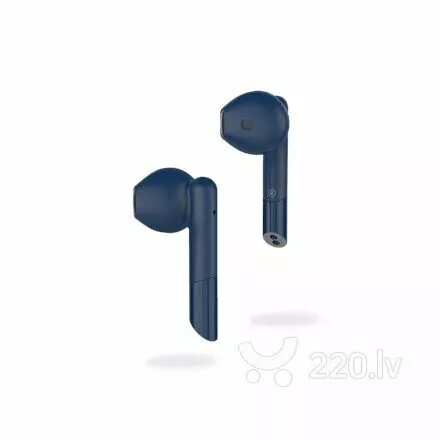
Earphones MyKronoz ZeBuds Pro True Wireless Stereo Green
In cart {{totalProductsCount}} item(s)
Your cart is empty
Earphones MyKronoz ZeBuds Pro True Wireless Stereo Green
Leave your address - as soon as the price of the product goes down, you'll know about it right away
Earphones MyKronoz ZeBuds Pro True Wireless Stereo Green
The MyKronoz ZeBuds Pro True Wireless Stereo Green are compact in-ear earphones designed to deliver clear audio and a secure fit for daily use. These true wireless earphones provide Bluetooth connectivity for seamless pairing with smartphones, tablets and other compatible devices. The set includes a small charging case for convenient storage and recharging, and the earphones incorporate touch controls and passive noise isolation to support focused listening during commutes, workouts or remote work.
ZeBuds Pro combine a comfortable ergonomic design with extended battery life and a portable charging case, allowing prolonged listening without frequent recharging. Touch-sensitive controls on the earbuds enable playback, call handling and simple device interactions without reaching for a phone. Passive noise isolation improves perceived sound clarity in noisy environments while the compact case protects and recharges the earphones on the go.
Remove the ZeBuds Pro from the charging case to power them on and enable pairing with a Bluetooth-enabled device. Follow your device's Bluetooth menu to locate and connect to the earphones; once paired they will reconnect automatically when powered on in range. Use the touch controls on the earbuds to play or pause audio, skip tracks, answer or end calls, and interact with voice assistants. Place the earbuds securely in your ear canal for optimal sound quality and noise isolation. Return the earbuds to the charging case after use to recharge and store them safely.
For best audio performance and comfortable fit, select the appropriate ear tip size before extended use, keep firmware and the connected device's Bluetooth drivers up to date, and charge the case regularly to ensure the earbuds are ready when needed. Avoid exposure to heavy moisture and clean the ear tips and charging contacts periodically to maintain reliable operation.
{{highlightedFeature.featureTitle}}:
{{getProductFeatureValueById(product, highlightedFeature.featureId)}}