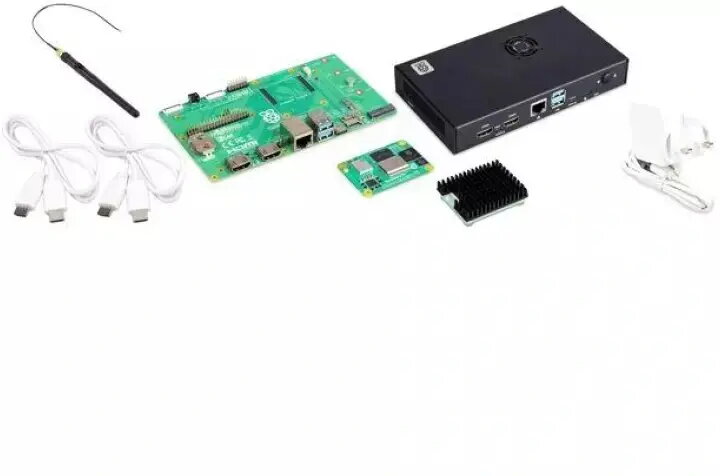
The NEC Raspberry Pi Compute Module with 4GB RAM and 32GB eMMC is a compact, preconfigured compute solution designed to integrate with NEC M/MA/Pxx5 large format displays. Supplied with a USB Player application and a dedicated interface board, the module provides onboard storage and memory to run digital signage, media playback and simple interactive applications without the need for an external PC. The solution is built on the Raspberry Pi platform and tailored to work with compatible NEC displays for streamlined installation and operation.
Advantages
This compute module combines 4 GB of RAM and 32 GB of onboard eMMC storage in a small form factor, reducing the space and cabling needed for content playback systems. The included interface board simplifies physical integration with supported NEC large format displays, while the USB Player application allows playback of scheduled media from connected USB storage. The preconfigured setup reduces initial configuration time and provides a single vendor-compatible option for display-integrated content playback.
Suitable for
- Digital signage in retail, hospitality and corporate environments
- Content playback for lobbies, information points and wayfinding
- Integrated display installations where compact, display-mounted compute is required
- Setups that require onboard storage and a lightweight playback application
When it may not be suitable
This module is intended for media playback and light compute tasks on compatible NEC displays and is not a replacement for high-performance PCs or servers. Complex interactive applications, heavy multitasking, or GPU-intensive processing may exceed the capabilities of the Raspberry Pi-based module. Systems requiring enterprise-grade remote management, advanced security features, or large-scale centralized content management may need additional hardware or software.
Key specifications
- Memory: 4 GB RAM
- Internal storage: 32 GB eMMC
- Platform: Raspberry Pi-based compute module
- Included software: USB Player application for media playback
- Accessories: Interface board for connection to compatible NEC large format displays
- Primary use: On-display media playback and simple signage applications
How to use
Install the compute module onto the supplied interface board and connect the board to a compatible NEC M/MA/Pxx5 display following the display manufacturer’s mounting and connection guidelines. Use the USB Player application to load media files from connected USB storage devices and configure playback schedules and playlists via the application interface. Ensure the display firmware and interface board connections are up to date and that the module has a stable power supply. For routine use, place content files on a USB drive or network storage visible to the player and manage updates according to the installation’s maintenance plan.
What to consider before purchase
- Confirm compatibility with your specific NEC M/MA/Pxx5 display model and firmware version
- Evaluate whether 4 GB RAM and 32 GB eMMC meet your content and application requirements
- Determine if the included USB Player application supports your required media formats and scheduling needs
- Plan for backup or external storage if you need more storage capacity or centralized content management
Usage recommendations
For reliable operation, keep the module’s firmware and the display’s firmware current, use quality USB storage for large playlists, and test content playback and schedules during installation. For larger deployments, consider a content management workflow that includes regular backups of eMMC content and a plan for remote updates where possible.