A curated selection of maximum value offers!
In cart {{totalProductsCount}} item(s)
Your cart is empty
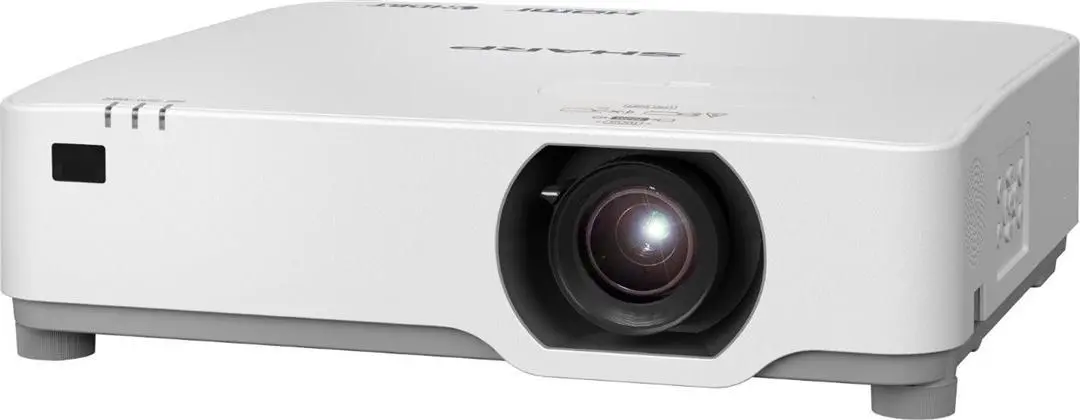
NEC XP-P701U Laser Projector with 7000 lumens, WUXGA resolution 1920x1200 and Lens-Shift
The NEC XP-P701U Laser Projector is a professional projection device designed to deliver bright, sharp, and reliable visual presentations in large venues, conference rooms, and auditoriums. Combining advanced laser illumination technology with high-resolution performance, this model ensures exceptional image clarity and vibrant color reproduction even in well-lit environments. It is engineered to meet the demanding requirements of corporate and educational settings where consistent performance and installation flexibility are essential.
The NEC XP-P701U offers a powerful 7000-lumen output, making it capable of projecting clearly visible images in brightly lit rooms without washing out the colors. Its native WUXGA resolution of 1920x1200 pixels provides a high level of detail for text-heavy presentations, spreadsheets, and multimedia content. The integration of advanced laser technology ensures long-lasting operation with reduced maintenance needs compared to traditional lamp-based systems. Additionally, the built-in Lens-Shift functionality allows for flexible positioning and alignment during setup, simplifying the installation process in complex architectural spaces.
This projector is not designed for small, compact meeting rooms where high lumen output is unnecessary and space is severely limited. It is also not optimized for portable, on-the-go use by traveling presenters due to its substantial size and professional installation focus.
Mount the projector securely on a ceiling or place it on a stable, flat surface facing the projection screen at an appropriate distance. Connect your video source device, such as a computer or media player, using compatible cables. Power on the unit and use the Lens-Shift controls and focus adjustments to align the image correctly on the screen. Select the appropriate input source and adjust settings via the on-screen menu for optimal viewing results.
Usage recommendations: To ensure optimal performance and longevity, operate the projector in a clean, dust-free environment with adequate ventilation around the intake and exhaust vents. Allow the unit to complete its proper cooling cycle before unplugging it from the power source.
{{highlightedFeature.featureTitle}}:
{{getProductFeatureValueById(product, highlightedFeature.featureId)}}
{{ productComparisonGenerationError }}