
Hurry and order now – up to 50% off!
In cart {{totalProductsCount}} item(s)
Your cart is empty
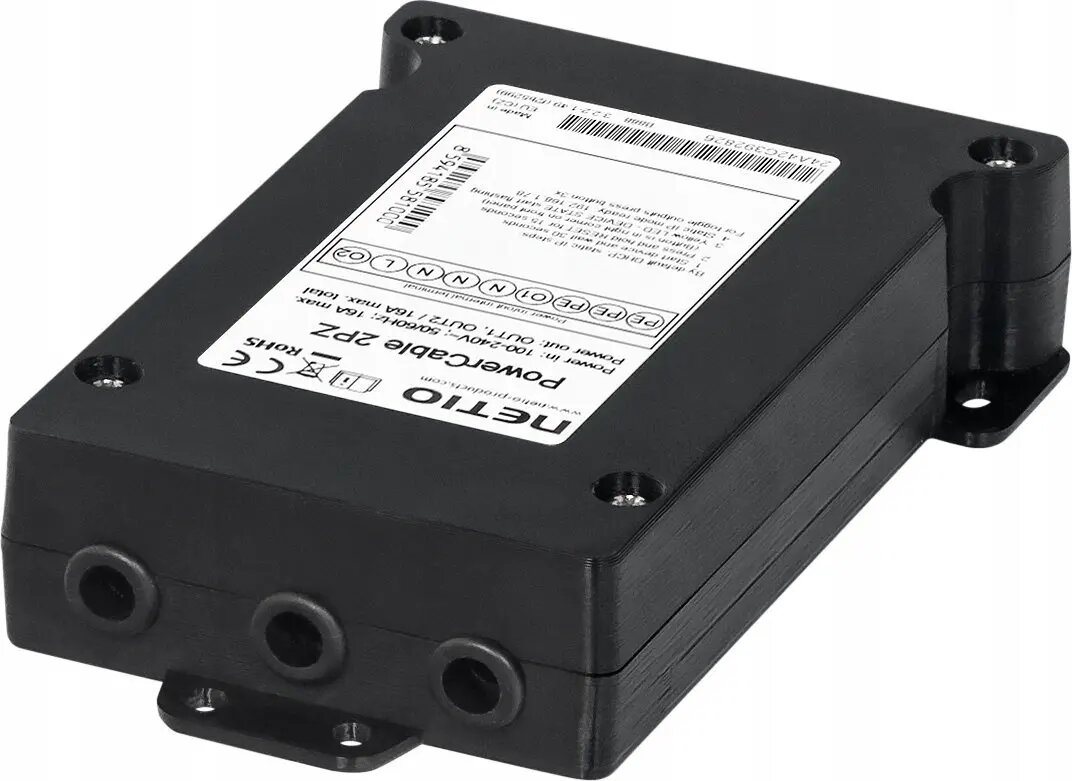
Managed PowerCable 2PZ power distribution unit Netio KT
Netio KT Managed PowerCable 2PZ is a compact managed power distribution unit designed for remote control and monitoring of connected devices. The unit offers two switched outlets with network management capabilities in a slim, cable-integrated form factor. It is suitable for environments that require remote power cycling, scheduled switching and basic energy monitoring for IT racks, edge computing installations, laboratory equipment or industrial devices where space is limited and reliable network control is needed.
The Managed PowerCable 2PZ combines a compact design with networked power control, enabling remote on/off switching and automated scheduling without the need for a full-size rack PDU. Its Ethernet connectivity supports integration with monitoring tools and simple web-based configuration. The device reduces manual intervention by enabling remote power cycles and can help maintain uptime for critical equipment. Built for continuous operation, it provides predictable switching behavior and straightforward deployment in constrained spaces.
Install the Managed PowerCable 2PZ by connecting its integrated power cable to a mains outlet and plugging devices into the two switched outlets. Connect the unit to a local network via Ethernet to access its web interface or management API. Configure outlet names, schedules and remote control permissions through the device interface. Use the network management features to perform remote reboots, set timed power cycles and monitor outlet states. Follow local electrical safety rules when connecting equipment and ensure the connected load does not exceed the device’s rated limits.
For reliable operation, deploy the Managed PowerCable 2PZ in environments with stable network connectivity and secure access controls. Use scheduled power cycles for non-critical equipment outside business hours and reserve manual remote reboots for troubleshooting. Verify compatibility of connected devices with switched power outlets and distribute loads evenly across outlets to avoid overloading.
{{highlightedFeature.featureTitle}}:
{{getProductFeatureValueById(product, highlightedFeature.featureId)}}
{{ productComparisonGenerationError }}