
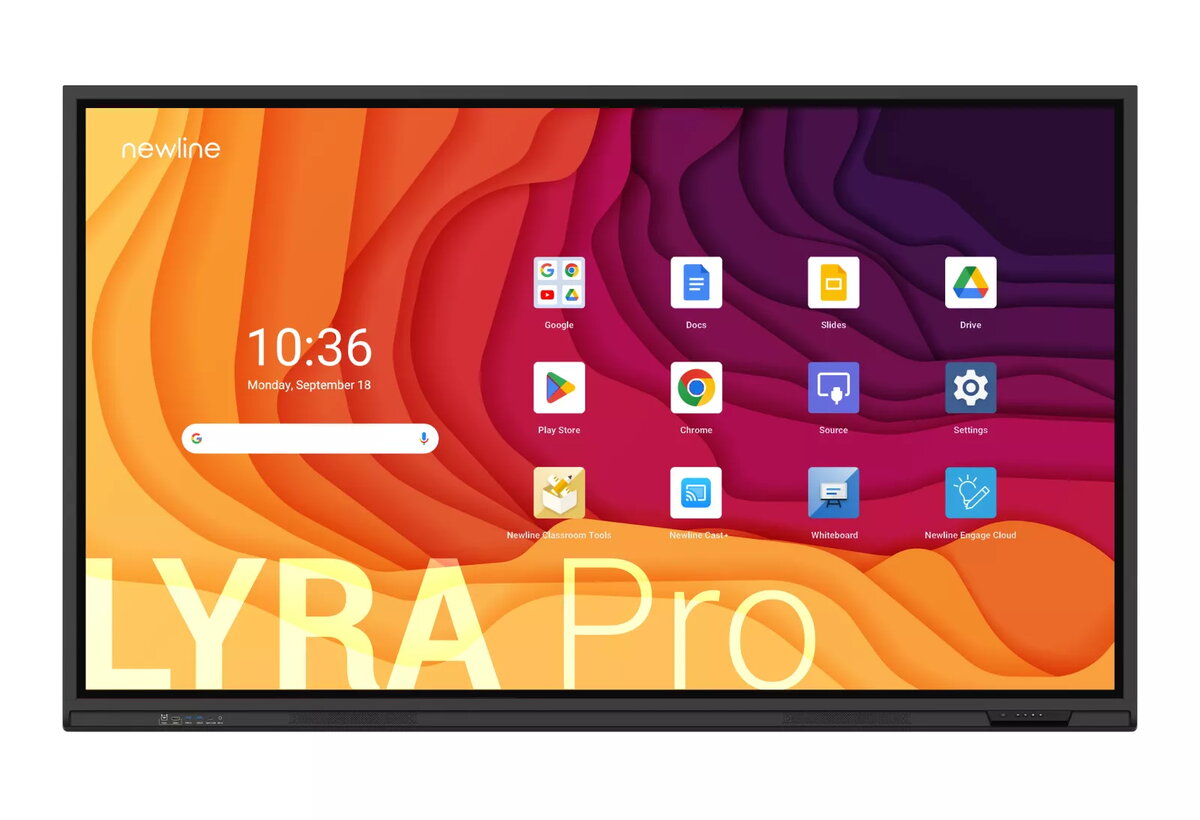
Monitor Newline TT-7523QA 75" Touchscreen Display 3840 x 2160
2,121.49 €
Keep track of price changes
You keep track of price changes
Watch the price drop
Leave your address - as soon as the price of the product goes down, you'll know about it right away
You keep track of price changes
Monitor Newline TT-7523QA 75" Touchscreen Display 3840 x 2160
{{email}}
You keep track of price changes
Monitor Newline TT-7523QA 75" Touchscreen Display 3840 x 2160
{{email}}
{{selectedOffer && selectedOffer.price | formatAmount}}
Offer for legal entity, cashless payment.
Why is an item available only for a legal entity?
This is due to long delivery times and limited product warranties.
This is due to long delivery times and limited product warranties.
Short description
The Newline TT-7523QA is a 75" interactive whiteboard with a 3840 x 2160 pixel resolution. It features a working area of 1650 x 928 mm and a brightness of 450 cd/m². Powered by Android and equipped with an ARM Cortex A73 + A53 processor and 8 GB RAM, it ensures smooth performance. The 20 W speakers and Wi-Fi 6 support enhance connectivity and audio experience. With a robust MTBF of 50000 hours, this black touchscreen display is ideal for professional environments.
Available for order:
12 pcs.
Warranty:
2 Years
SKU:
11131135


Deliver the order:
to the Customer Service Center at Kengaraga 2b, Riga
26.08.2026
{{selectedOffer.officeDeliveryString}}
free
Customer service center
2b. Kengaraga str., Riga, Latvia, LV-1063
26.08.2026
{{selectedOffer.officeDeliveryString}}
free
Courier Delivery
Please note that in case of a large parcel additional delivery costs may apply!
From 53.99 € (Weight: 68.00 kg)

Leasing for legal entities:
from 73.83 euros per month


