
Save time and money with our discounts!
In cart {{totalProductsCount}} item(s)
Your cart is empty
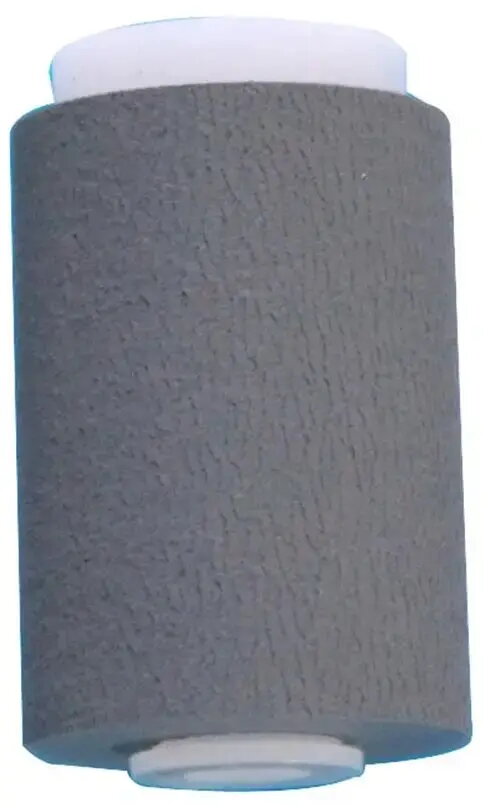
Feeding ADF Roller Replacement for Kyocera ECOSYS P2235dn (compatible, part MCZ6550)
Compatible ADF feeding roller designed for Kyocera ECOSYS P2235dn automatic document feeder. This replacement roller restores the paper pickup and transport function of the ADF, helping to maintain consistent document feeding, reduce misfeeds and jams, and support scanning and copying workflows in small office and home office environments.
This ADF roller replacement offers a straightforward way to return reliable feeding performance without replacing the entire ADF assembly. The part is made to provide consistent friction and wear characteristics suitable for standard office paper types, helping to reduce repeated grasp failures and paper skew. Installation restores standard feeding behavior and can extend the service life of the machine by addressing the common source of ADF feeding issues.
Power off the printer and open the ADF access covers according to the device service instructions. Remove the worn roller by releasing the retaining clips or screws and slide the old roller out of its shaft. Align the replacement roller in the same orientation as the original part and secure it in place with the retaining hardware. Close the ADF covers and perform a test feed using a few sheets of typical office paper to confirm consistent pickup and transport. Follow the printer manufacturer’s safety and service guidelines during the procedure.
Use clean, dry paper and avoid sheets with heavy staples or adhesive labels when running the ADF. If feeding issues persist after replacement, inspect paper path sensors and separators for contamination and consider replacing other wear items in the feed assembly.
{{highlightedFeature.featureTitle}}:
{{getProductFeatureValueById(product, highlightedFeature.featureId)}}
{{ productComparisonGenerationError }}