
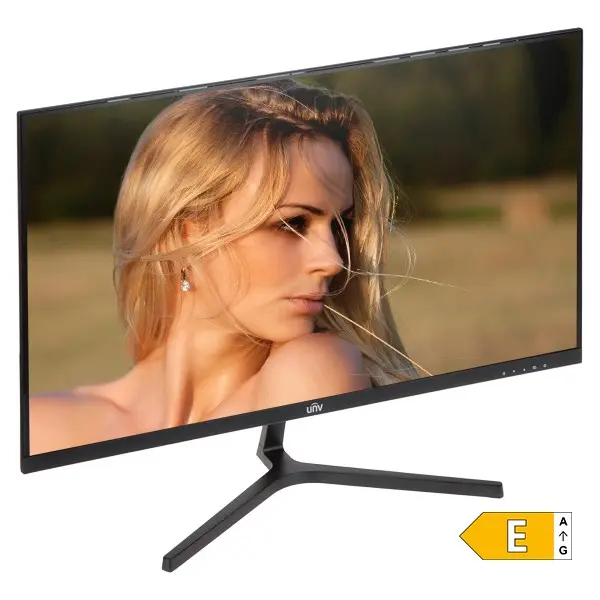
Uniview MW-LC27-E 27-inch LED Monitor with VGA and HDMI Interfaces
{{selectedOffer && selectedOffer.price | formatAmount}}
Keep track of price changes
You keep track of price changes
Watch the price drop
Leave your address - as soon as the price of the product goes down, you'll know about it right away
You keep track of price changes
Uniview MW-LC27-E 27-inch LED Monitor with VGA and HDMI Interfaces
{{email}}
You keep track of price changes
Uniview MW-LC27-E 27-inch LED Monitor with VGA and HDMI Interfaces
{{email}}
{{selectedOffer && selectedOffer.price | formatAmount}}
Short description
Enhance your workspace with the Uniview MW-LC27-E 27-inch monitor, featuring versatile VGA and HDMI connectivity options. Designed for reliable daily office work and multimedia use, this display delivers clear visuals and dependable performance. Ideal for professional office environments, home setups, and surveillance monitoring systems.
to the Customer Service Center at Kengaraga 2b, Riga
09.11.2026
{{selectedOffer.officeDeliveryString}}
free
- Delivery country: {{ userCountryName }}
Customer service center
2b. Kengaraga str., Riga, Latvia, LV-1063
09.11.2026
{{selectedOffer.officeDeliveryString}}
free
Courier Delivery
Please note that in case of a large parcel additional delivery costs may apply!
From 53.99 € (Weight: 33.33 kg)

pay in 3 equal parts
All payment Methods:
Bank transfer, Bank cards on-line, Apple Pay, Google Pay, Installment
36 months installment:
from 6.37 euros per month


