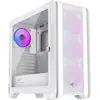
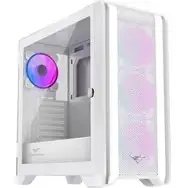
In this comparison, the main product PREYON Nest Windy+ White Computer Case is evaluated alongside several alternative cases from the same brand: PREYON Nest Windy+ Computer Case PRENWP04B, PREYON Nest Windy White Computer Case PRENW04W with Side Window, PREYON Nest Windy Computer Case, PREYON Nest Meshy Computer Case PRENM02B with mesh front panel, and PREYON Nest Meshy+ Computer Case with Mesh Front Panel for ATX Motherboards. All these products share the purpose of housing and protecting system components while providing a structured interior and efficient cable management for gaming or workstation setups. The primary differences lie in the exterior color (white versus black), the inclusion of a side window, and the front panel design (solid panel for the Windy series versus ventilated mesh for the Meshy series), which directly impact visual aesthetics and airflow dynamics.
⚙️ Below is a comparison of key characteristics and differences between PREYON Nest Windy+ White and the alternative computer cases.
| Parameter | PREYON Nest Windy+ White | PREYON Nest Windy+ PRENWP04B | PREYON Nest Windy White PRENW04W | PREYON Nest Windy | PREYON Nest Meshy PRENM02B | PREYON Nest Meshy+ | Practical Conclusion |
|---|
| Color Finish | White | Black | White | Black | Black | Black | The white options (PREYON Nest Windy+ White and PRENW04W) fit bright interior aesthetics and theme builds, whereas the remaining models feature a versatile black finish. |
| Front Panel Type | Solid panel | Solid panel | Solid panel | Solid panel | Mesh front panel | Mesh front panel | The Meshy series models feature mesh panels for enhanced airflow and cooling efficiency, while the Windy series offers a cleaner solid-panel appearance. |
| Design and Visual Features | Modern Windy+ styling | Standard Windy+ styling | Equipped with a side window | Basic Windy layout | Optimized for high airflow | Enhanced mesh layout | The PRENW04W includes a side window, making it ideal for users who want to showcase internal components and RGB lighting. |
| Intended Use Case | Gaming and workstations | Gaming and standard desktops | Gaming and PC enthusiast builds | Gaming and custom setups | Gaming and professional setups | High-performance gaming and work | While all models target gamers and custom builders, the choice depends on user preferences regarding color, side windows, or cooling requirements. |
◎ The table below evaluates which product is most suitable for various user needs and usage scenarios.
| Use case | Recommended product | Why |
|---|
| Building a stylish white themed PC build | PREYON Nest Windy+ White Computer Case | The clean white aesthetic complements white-colored hardware components for a unified and attractive desktop setup. |
| Standard gaming PC with a classic black look | PREYON Nest Windy+ Computer Case PRENWP04B | Offers the core functionality of the Windy+ series in a practical black chassis that blends easily into any office or gaming room. |
| Showcasing internal components and lighting | PREYON Nest Windy White Computer Case PRENW04W with Side Window | Features a side window to display internal hardware and lighting effects clearly for enthusiasts. |
| Maximizing airflow for high-performance hardware | PREYON Nest Meshy+ Computer Case with Mesh Front Panel for ATX Motherboards | Utilizes a mesh front panel to ensure superior thermal management and continuous airflow for demanding system components. |
The main difference of the PREYON Nest Windy+ White Computer Case is its clean white aesthetic combined with the functional layout and standard component support of the Windy+ series. It is most suitable for users looking to build a visually striking white gaming rig or workstation. If your priority is enhanced airflow through a mesh front panel or displaying your hardware through a side window, you may prefer one of the alternative models from the Meshy series or the windowed variant.