


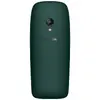
Product specification Mobile Phone Nokia 6310 (TA-1607) Dual Sim 2.8"
Description
The Mobile Phone Nokia 6310 (TA-1607) Dual Sim 2.8" is a durable GSM feature phone designed for straightforward everyday communication. It offers a 2.8" display, tactile physical keys, support for two active SIM cards and essential functions such as FM radio and Bluetooth connectivity, focusing on reliable build quality and an easy-to-use interface for calling, messaging and basic mobile tasks.
Advantages
The Nokia 6310 (TA-1607) Dual Sim 2.8" pairs dual SIM capability with a compact 2.8" screen and physical buttons to provide dependable performance for voice calls and SMS. Its long-lasting battery reduces charging frequency, while Bluetooth and FM radio add simple connectivity and entertainment options without smartphone complexity. The straightforward interface and solid construction simplify daily use and maintenance.
Suitable for
- Users who need a basic, reliable phone for calls and SMS
- People who require support for two SIM cards (work and personal)
- Environments where long battery life and rugged build are important
- Those preferring physical keys and a clear, easy-to-read 2.8" display
- Users who want FM radio and Bluetooth without smartphone complexity
Key specifications
- Brand: NOKIA
- Model: Nokia 6310 (TA-1607)
- Form factor: GSM feature phone with physical keys
- Display size: 2.8"
- SIM: Dual SIM support
- Connectivity: Bluetooth, FM radio
- Battery: Long-lasting battery (manufacturer specification)
- MPN: 286953592
- EAN: 6438409100290
- Category: GSM phones
How to use
Insert one or two SIM cards following the user guide and power on the device using the dedicated power button. Navigate menus and compose messages with the physical keypad and the simple interface. Use the Bluetooth menu to pair compatible accessories and open the FM radio feature to listen to stations with or without wired earphones as prompted on-screen. Charge the battery regularly with the supplied or certified charger to ensure readiness for calls and messaging.
Usage recommendations
Keep the phone's software updated if updates are available, use original or certified chargers to preserve battery life, and store the device in a dry place to protect the casing and buttons. Use the dual SIM feature to separate personal and work contacts and enable Bluetooth only when needed to conserve power.


