{{ totalProductsCount }}

In cart {{totalProductsCount}} item(s)

Total:
{{sum | formatAmount}}

Your cart is empty

header-product Motherboard NZXT N7 Z890 White – Socket 1851 (LGA 1851)
320.99 €

Motherboard NZXT N7 Z890 White – Socket 1851 (LGA 1851)

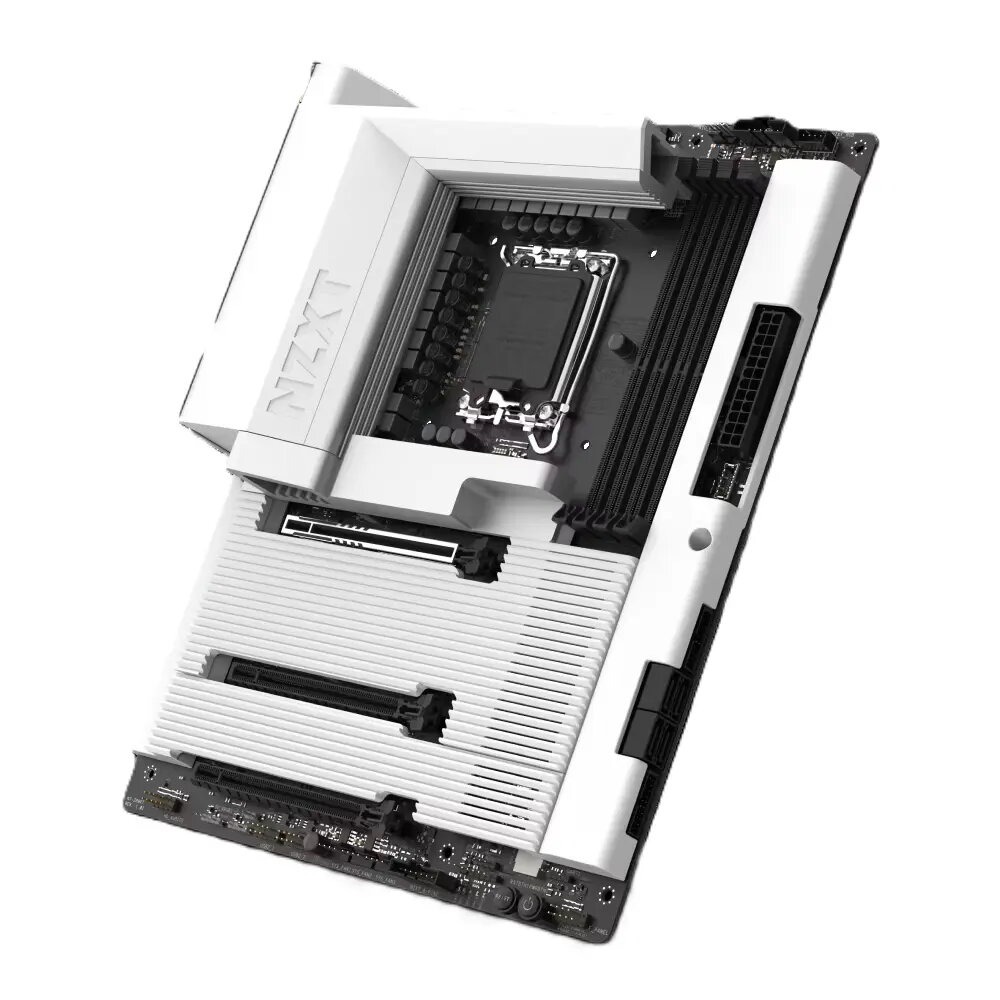
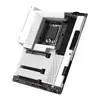
Motherboard NZXT N7 Z890 White Photo 1
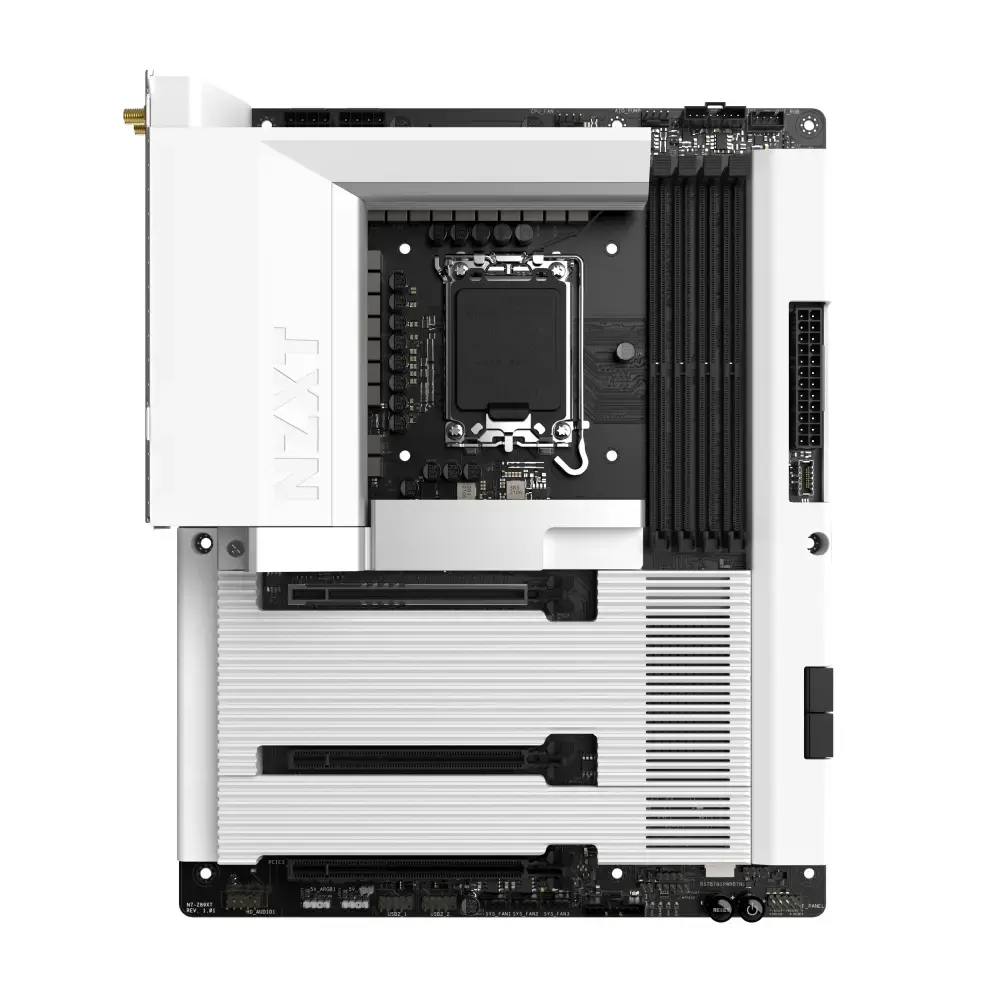
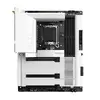
Motherboard NZXT N7 Z890 White Photo 2
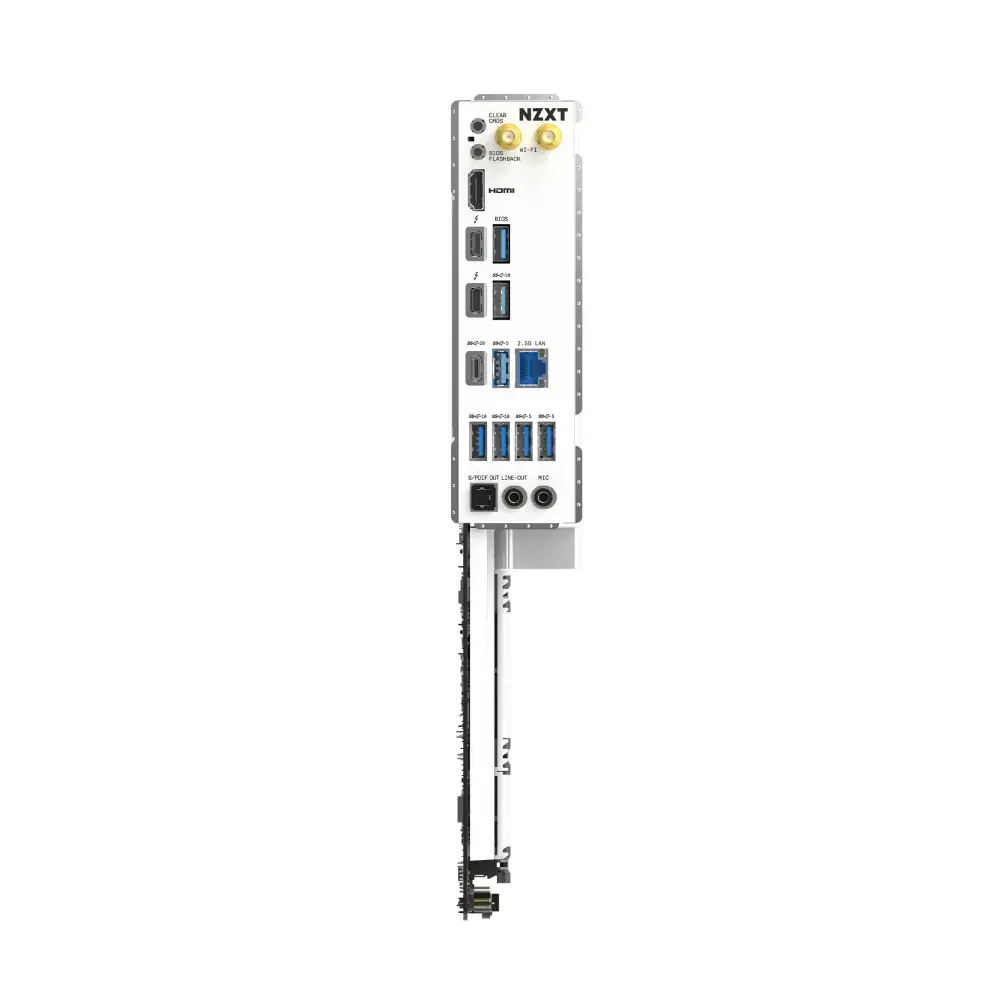
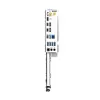
Motherboard NZXT N7 Z890 White Photo 3
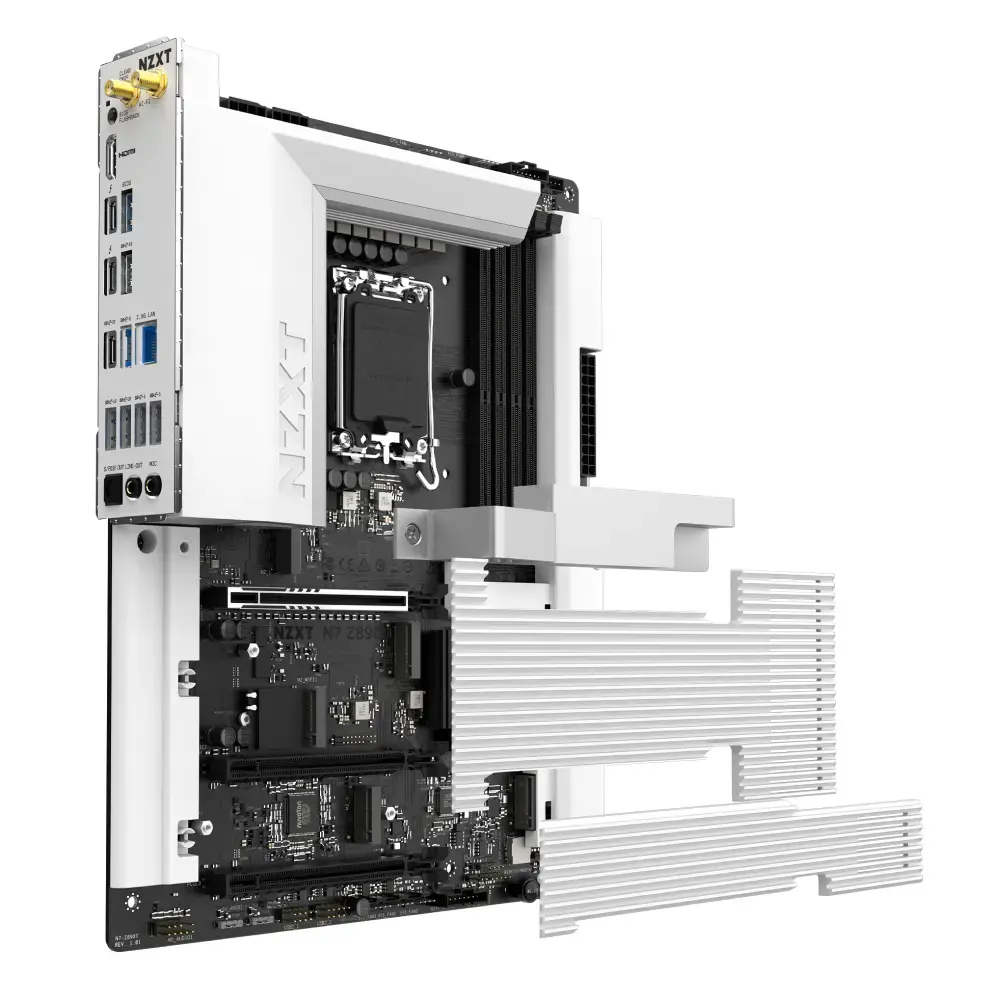
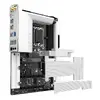
Motherboard NZXT N7 Z890 White Photo 4
Motherboard NZXT N7 Z890 White Photo 1
Motherboard NZXT N7 Z890 White Photo 2
Motherboard NZXT N7 Z890 White Photo 3
Motherboard NZXT N7 Z890 White Photo 4
Keep track of price changes You keep track of price changes
Watch the price drop

Leave your address - as soon as the price of the product goes down, you'll know about it right away

You keep track of price changes

Motherboard NZXT N7 Z890 White – Socket 1851 (LGA 1851)

{{email}}
You keep track of price changes

Motherboard NZXT N7 Z890 White – Socket 1851 (LGA 1851)

{{email}}
{{selectedOffer && selectedOffer.price | formatAmount}}

Short description

NZXT N7 Z890 White is a desktop motherboard in white finish designed for processors compatible with Socket 1851 (LGA 1851). It provides a platform for building a PC with supported Intel-compatible CPUs, offering standard motherboard features and connectivity for storage, memory and expansion. Suitable for desktop builds where a white aesthetic and Socket 1851 compatibility are required.
Available for order: 9 pcs.
Warranty: 2 Years
SKU: 11694572
Manufacturer: NZXT
free shipment

Cheapest delivery:

Unisend LV

Pick-up points

Unisend LV

Cost

1.79 €

Deliver

{{selectedOffer.parcelStationDeliveryString}}

Customer service center
2b. Kengaraga str., Riga, Latvia, LV-1063
12.08.2026 {{selectedOffer.officeDeliveryString}}
free
Courier Delivery Please note that in case of a large parcel additional delivery costs may apply!
17.08.2026 {{selectedOffer.courierDeliveryString}}
From 4.99 € (Weight: 2.24 kg)
Parcel couriers
Unisend LV / Venipak Pickup LV / Venipak Locker LV / Latvijas Pasts pakomāts / DPD Paku skapis / Omniva LV / Latvijas Pasts nodaļa
17.08.2026 {{selectedOffer.parcelStationDeliveryString}}
From 1.79 €
0 credit

pay in 3 equal parts

today

0 €

afterward

3 mth. х 107 €

overpayment

0 €

All payment Methods:
Bank transfer, Bank cards on-line, Apple Pay, Google Pay, Installment
36 months installment: from 8.92 euros per month
Price for companies: 265.28€ Price is valid only for legal clients
Together cheaper
{{product.price | formatAmount}}
{{product.title}}
{{productBundle.reference.specialPrice | formatAmount}}
{{productBundle.title}}
{{productBundlePreviousPrice | formatAmount}}
{{productBundleSpecialPrice | formatAmount}}

You saving {{productBundleYouSave | formatAmount}}

Product information

Description

The NZXT N7 Z890 ATX motherboard is built for modern Intel systems using the LGA 1851 (Socket V1) platform and supports Intel Core Ultra (Series 2) processors. It combines a robust power delivery subsystem, optimized thermal solutions, and modern connectivity — including DDR5 memory support, PCIe 5.0 storage, Thunderbolt 4 and integrated networking — to serve as a foundation for high-performance desktops and gaming PCs.

Advantages

The board delivers stable power through a multi-phase design and high-current DrMOS components, enabling reliable operation under heavy CPU loads and overclocking. An aluminum VRM heatsink with thermal pads and dedicated M.2 cooling reduces thermal throttling for sustained performance. DDR5 DIMM support and a PCIe 5.0-capable M.2 slot provide headroom for faster memory and next-generation SSDs, while two Thunderbolt 4 ports and a 2.5 Gb Ethernet interface plus Wi‑Fi 6E ensure high-bandwidth wired and wireless connections. The full-cover aesthetic conceals most of the PCB for a clean build appearance and simplifies cable and component layout.

Suitable for

  • High-performance gaming PCs using Intel Core Ultra processors
  • Content creation rigs that require fast storage and high memory bandwidth
  • Workstations with demanding multitasking and overclocking needs
  • Compact ATX builds that value integrated networking and modern I/O

Key specifications

  • CPU socket: LGA 1851 (Socket V1) compatible with Intel Core Ultra (Series 2)
  • Form factor: ATX
  • Memory: 4 x DDR5 DIMM slots, dual-channel configuration, support for high-frequency modules and overclocking profiles
  • Power delivery: Multi-phase VRM design with high-current DrMOS components and aluminum heatsink with thermal pads
  • Storage: One PCIe 5.0-capable M.2 slot plus three PCIe 4.0 M.2 slots; SATA III ports for additional SSDs/HDDs (total supported drives: up to 4)
  • Expansion: PCIe lanes suitable for modern GPUs and add-in cards with PCIe 5.0 support on primary slot
  • USB and external I/O: Dual Thunderbolt 4 ports for high-speed data, video output and device charging
  • Audio: Integrated multi-channel audio codec for onboard sound
  • Networking: 2.5 Gigabit Ethernet and Wi‑Fi 6E with Bluetooth support
  • Cooling: Multiple fan headers including 8-pin combo headers for NZXT single-frame fans (4-pin RGB + 4-pin PWM) and dedicated M.2 heatsink

How to use

Install the motherboard into a compatible ATX case, seat the supported Intel processor into the LGA 1851 socket and secure it according to the CPU cooler manufacturer’s instructions. Populate the DDR5 DIMM slots in the recommended dual-channel configuration for optimal performance and connect storage devices to the M.2 slots or SATA III ports. Connect power from a compatible PSU to the 24-pin ATX and CPU power connectors. Attach cooling fans to the available headers and route front-panel connectors, USB, and Thunderbolt cables to external devices as needed. After first power-on, enter the firmware/BIOS to verify memory profiles, storage detection and networking settings before installing the operating system.

Usage recommendations

For sustained high performance, use a high-quality CPU cooler and ensure good case airflow. Populate memory in matched DDR5 modules following the motherboard’s recommended slots to enable dual-channel operation and XMP/overclocking profiles if required. Keep firmware up to date to maintain compatibility with the latest CPUs and peripherals, and use NVMe SSDs in the top PCIe 5.0 M.2 slot for maximum storage performance.

Specifications

Motherboard chipset: The chipset connects the microprocessor to the rest of the motherboard.
Intel Z890
Motherboard chipset family: The category of motherboard chipset e.g. Intel, AMD.
Intel
Motherboard form factor: Design of the motherboard (ATX, BTX etc).
ATX
Component for: What this product is used as a part of (component for).
PC
Wi-Fi: Popular technology that allows an electronic device to exchange data or connect to the internet wirelessly using radio waves.
Yes
DVI-D ports quantity: This is the amount of DVI-I interfaces. Digital Visual Interface (DVI) is a video display interface developed by the Digital Display Working Group (DDWG). The digital interface is used to connect a video source to a display device, such as a computer monitor. DVI-D means DVI digital, which means it can only support digital, but not analog.
0
HDMI ports quantity: The number of sockets (ports) for HDMI connections. HDMI (High-Definition Multimedia Interface) is a compact audio/video interface for transferring uncompressed video data and compressed/uncompressed digital audio data from a HDMI-compliant device ("the source device") to a compatible computer monitor, video projector, digital television, or digital audio device. HDMI is a digital replacement for existing analog video standards.
1
VGA (D-Sub) ports quantity: Number of VGA (D-Sub) ports (connecting interfaces) in the device. The VGA (D-Sub) connector is a 15 pin connector between a computer and a monitor. It was first introduced in 1987 by IBM.
0
Ethernet LAN (RJ-45) ports: Number of Ethernet LAN (RJ-45) ports (connecting interfaces) in the device. Ethernet LAN (RJ-45) ports allow a computer to connect to the ethernet.
1
USB 3.2 Gen 2 (3.1 Gen 2) Type-C ports quantity: Number of USB 3.1 (3.1 Gen 2) ports with Type-C connector. USB 3.1 (3.1 Gen 2) is USB interface version which supports transfer rate up to 10 Gbit/s (SuperSpeed+). USB Type-C connector has symmetrical design architecture and compatible with Thunderbolt 3 interface.
4
USB 3.2 Gen 2 (3.1 Gen 2) Type-A ports quantity:
0
USB 3.2 Gen 1 (3.1 Gen 1) Type-C ports quantity: Number of USB 3.0 (3.1 Gen 1) ports with Type-C connector. USB 3.0 (3.1 Gen 1) is USB interface version which supports transfer rate up to 5 Gbit/s (SuperSpeed). USB Type-C connector has symmetrical design architecture and compatible with Thunderbolt 3 interface.
0
USB 3.2 Gen 1 (3.1 Gen 1) Type-A ports quantity:
3
USB 2.0 ports quantity: Number of USB 2.0 ports (connecting interfaces) in the device. USB 2.0 was released in April 2000 (now called "Hi-Speed"), adding higher maximum signaling rate of 480 Mbit/s (effective throughput up to 35 MB/s or 280 Mbit/s), USB 2.0 ports are usually black.
0
Number of SATA III connectors: Serial ATA (Advanced Technology Attachment) (SATA) is a computer bus interface that connects host bus adapters to mass storage devices such as hard disk drives and optical drives. SATA III (revision 3.x) interface, formally known as SATA 6Gb/s, is a third generation SATA interface running at 6.0Gb/s. The bandwidth throughput, which is supported by the interface, is up to 600MB/s. This interface is backwards compatible with SATA 3 Gb/s interface.
4
USB 3.2 Gen 2 (3.1 Gen 2) connectors:
0
USB 3.2 Gen 1 (3.1 Gen 1) connectors: This is a connector (normally attached to a cable) for USB 3.0. USB 3.0 is the second major revision of the Universal Serial Bus (USB) standard for computer connectivity. First introduced in 2008, USB 3.0 adds a new transfer mode called "SuperSpeed," (distinguishable from USB 2.0 by either the blue colour of the port or the initials SS) capable of transferring data at up to 5Gbit/s—more than ten times as fast as the 480 Mbit/s top speed of USB 2.0.
2
USB 2.0 connectors: The end of a cable with a USB 2.0 connector. USB 2.0 was released in April 2000 (now called "Hi-Speed"), adding higher maximum signaling rate of 480 Mbit/s (effective throughput up to 35 MB/s or 280 Mbit/s), in addition to the "USB 1.x Full Speed" signaling rate of 12 Mbit/s. USB 2.0 connectors are usually colored black.
2
Number of memory slots:
4
Processor socket: Mechanical component(s) that provides mechanical and electrical connections between a microprocessor and a printed circuit board (PCB). This allows the processor to be replaced without soldering.
LGA 1851 (Socket V1)
Processor manufacturer: The manufacturer that produced the processor.
Intel
Supported storage drive interfaces:
SATA III, M.2
Supported memory types: Types of memory which can be used with the product.
DDR5-SDRAM
All features

Expansion slots

Number of M.2 (M) slots:
1
PCI Express x16 (Gen 5.x) slots:
1
PCI Express x16 (Gen 4.x) slots:
2

Features

Windows operating systems supported: Windows vesions wich can be used with the device.
Windows 11 x64, Windows 11, Windows 10 x64
Power source type: What the power source is.
ATX
Product colour: The colour e.g. red, blue, green, black, white.
White
Audio chip:
Realtek ALC1220
Motherboard chipset: The chipset connects the microprocessor to the rest of the motherboard.
Intel Z890
Motherboard chipset family: The category of motherboard chipset e.g. Intel, AMD.
Intel
Motherboard form factor: Design of the motherboard (ATX, BTX etc).
ATX
Component for: What this product is used as a part of (component for).
PC

Network

Bluetooth version: The type of bluetooth technology in the product e.g. Bluetooth Smart (v4.0).
5.3
Bluetooth: Bluetooth is a low-power radio technology developed to replace the cables and wires currently used to link or connect electronic devices such as personal computers, printers, and a wide variety of handheld devices including mobile phones. Because it uses radio-wave connectivity, a Bluetooth-enabled device has a constant, established connection to whatever browser it uses. This saves the user the trouble of logging on to check for emails or news updates, for example.
Yes
Wi-Fi standards: The type of wireless local area network (LAN). It can be ad-hoc, where units in a network communicate peer-to-peer, or Infrastructure, where units communicate with each other via an access point A LAN interconnects computers in a small area e.g. home, school or office.
Wi-Fi 6E (802.11ax)
Top Wi-Fi standard: Connection of this device is done via Wi-Fi in a high standard.
Wi-Fi 6E (802.11ax)
Wi-Fi: Popular technology that allows an electronic device to exchange data or connect to the internet wirelessly using radio waves.
Yes
Ethernet interface type:
25 Gigabit Ethernet
Ethernet LAN: An Ethernet LAN (Local Area Network) interface is present, for a wired conection via a cable.
Yes

Rear panel I/O ports

WiFi-AP antenna jack:
2
Thunderbolt ports quantity: The number of ports (sockets) for Thunderbolt connections. Thunderbolt is a hardware interface that allows for the connection of external peripherals to a computer. It uses the same connector as Mini DisplayPort (MDP). It was released in 2011 and is used in Apple's 2011 MacBook Pro, as well as other devices.
2
S/PDIF out port: S/PDIF (Sony/Philips Digital Interconnect Format) is a digital audio interconnect used in consumer audio equipment over relatively short distances. The signal is transmitted over either a coaxial cable with RCA connectors or a fibre optic cable with TOSLINK connectors.
Yes
Microphone in: The socket where a microphone is connected to the device.
Yes
Line-in:
Yes
DVI-D ports quantity: This is the amount of DVI-I interfaces. Digital Visual Interface (DVI) is a video display interface developed by the Digital Display Working Group (DDWG). The digital interface is used to connect a video source to a display device, such as a computer monitor. DVI-D means DVI digital, which means it can only support digital, but not analog.
0
HDMI ports quantity: The number of sockets (ports) for HDMI connections. HDMI (High-Definition Multimedia Interface) is a compact audio/video interface for transferring uncompressed video data and compressed/uncompressed digital audio data from a HDMI-compliant device ("the source device") to a compatible computer monitor, video projector, digital television, or digital audio device. HDMI is a digital replacement for existing analog video standards.
1
VGA (D-Sub) ports quantity: Number of VGA (D-Sub) ports (connecting interfaces) in the device. The VGA (D-Sub) connector is a 15 pin connector between a computer and a monitor. It was first introduced in 1987 by IBM.
0
Ethernet LAN (RJ-45) ports: Number of Ethernet LAN (RJ-45) ports (connecting interfaces) in the device. Ethernet LAN (RJ-45) ports allow a computer to connect to the ethernet.
1
USB4 Gen 2x2 ports quantity:
1
USB 3.2 Gen 2 (3.1 Gen 2) Type-C ports quantity: Number of USB 3.1 (3.1 Gen 2) ports with Type-C connector. USB 3.1 (3.1 Gen 2) is USB interface version which supports transfer rate up to 10 Gbit/s (SuperSpeed+). USB Type-C connector has symmetrical design architecture and compatible with Thunderbolt 3 interface.
4
USB 3.2 Gen 2 (3.1 Gen 2) Type-A ports quantity:
0
USB 3.2 Gen 1 (3.1 Gen 1) Type-C ports quantity: Number of USB 3.0 (3.1 Gen 1) ports with Type-C connector. USB 3.0 (3.1 Gen 1) is USB interface version which supports transfer rate up to 5 Gbit/s (SuperSpeed). USB Type-C connector has symmetrical design architecture and compatible with Thunderbolt 3 interface.
0
USB 3.2 Gen 1 (3.1 Gen 1) Type-A ports quantity:
3
USB 2.0 ports quantity: Number of USB 2.0 ports (connecting interfaces) in the device. USB 2.0 was released in April 2000 (now called "Hi-Speed"), adding higher maximum signaling rate of 480 Mbit/s (effective throughput up to 35 MB/s or 280 Mbit/s), USB 2.0 ports are usually black.
0

Internal I/O

12V power connector:
Yes
EPS power connector (8-pin):
Yes
Number of chassis fan connectors:
3
CPU fan connector:
Yes
ATX Power connector (24-pin):
Yes
Front panel connector:
Yes
Front panel audio connector:
Yes
Total number of SATA connectors:
4
Number of SATA III connectors: Serial ATA (Advanced Technology Attachment) (SATA) is a computer bus interface that connects host bus adapters to mass storage devices such as hard disk drives and optical drives. SATA III (revision 3.x) interface, formally known as SATA 6Gb/s, is a third generation SATA interface running at 6.0Gb/s. The bandwidth throughput, which is supported by the interface, is up to 600MB/s. This interface is backwards compatible with SATA 3 Gb/s interface.
4
USB 3.2 Gen 2x2 connectors:
1
USB 3.2 Gen 2 (3.1 Gen 2) connectors:
0
USB 3.2 Gen 1 (3.1 Gen 1) connectors: This is a connector (normally attached to a cable) for USB 3.0. USB 3.0 is the second major revision of the Universal Serial Bus (USB) standard for computer connectivity. First introduced in 2008, USB 3.0 adds a new transfer mode called "SuperSpeed," (distinguishable from USB 2.0 by either the blue colour of the port or the initials SS) capable of transferring data at up to 5Gbit/s—more than ten times as fast as the 480 Mbit/s top speed of USB 2.0.
2
USB 2.0 connectors: The end of a cable with a USB 2.0 connector. USB 2.0 was released in April 2000 (now called "Hi-Speed"), adding higher maximum signaling rate of 480 Mbit/s (effective throughput up to 35 MB/s or 280 Mbit/s), in addition to the "USB 1.x Full Speed" signaling rate of 12 Mbit/s. USB 2.0 connectors are usually colored black.
2

Storage controllers

Number of storage drives supported: How many storage drives can be fit into the product at once.
4
Supported storage drive interfaces:
SATA III, M.2
Supported storage drive types: The type of storage drives the device is compatible with.
HDD & SSD

Memory

Memory channels:
Dual-channel
Memory slots type: A memory slot, also known as a memory socket or RAM slot, is what allows computer memory (RAM) to be inserted into the computer. Depending on the motherboard, there will usually be 2 to 4 memory slots (sometimes more on high-end motherboards). The most common types of RAM are SDRAM and DDR for desktop computers and SODIMM for laptop computers, each having various types and speeds.
DIMM
Number of memory slots:
4
Supported memory types: Types of memory which can be used with the product.
DDR5-SDRAM

Processor

Maximum number of SMP processors:
1
Processor socket: Mechanical component(s) that provides mechanical and electrical connections between a microprocessor and a printed circuit board (PCB). This allows the processor to be replaced without soldering.
LGA 1851 (Socket V1)
Processor manufacturer: The manufacturer that produced the processor.
Intel

Description

Machine translation. Load original

Similar products

{{product.title}} Show details Hide details

{{highlightedFeature.featureTitle}}:

{{getProductFeatureValueById(product, highlightedFeature.featureId)}}

{{product.price | formatAmount}}
Might be useful
{{product.manufacturerName}}
{{product.categoryName}}
{{product.title}}
{{product.specialPrice}}
{{product.price}}

Customer reviews

Customer questions

FAQ

How much does the Motherboard NZXT N7 Z890 White cost, and is it available for purchase?

The price is 320.99 € (valid at the time of publication and already includes all taxes). The item is available for order — 9 pcs. are in stock, and you can place your purchase right now with delivery across Latvia and Europe or choose pickup at the Riga collection point. We offer favorable purchase terms, including the option to split the payment into convenient monthly installments. Availability and price are updated in real time, so we recommend placing your order in advance.

If I order this product today, when will I receive my order?

If you place your order today, delivery will be as fast and convenient as possible. You will be able to pick up your order on 12.08.2026 at the Riga pickup point or choose delivery across Latvia and Europe. We carefully inspect every purchase and pack it securely for safe transportation.

What payment options are available?

AiO.lv offers several payment methods: Bank transfer, Bank cards on-line, Apple Pay, Google Pay, Installment. All transactions are 100% secure and encrypted.

Can Motherboard NZXT N7 Z890 White be purchased with a lease?

Yes, the purchase is available both on credit and with an interest-free installment plan. We work with leading banks and leasing companies in Latvia, allowing you to make your purchase on convenient terms — with a minimal down payment and a repayment period from 3 to 36 months. You can apply for credit or installments for the Motherboard NZXT N7 Z890 White online, and the application process is as simple as possible:
  • Select the product on the website and add it to your cart;
  • When placing your order, choose the payment method “Installments”;
  • Fill in the required details for the lending partner;
  • Receive a decision within a few minutes.
For more information about available payment options, interest-free installment terms, and credit conditions in Latvia, please visit the Payment page.

Can this product be purchased for a company (with VAT)?

Yes. AiO.lv works with legal entities in Latvia and across Europe. The product price already includes VAT. For certain product categories, as well as for companies from other EU countries with a valid VAT number, a 0% VAT rate may apply. We issue the invoice immediately after the order is placed, support electronic BIS invoices, and automatically generate all necessary accounting documents. You can complete the purchase for a company online — simply select the company profile and choose bank transfer as the payment method during checkout.

What is the warranty period?

All NZXT products come with an official 2 Years warranty. It covers all manufacturing defects and malfunctions that may occur during use. The warranty is valid at all authorized NZXT service centers and through AiO.lv

Can the product be returned after purchase?

Yes, you can return the product within 14 days of purchase if you bought it as a consumer (not a legal entity). Returns are possible without giving any reason — the main condition is that the product retains its original appearance and full set of accessories. We will make the process as simple and convenient as possible: just contact our customer support team, and we will help you arrange the return.

Where should I contact for warranty service?

For warranty-related questions you can contact the AiO.lv (SIA VSPRO) customer support team. We will assist with consultation, warranty claim processing, and coordination with certified service centers.

How can I tell if this product suits my needs?

When making a choice, we recommend paying attention to the key features: motherboard chipset, motherboard chipset family, motherboard form factor, component for, wi-fi, dvi-d ports quantity, hdmi ports quantity, vga (d-sub) ports quantity, ethernet lan (rj-45) ports, usb 3.2 gen 2 (3.1 gen 2) type-c ports quantity, usb 3.2 gen 2 (3.1 gen 2) type-a ports quantity, usb 3.2 gen 1 (3.1 gen 1) type-c ports quantity, usb 3.2 gen 1 (3.1 gen 1) type-a ports quantity, usb 2.0 ports quantity, number of sata iii connectors, usb 3.2 gen 2 (3.1 gen 2) connectors, usb 3.2 gen 1 (3.1 gen 1) connectors, usb 2.0 connectors, number of memory slots, processor socket, processor manufacturer, supported storage drive interfaces, supported memory types, compatibility with your devices or usage conditions, material quality, functionality, and warranty terms. These characteristics will help you determine how well the model meets your needs.
warranty
14-Day Return Policy We are confident in our quality, but if the purchase doesn’t fit — you have 14 days to return the product with peace of mind.
shipping
Fast Delivery Get your orders as quickly as possible — right to your door, parcel lockers, or pickup points across Latvia and the EU.
payment
Secure Payment Pay the way you prefer: cash, VISA, MasterCard, Apple Pay, Google Pay, bank transfer, or 0% installment plan.
warranty
Quality Since 2008 AiO.lv has been on the market for over 18 years and has earned trust — with more than 6000 genuine positive reviews on Google.