
Save time and money with our discounts!
In cart {{totalProductsCount}} item(s)
Your cart is empty
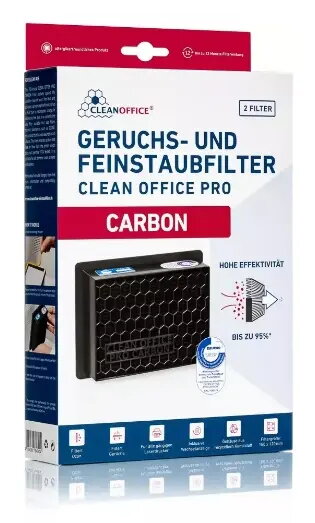
CleanOffice 16/840.40.40 Outlet Filter for Brother Laser and LED Printers, 2-Pack
The CleanOffice 16/840.40.40 outlet filter is a specialized accessory engineered to improve air quality in office environments where Brother laser and LED printers are in operation. By effectively capturing fine dust particles that are naturally emitted during the printing process, this filter helps maintain a cleaner and healthier workspace. The filter is designed for seamless integration with compatible printing equipment, ensuring that the air surrounding your printer remains free from toner dust and other microscopic particles.
Using this outlet filter provides a significant improvement in office air quality by trapping fine particulates before they circulate into the room. The high-quality construction ensures consistent performance throughout the lifespan of the filter, protecting both the office environment and the users. Its simple design allows for easy installation, and the inclusion of two filters per pack offers a convenient and cost-effective solution for maintaining your printing setup over an extended period.
This filter may not be suitable for printer models that are not specifically designed for external outlet filtration or for devices from brands other than Brother. It is also not intended to replace internal printer maintenance or standard cleaning procedures required for the mechanical components of the device.
To use the CleanOffice outlet filter, identify the air exhaust vent on your Brother printer. Ensure the printer is powered off and cool before installation. Peel off the adhesive backing from the filter and align it carefully over the exhaust vent, pressing firmly to ensure a secure seal. Once attached, the filter will begin capturing fine dust particles immediately during subsequent print jobs.
For optimal performance, it is recommended to replace the filter regularly, typically every six to twelve months depending on your printing volume and usage frequency. Always monitor the filter for signs of saturation and replace it if you notice a decrease in airflow or visible dust accumulation.
{{highlightedFeature.featureTitle}}:
{{getProductFeatureValueById(product, highlightedFeature.featureId)}}