
JBL speakers and headphones for pure and deep sound!
In cart {{totalProductsCount}} item(s)
Your cart is empty
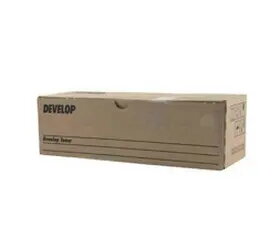
Original printer drum Develop A2XN1RH for ineo 224e 284e 364e 454e
The Original printer drum Develop A2XN1RH is designed for use with ineo 224e, 284e, 364e and 454e multifunction printers. As an original Develop component, this drum supports continuous office printing by delivering consistent black output and an estimated yield of 75,000 pages under standard test conditions. The unit is intended to maintain image stability, sharp text, and uniform densities across long print runs, helping to reduce service interventions and downtime.
The Develop A2XN1RH drum provides predictable page yield and consistent black print quality throughout its service life. Being an original part, it is engineered to match the printer’s imaging system for reliable performance, stable registration and reduced risk of print defects. High yield capacity supports frequent or high-volume workflows while lowering the frequency of replacements.
Install the Develop A2XN1RH drum according to the printer manufacturer’s instructions for the ineo series. Power off the device if recommended, open the front or side access panel, remove any protective packaging and slide the drum into the designated slot until it engages. After installation, perform any recommended calibration or cleaning cycles through the printer menu to ensure correct alignment and optimal print density.
Store the drum in a cool, dry place away from direct sunlight and extreme temperatures. Use the drum with appropriate toner and follow the ineo maintenance guidance to achieve the stated page yield and consistent black print quality.
{{highlightedFeature.featureTitle}}:
{{getProductFeatureValueById(product, highlightedFeature.featureId)}}
{{ productComparisonGenerationError }}
