Filters you can trust. Pure water every day.
In cart {{totalProductsCount}} item(s)
Your cart is empty
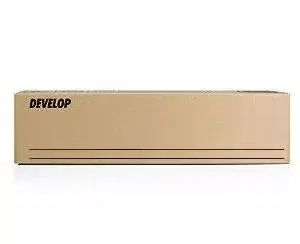
Develop A33K1D0 Original Black Toner Cartridge, 27000 Pages
The Develop A33K1D0 original black toner cartridge is a high-capacity printing solution engineered specifically for professional office environments. Designed to work in perfect harmony with compatible Develop laser printers, this toner ensures that every document produced meets the highest standards of clarity and precision. By choosing this genuine consumable, you maintain the integrity of your printing hardware while achieving consistent, high-quality output throughout the entire lifespan of the cartridge.
Using the original Develop A33K1D0 toner provides significant benefits for your daily operations. The primary advantage is the guaranteed compatibility with your printing system, which minimizes the risk of mechanical issues or print defects. With a substantial yield of 27,000 pages, this cartridge is built to handle high-volume printing tasks efficiently, reducing the frequency of replacements and lowering overall downtime. Furthermore, the specialized toner formulation ensures sharp, crisp text and deep black tones, resulting in professional-grade documents that are suitable for both internal use and external client presentations.
This toner cartridge may not be suitable for users who operate printers from different manufacturers, as it is specifically calibrated for Develop laser printing systems. Additionally, it is not designed for low-volume users who rarely print, as the high page yield is optimized for environments where consistent, heavy-duty printing is required.
To install the Develop A33K1D0 toner, first ensure your printer is powered on and the front or side access panel is open. Carefully remove the empty cartridge by pulling it out according to the printer's internal guides. Take the new toner cartridge out of its packaging and gently shake it from side to side to distribute the toner powder evenly. Insert the new cartridge into the designated slot, pushing it firmly until it clicks into place. Close the printer cover and wait for the device to recognize the new supply before resuming your print jobs.
To maintain optimal print quality and extend the lifespan of your printer, always store the toner cartridge in a cool, dry place away from direct sunlight. Avoid touching the imaging drum or the electrical contacts on the cartridge to prevent print defects.
{{highlightedFeature.featureTitle}}:
{{getProductFeatureValueById(product, highlightedFeature.featureId)}}