
Hurry and order now – up to 50% off!
In cart {{totalProductsCount}} item(s)
Your cart is empty
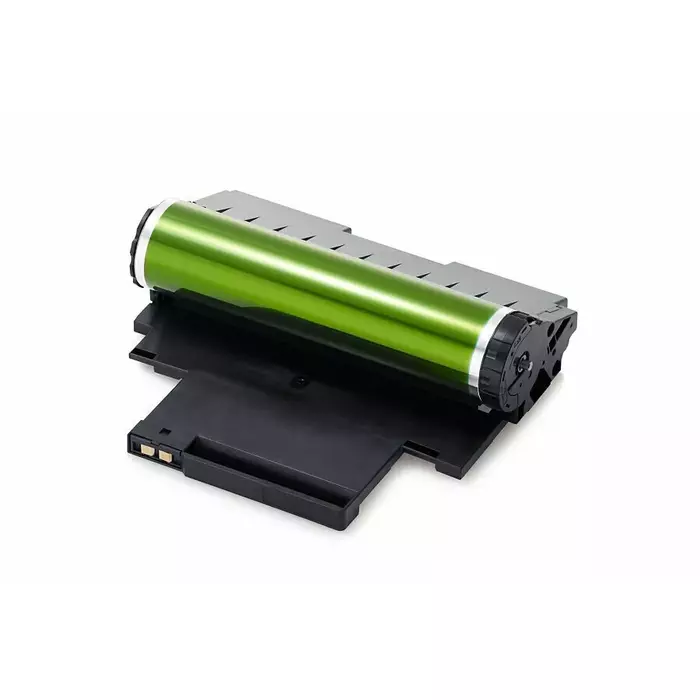
Drum Unit Samsung CLT-R406 OEM replacement for CLP/CLX colour printers
The Samsung CLT-R406 OEM replacement drum unit is designed for compatible Samsung colour laser printers in the CLP and CLX series. It performs the image transfer step in the printing process, receiving toner from the cartridges and transferring it onto paper to produce colour prints. This drum unit is intended for maintenance and part replacement to restore reliable operation and consistent colour output when the original drum reaches its service life.
This OEM drum unit is engineered to match the original equipment specifications for fit and functionality, providing consistent image transfer and maintaining print quality across colour pages. Using an OEM replacement helps reduce the risk of alignment issues, streaking or uneven colour distribution. The design supports straightforward installation and predictable performance over its expected lifetime.
Power off the printer and open the front access panel following the printer manufacturer's instructions. Remove the spent drum unit carefully to avoid toner contact; dispose of it according to local regulations. Unpack the replacement drum unit, remove any protective covers or seals, and insert it into the printer in the correct orientation until it clicks into place. Close the access panel, power on the printer, and run any recommended printer initialization or calibration routines to ensure accurate colour alignment.
Inspect toner cartridges when replacing the drum unit and install genuine or compatible cartridges to help maintain print quality. Perform periodic calibration and cleaning cycles as recommended by the printer manual, and replace the drum unit when print defects such as streaks, repeated marks or colour inconsistencies appear.
{{highlightedFeature.featureTitle}}:
{{getProductFeatureValueById(product, highlightedFeature.featureId)}}