

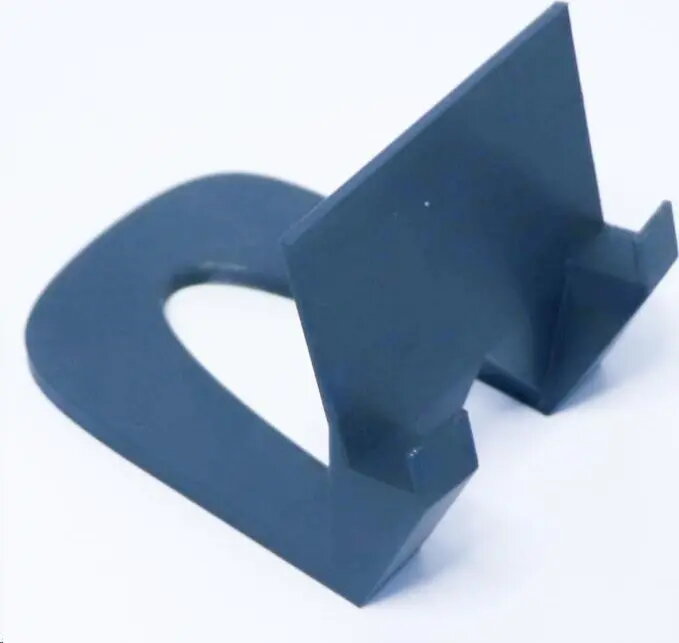
Wall mount bracket D-EAPWALL for EAP235-Wall and EAP615-Wall, gray
22.49 €
Keep track of price changes
You keep track of price changes
Watch the price drop
Leave your address - as soon as the price of the product goes down, you'll know about it right away
You keep track of price changes
Wall mount bracket D-EAPWALL for EAP235-Wall and EAP615-Wall, gray
{{email}}
You keep track of price changes
Wall mount bracket D-EAPWALL for EAP235-Wall and EAP615-Wall, gray
{{email}}
{{selectedOffer && selectedOffer.price | formatAmount}}
Short description
Wall mount bracket D-EAPWALL designed for mounting EAP235-Wall and EAP615-Wall access points. Provides a secure fixed installation on vertical surfaces, matching the footprint and mounting points of the listed models. Constructed in gray finish for discreet indoor or sheltered outdoor placement. Suitable for network deployments requiring stable AP positioning and cable routing.
Deliver the order:
to the Customer Service Center at Kengaraga 2b, Riga
08.07.2026
{{selectedOffer.officeDeliveryString}}
free
Customer service center
2b. Kengaraga str., Riga, Latvia, LV-1063
08.07.2026
{{selectedOffer.officeDeliveryString}}
free
Courier Delivery
Please note that in case of a large parcel additional delivery costs may apply!
From 4.99 €
Parcel couriers
Latvijas Pasts pakomāts / Unisend LV / DPD Paku skapis / Omniva LV / Venipak Pickup LV / Venipak Locker LV / Latvijas Pasts nodaļa
13.07.2026
{{selectedOffer.parcelStationDeliveryString}}
From 1.99 €

Payment Methods:
Bank transfer, Bank cards on-line, Apple Pay, Google Pay


