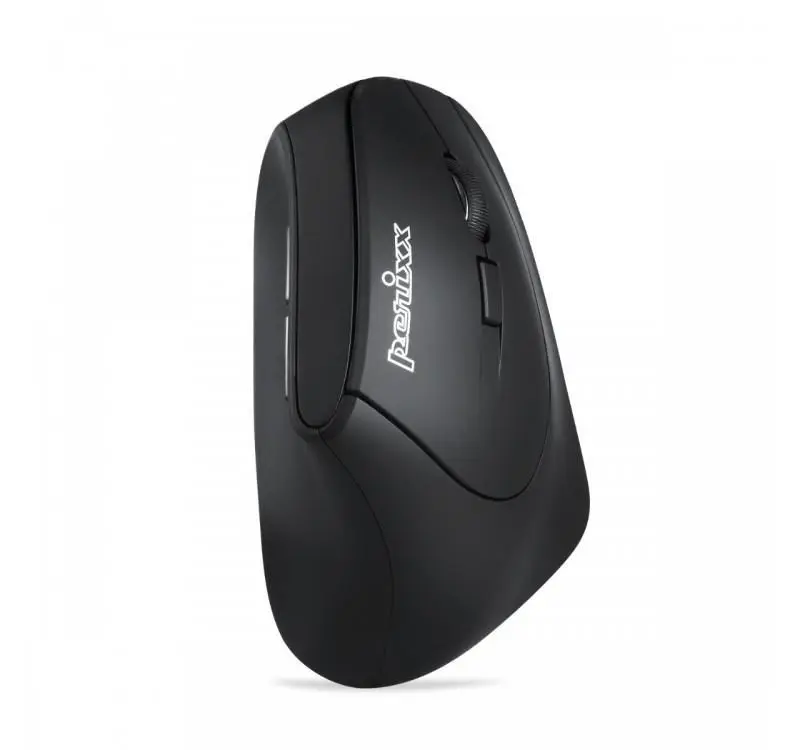
The Perixx PERIMICE-715 II Wireless Optical Vertical Mouse is an ergonomic input device engineered to improve comfort during prolonged computer use. By utilizing a vertical orientation, the mouse encourages a neutral handshake position, which helps to alleviate pressure on the wrist and forearm. This wireless optical mouse provides a reliable connection for a clutter-free workspace, making it a practical solution for office environments and daily computing tasks.
Advantages
The primary benefit of this vertical mouse is its ergonomic design, which is specifically shaped to support the hand and wrist in a more natural posture. This design helps to reduce muscle tension and the risk of repetitive strain injuries associated with traditional flat mice. The wireless functionality ensures freedom of movement and a tidy desk setup, while the optical sensor provides precise tracking on various surfaces. Its intuitive button layout allows for efficient navigation, ensuring that productivity remains high without compromising physical comfort.
Suitable for
- Office work and professional environments
- Users experiencing wrist or forearm discomfort
- Daily web browsing and general computer tasks
- Home office setups requiring a clutter-free workspace
When it may not be suitable
This mouse may not be the ideal choice for professional gamers or users who require high-precision, rapid-response sensors for competitive gaming. Additionally, individuals with very small or very large hands might find the ergonomic shape less comfortable, as the vertical design requires a specific grip style that may take time to adjust to.
Key specifications
- Wireless connectivity
- Optical tracking technology
- Vertical ergonomic orientation
- Button configuration for standard navigation
How to use
To begin using the Perixx PERIMICE-715 II, insert the required batteries into the compartment and plug the wireless receiver into an available USB port on your computer. Once the device is connected, the operating system will automatically recognize the mouse, allowing you to begin navigation immediately. Place your hand on the mouse in a handshake position, resting your thumb in the designated groove and your fingers over the primary buttons.
What to consider before purchase
- Ensure your workspace has enough room for a vertical mouse grip
- Check if your computer has an available USB port for the receiver
- Consider the adjustment period required to get used to a vertical orientation
Usage recommendations
For the best ergonomic results, ensure your desk height allows your elbow to rest at a 90-degree angle while using the mouse. Take regular breaks to stretch your hands and wrists to further minimize the risk of strain during long working sessions.