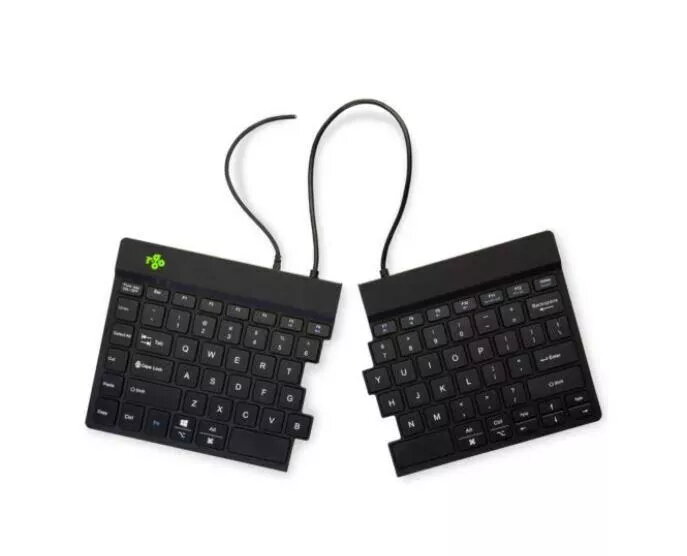
The R-Go Tools R-Go Split Break v2 is an ergonomic wired keyboard designed to enhance comfort and promote a healthier posture during extended computer use. Featuring a split design, this keyboard allows users to position the two halves at a comfortable distance, which helps keep the wrists, arms, and shoulders in a neutral, relaxed position. The integrated break software provides timely reminders to take pauses, effectively helping to prevent repetitive strain injuries and fatigue during long work sessions.
Advantages
The primary benefit of this ergonomic keyboard is its ability to reduce muscle tension by allowing for a more natural typing posture. By separating the keyboard into two independent parts, users can customize their workspace to fit their specific body dimensions, which significantly minimizes strain on the neck and shoulders. The inclusion of built-in break software is a proactive feature that encourages healthy work habits by prompting users to rest at regular intervals. Its wired connection ensures a stable and reliable performance without the need for batteries or charging, making it a dependable tool for professional environments.
Suitable for
- Office professionals working long hours at a computer
- Users looking to improve their ergonomic workspace setup
- Individuals seeking to reduce wrist and shoulder strain
- Typists who prefer a standard QWERTY US layout
When it may not be suitable
This keyboard may not be the best choice for users with limited desk space, as the split design requires more surface area than a compact or standard keyboard. Additionally, individuals who frequently travel or require a wireless setup for mobility may find the wired configuration less convenient for their specific needs.
Key specifications
- Layout: QWERTY US
- Connection: Wired
- Design: Split ergonomic
- Integrated break software: Yes
- Color: Black
How to use
To use the R-Go Split Break v2, simply connect the USB cable to your computer. The keyboard is plug-and-play, meaning it should be recognized by your operating system immediately. Position the two halves of the keyboard at a width that feels comfortable for your shoulders, keeping your wrists straight while typing. Install the provided break software on your computer to enable the notification system that reminds you to take regular breaks throughout your workday.
What to consider before purchase
- Ensure your desk has enough space to accommodate the split layout
- Verify that your computer has an available USB port
- Consider if a wired connection meets your workspace requirements
Usage recommendations
For optimal ergonomic benefits, position the two halves of the keyboard so that your forearms are parallel to the floor and your wrists remain in a neutral, straight position while typing. Follow the prompts from the break software consistently to maintain long-term physical health.