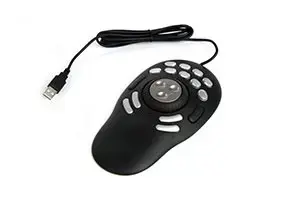
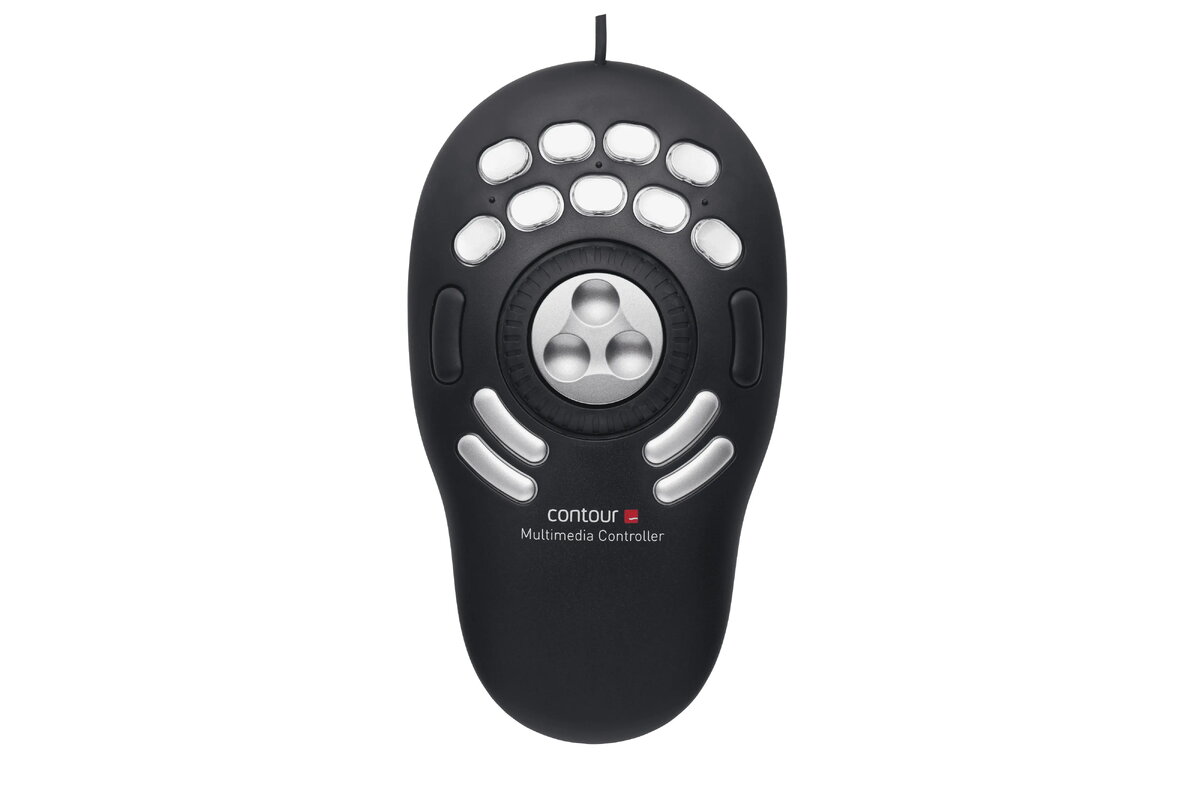
header-product Contour Design Multimedia Controller PRO v2 USB Editing Console
130.49 €

Contour Design Multimedia Controller PRO v2 USB Editing Console

Contour Design Multimedia Controller PRO v2 Editing Console Photo 1
Keep track of price changes You keep track of price changes
Watch the price drop

Leave your address - as soon as the price of the product goes down, you'll know about it right away

You keep track of price changes

Contour Design Multimedia Controller PRO v2 USB Editing Console

{{email}}
You keep track of price changes

Contour Design Multimedia Controller PRO v2 USB Editing Console

{{email}}
{{selectedOffer && selectedOffer.price | formatAmount}}

Short description

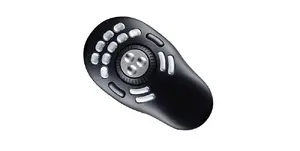
The Contour Design Multimedia Controller PRO v2 is a professional USB interface designed for precision control in creative workflows. Featuring a sleek black and silver design, this controller is optimized for video editing, photo retouching, and music production. It provides tactile navigation and customizable shortcuts to enhance productivity and streamline complex editing tasks in professional software environments.
Available for order: 48 pcs.
Warranty: 2 Years
SKU: 12414040
Manufacturer: OEM
delivery
to the Customer Service Center at Kengaraga 2b, Riga
22.06.2026 {{selectedOffer.officeDeliveryString}}
free
Customer service center
2b. Kengaraga str., Riga, Latvia, LV-1063
22.06.2026 {{selectedOffer.officeDeliveryString}}
free
Courier Delivery Please note that in case of a large parcel additional delivery costs may apply!
29.06.2026 {{selectedOffer.courierDeliveryString}}
From 4.99 € (Weight: 2.23 kg)
Parcel couriers
Latvijas Pasts pakomāts / Unisend / DPD Paku skapis / Omniva / Venipak Pickup / Venipak Locker / Latvijas Pasts nodaļa
29.06.2026 {{selectedOffer.parcelStationDeliveryString}}
From 1.99 €
0 credit

pay in 3 equal parts

today

0 €

afterward

3 mth. х 43.5 €

overpayment

0 €

All payment Methods:
Bank transfer, Bank cards on-line, Apple Pay, Google Pay, Installment
36 months installment: from 3.62 euros per month
Together cheaper
{{product.price | formatAmount}}
{{product.title}}
{{productBundle.reference.specialPrice | formatAmount}}
{{productBundle.title}}
{{productBundlePreviousPrice | formatAmount}}
{{productBundleSpecialPrice | formatAmount}}

You saving {{productBundleYouSave | formatAmount}}

Product information

Description

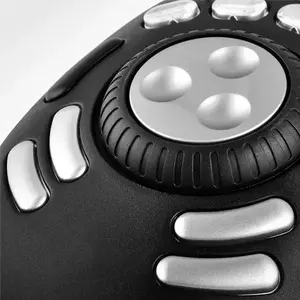
The Contour Design Multimedia Controller PRO v2 is a professional USB interface designed to streamline creative workflows through precision control. Featuring a sleek black and silver aesthetic, this desktop console provides tactile navigation and customizable shortcuts, making it an essential tool for video editing, photo retouching, and music production. By integrating a responsive jog/shuttle wheel and programmable buttons, it allows users to manage complex software tasks with greater speed and efficiency.

Advantages

This controller significantly enhances productivity by allowing users to execute complex macros and keyboard shortcuts with a single button press. The spring-loaded jog/shuttle wheel offers precise, variable-speed control for timeline navigation, mimicking the feel of professional analog editing equipment. With its intelligent AppDetection feature, the device automatically switches configurations based on the active software window, ensuring that the correct tools are always available. The inclusion of pre-configured settings for over 100 popular applications allows for immediate use, while the intuitive software enables deep customization to match any specific professional workflow.

Suitable for

  • Video editing and timeline navigation in NLE software
  • Professional music production and DAW control
  • Advanced photo retouching and batch image processing
  • Graphic design and visual effects workflows

When it may not be suitable

This device is primarily designed for professional creative applications and may not offer significant benefits for general office tasks like word processing or web browsing. Users who prefer a minimalist desk setup without additional hardware peripherals may find the controller unnecessary for their daily computer use.

Key specifications

  • Connectivity: USB
  • Controls: 15 programmable buttons and a jog/shuttle wheel
  • Dimensions: 109 mm width, 196 mm depth, 29 mm height
  • Compatibility: Mac and PC
  • Color: Black and Silver

How to use

To begin using the controller, connect it to your computer via the USB port and download the latest driver software. Once installed, the software will automatically detect your active applications and apply the relevant pre-configured shortcuts. You can use the provided editor application to customize the button assignments, create complex macros, or adjust the sensitivity of the jog/shuttle wheel to suit your specific project requirements. The device will then seamlessly switch between profiles as you move between different software programs.

What to consider before purchase

  • Ensure your primary creative software is compatible with the driver's customization features.
  • Consider the available desk space, as this is a dedicated external input device.
  • Evaluate whether your workflow relies heavily on repetitive keyboard shortcuts that could be mapped to the 15 programmable buttons.
Usage recommendations: For the best experience, take the time to customize the button layouts to match your unique workflow rather than relying solely on the default presets. Utilizing the macro functionality for complex, multi-step tasks will provide the most significant time savings during your editing sessions.

Specifications

Weight:
0.25 kg
Product colour:
Black, Silver
All features
Control type:
Jog dial, Button
Programmable buttons:
Yes
Suitable for actions:
Music editing, Photo editing, Video editing
Number of programmable buttons:
15

Keyboard

Country of origin:
China

Design

Product colour:
Black, Silver
Built-in display:
No

Technical details

Interface:
USB

Weight & dimensions

Weight:
0.25 kg

System requirements

Windows operating systems supported:
Y
Mac operating systems supported:
Y

Packaging data

Package weight:
300 g
Package depth:
230 mm
Package height:
50 mm
Package width:
130 mm

Logistics data

Master (outer) case height:
285 mm
Master (outer) case width:
253 mm
Master (outer) case gross weight:
4000 g
Master (outer) case length:
278 mm
Products per master (outer) case:
10 pc(s)
Master (outer) case volume:
0.0907 cm³

Other features

Height:
29 mm
Width:
109 mm
Depth:
196 mm

Sustainability

Compliance certificates:
CE

Description

Machine translation. Load original

Reasons to buy

Fully Customizable Settings

Take full control of your workflow with the Contour Multimedia Controller PRO v2. The included driver features preset shortcuts for over 100 popular applications, and every shortcut can be reassigned to the hotkey you prefer. Save time by assigning multiple tasks (macros) to a single button, so complex sequences run with a single press.

Fully Customizable Settings - Contour Multimedia Controller PRO v2

Automatic App Detection

The driver automatically detects the active application and switches to the matching shortcut profile. This seamless profile switching keeps your focus on creative work when using multiple apps, so you always have the right controls at your fingertips.

App Detection - Contour Multimedia Controller PRO v2

Two Models to Suit Your Needs

Choose the model that fits your workflow: the compact Contour Multimedia Controller Xpress with 5 programmable buttons, or the Contour Multimedia Controller PRO v2 with a powerful set of 15 programmable buttons. Both models include the precise Jog/Shuttle wheel and full driver support, ensuring tactile navigation and extensive customization to boost productivity in editing, retouching, and music production.

The Pro and Xpress - Contour Multimedia Controller models

{{highlightedFeature.featureTitle}}:

{{product.title}}
{{product.price}}

{{getProductFeatureValueById(product, highlightedFeature.featureId)}}

Might be useful
{{product.manufacturerName}}
{{product.categoryName}}
{{product.title}}
{{product.specialPrice}}
{{product.price}}

Customer reviews

Customer questions

FAQ

How much does the Contour Design Multimedia Controller PRO v2 Editing Console cost, and is it available for purchase?

The price is 130.49 € (valid at the time of publication and already includes all taxes). The item is available for order — 48 pcs. are in stock, and you can place your purchase right now with delivery across Latvia and Europe or choose pickup at the Riga collection point. We offer favorable purchase terms, including the option to split the payment into convenient monthly installments. Availability and price are updated in real time, so we recommend placing your order in advance.

If I order this product today, when will I receive my order?

If you place your order today, delivery will be as fast and convenient as possible. You will be able to pick up your order on 22.06.2026 at the Riga pickup point or choose delivery across Latvia and Europe. We carefully inspect every purchase and pack it securely for safe transportation.

What payment options are available?

AiO.lv offers several payment methods: Bank transfer, Bank cards on-line, Apple Pay, Google Pay, Installment. All transactions are 100% secure and encrypted.

Can Contour Design Multimedia Controller PRO v2 Editing Console be purchased with a lease?

Yes, the purchase is available both on credit and with an interest-free installment plan. We work with leading banks and leasing companies in Latvia, allowing you to make your purchase on convenient terms — with a minimal down payment and a repayment period from 3 to 36 months. You can apply for credit or installments for the Contour Design Multimedia Controller PRO v2 Editing Console online, and the application process is as simple as possible:
  • Select the product on the website and add it to your cart;
  • When placing your order, choose the payment method “Installments”;
  • Fill in the required details for the lending partner;
  • Receive a decision within a few minutes.
For more information about available payment options, interest-free installment terms, and credit conditions in Latvia, please visit the Payment page.

Can this product be purchased for a company (with VAT)?

Yes. AiO.lv works with legal entities in Latvia and across Europe. The product price already includes VAT. For certain product categories, as well as for companies from other EU countries with a valid VAT number, a 0% VAT rate may apply. We issue the invoice immediately after the order is placed, support electronic BIS invoices, and automatically generate all necessary accounting documents. You can complete the purchase for a company online — simply select the company profile and choose bank transfer as the payment method during checkout.

What is the warranty period?

All OEM products come with an official 2 Years warranty. It covers all manufacturing defects and malfunctions that may occur during use. The warranty is valid at all authorized OEM service centers and through AiO.lv

Can the product be returned after purchase?

Yes, you can return the product within 14 days of purchase if you bought it as a consumer (not a legal entity). Returns are possible without giving any reason — the main condition is that the product retains its original appearance and full set of accessories. We will make the process as simple and convenient as possible: just contact our customer support team, and we will help you arrange the return.

Where should I contact for warranty service?

For warranty-related questions you can contact the AiO.lv (SIA VSPRO) customer support team. We will assist with consultation, warranty claim processing, and coordination with certified service centers.

How can I tell if this product suits my needs?

When making a choice, we recommend paying attention to the key features: weight, product colour, compatibility with your devices or usage conditions, material quality, functionality, and warranty terms. These characteristics will help you determine how well the model meets your needs.

Where can I download the instructions for Contour Design Multimedia Controller PRO v2 Editing Console?

You can download the instructions in PDF format from the “Instructions” section on the product description page. The file contains complete information about installation, setup, and usage.
warranty
14-Day Return Policy We are confident in our quality, but if the purchase doesn’t fit — you have 14 days to return the product with peace of mind.
shipping
Fast Delivery Get your orders as quickly as possible — right to your door, parcel lockers, or pickup points across Latvia and the EU.
payment
Secure Payment Pay the way you prefer: cash, VISA, MasterCard, Apple Pay, Google Pay, bank transfer, or 0% installment plan.
warranty
Quality Since 2008 AiO.lv has been on the market for over 18 years and has earned trust — with more than 6000 genuine positive reviews on Google.