
Leave your address - as soon as the price of the product goes down, you'll know about it right away
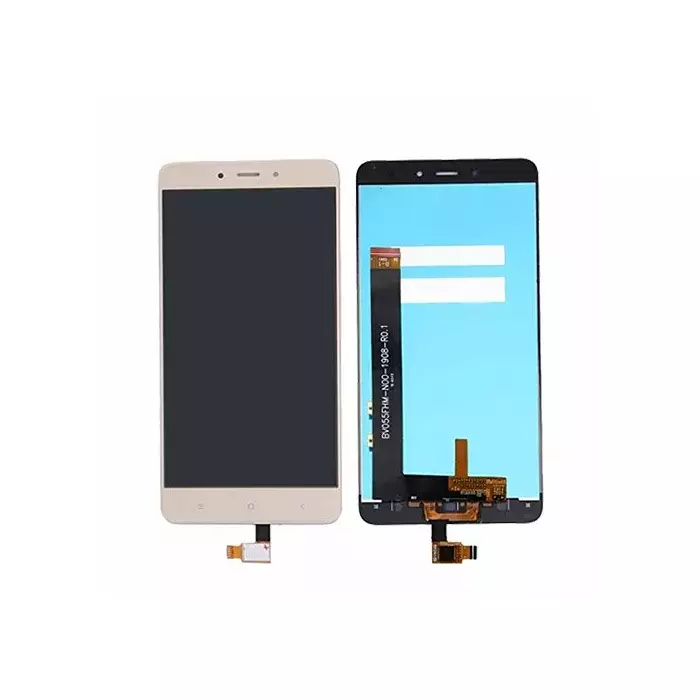
LCD screen for Xiaomi Redmi Note 4 (gold) OEM TE320721
In cart {{totalProductsCount}} item(s)
Your cart is empty
LCD screen for Xiaomi Redmi Note 4 (gold) OEM TE320721
Leave your address - as soon as the price of the product goes down, you'll know about it right away
LCD screen for Xiaomi Redmi Note 4 (gold) OEM TE320721
This touch-sensitive LCD screen assembly for Xiaomi Redmi Note 4 in gold (OEM TE320721) is supplied as an original-equivalent replacement to restore display and touch functionality after damage or failure. The assembly includes the LCD panel, touch digitizer and can be provided with the supporting frame for correct fit and standard performance, intended for repair shops and DIY repairs. Compatible with Xiaomi Redmi Note 4 models that accept the listed assembly and matching connectors.
The unit provides a direct-fit replacement that preserves original screen size, resolution and touch responsiveness. As an OEM-equivalent part (MPN TE320721), it reduces the need for additional adjustments during installation and is offered with a 12-month warranty. Gold colour finish matches the device aesthetics and the supplied frame option simplifies alignment and mounting.
Power the phone off and remove the back cover and battery (if removable) before beginning. Carefully disconnect the original display assembly from the motherboard, noting connector positions and any adhesive. Fit the replacement LCD and digitizer assembly into the chassis, connect flex cables to the appropriate connectors and secure the frame if provided. Reassemble the device and power on to verify screen image, touch responsiveness and correct alignment. Follow manufacturer repair guides or professional procedures if unsure.
Handle the LCD and digitizer by the edges, avoid pressing the display surface with sharp tools, and use appropriate ESD protection during installation. If the frame is supplied, use it to ensure correct alignment; test the screen before applying final adhesive.
{{highlightedFeature.featureTitle}}:
{{getProductFeatureValueById(product, highlightedFeature.featureId)}}