Powerful EcoFlow stations for energy anywhere!
In cart {{totalProductsCount}} item(s)
Your cart is empty
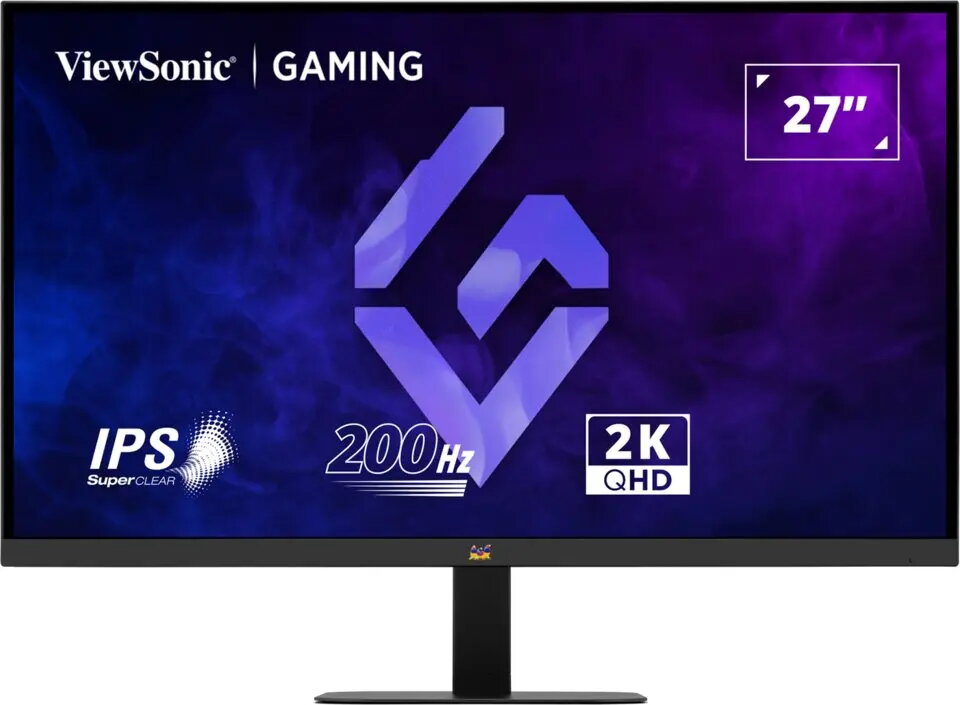
ViewSonic VX2757-2K-PRO 27-inch QHD Gaming Monitor
The ViewSonic VX2757-2K-PRO is a 27-inch QHD gaming monitor engineered to deliver high-performance visuals for demanding users. With its sharp resolution and optimized refresh rates, this display ensures that every frame is rendered with precision, providing a fluid and immersive experience for both competitive gaming and high-definition multimedia consumption. The monitor is built to minimize motion blur and input lag, offering a responsive interface that keeps pace with fast-paced action.
This monitor excels by combining a high-resolution QHD panel with advanced motion handling capabilities, resulting in exceptionally clear imagery. The 27-inch screen size provides an expansive viewing area that enhances immersion without sacrificing pixel density. Its design focuses on responsiveness, ensuring that visual transitions remain smooth during rapid movements, which is critical for maintaining a competitive edge in various gaming genres. The build quality and display technology work in tandem to provide consistent color accuracy and reliable performance for extended usage sessions.
This monitor may not be the optimal choice for professional color-critical work that requires specialized wide-gamut coverage or specific panel technologies like OLED. Additionally, users with limited desk space may find the 27-inch form factor too large for their specific setup requirements.
To begin using the monitor, connect it to your computer using a compatible high-speed cable such as DisplayPort or HDMI. Once connected, adjust the display settings within your operating system to match the native QHD resolution and the maximum supported refresh rate to ensure optimal performance. You can further refine the visual output by accessing the monitor's built-in on-screen display menu to adjust brightness, contrast, and color profiles according to your environment.
For the best experience, always use the highest quality cables provided or recommended by the manufacturer and ensure your graphics drivers are updated to the latest version to fully utilize the monitor's refresh rate capabilities.
{{highlightedFeature.featureTitle}}:
{{getProductFeatureValueById(product, highlightedFeature.featureId)}}
{{ productComparisonGenerationError }}