Save time and money with our discounts!
In cart {{totalProductsCount}} item(s)
Your cart is empty
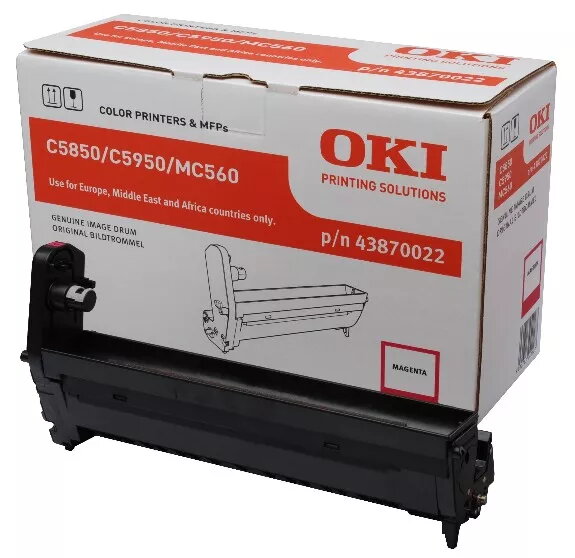
Original OKI Magenta Image Drum for C5850/5950
The Original OKI Magenta Image Drum for C5850/5950 delivers consistent image quality and a high page yield of up to 20,000 A4 pages (3 pages per job applicable to all image drums for this product). Designed for direct fit with compatible OKI models, this drum supports reliable colour reproduction for office and business printing tasks. Dimensions: 372 mm (W) x 149 mm (D) x 231 mm (H).
The OKI magenta image drum is an original spare part engineered to maintain factory print quality and colour accuracy. It provides a long life span with a 20,000-page yield, reduces the need for frequent replacements, and is designed for straightforward installation and dependable operation in supported printers.
Turn off the printer and allow it to cool if recently used. Open the front cover following the printer manual instructions, remove the expended drum unit, and carefully unpack the new original OKI magenta image drum. Insert the drum into the correct slot until it clicks into place, close the cover, and power the printer on. Perform any required alignment or calibration via the printer menu if prompted.
Store the image drum in a cool, dry place away from direct sunlight and strong magnetic fields. Replace the drum when print quality deteriorates or when the printer indicates end-of-life to ensure consistent magenta colour output and prevent damage to the print engine.
{{highlightedFeature.featureTitle}}:
{{getProductFeatureValueById(product, highlightedFeature.featureId)}}
{{ productComparisonGenerationError }}