Dreame vacuums for fast and efficient cleaning!
In cart {{totalProductsCount}} item(s)
Your cart is empty
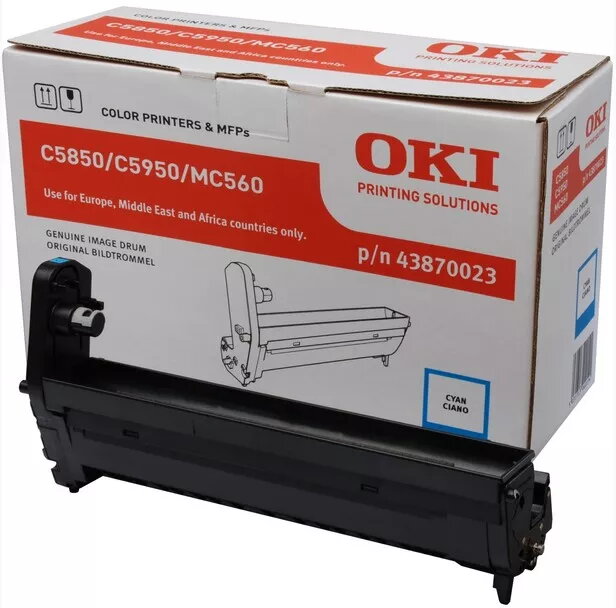
Original OKI Cyan Image Drum C5850/5950
The Original OKI Cyan Image Drum for C5850/5950 is a replacement imaging drum designed for colour laser printers. It delivers up to 20,000 pages and is compatible with OKI models MC560, MC560dn, C5850, C560N, C560DN and C5750DN. With dimensions of 372 mm x 149 mm x 231 mm, the drum is intended to maintain consistent cyan reproduction and reliable print quality in professional environments.
This OEM imaging drum provides predictable page yield and stable colour output for cyan prints. As an Original OKI part (MPN 43870023), it is manufactured to match printer specifications, ensuring proper fit, consistent colour density and dependable operation across high-volume print runs.
Turn off and unplug the printer before replacing the drum. Open the printer access panel, remove the spent image drum according to the printer user guide, and install the Original OKI Cyan Image Drum (C5850/5950) in the correct orientation until it clicks into place. Reassemble the printer, plug in, and run the printer’s drum reset or calibration procedure if required to ensure correct recognition and optimal print quality.
Store the drum in a cool, dry place and avoid exposure to direct sunlight. Handle by the ends to prevent contact with the drum surface. Replace the drum at the indicated end-of-life to maintain consistent cyan density and avoid print defects.
{{highlightedFeature.featureTitle}}:
{{getProductFeatureValueById(product, highlightedFeature.featureId)}}
{{ productComparisonGenerationError }}