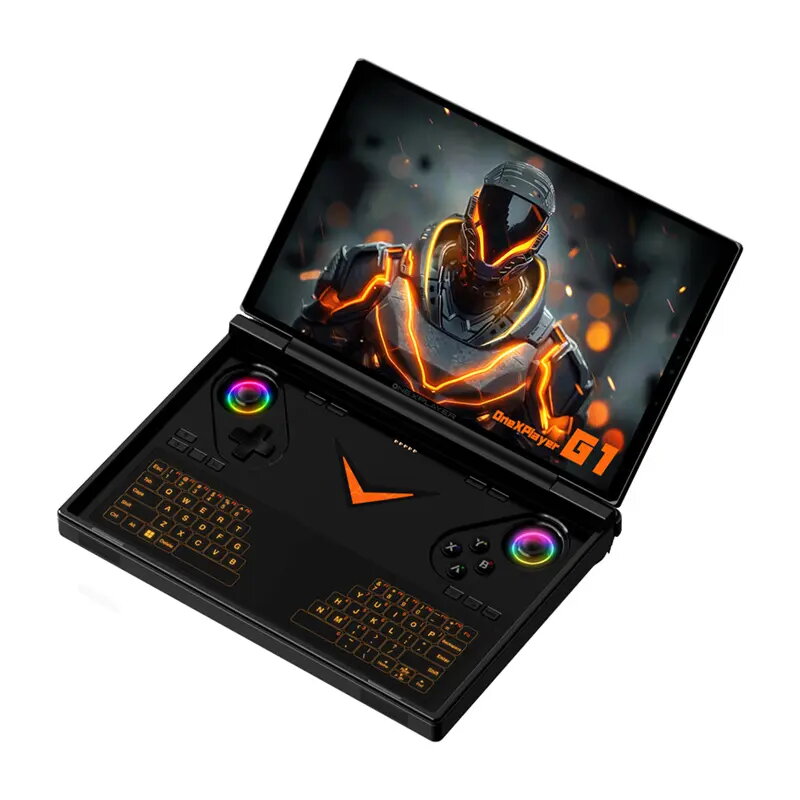
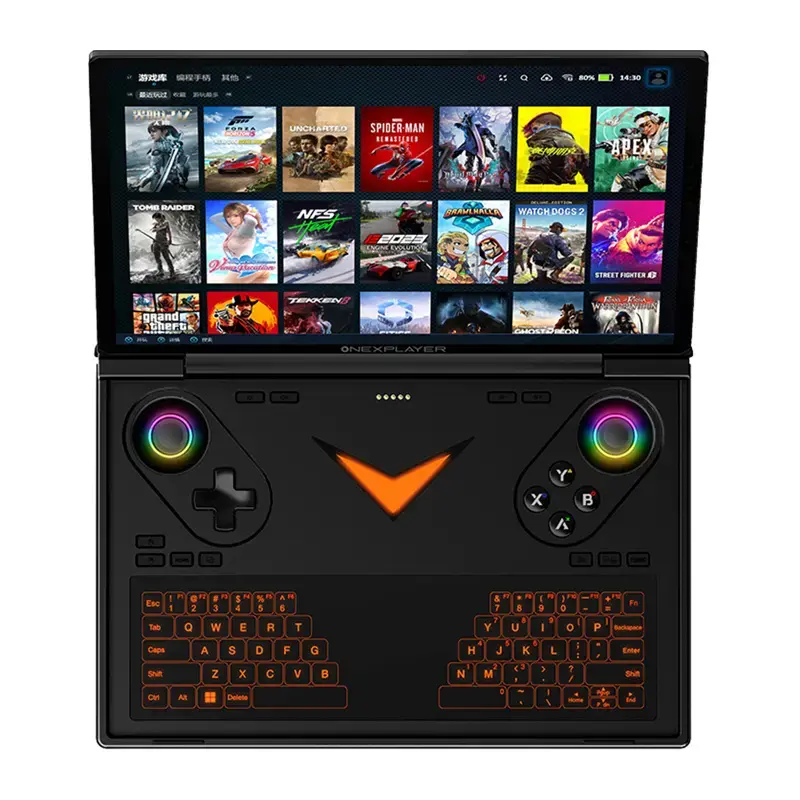
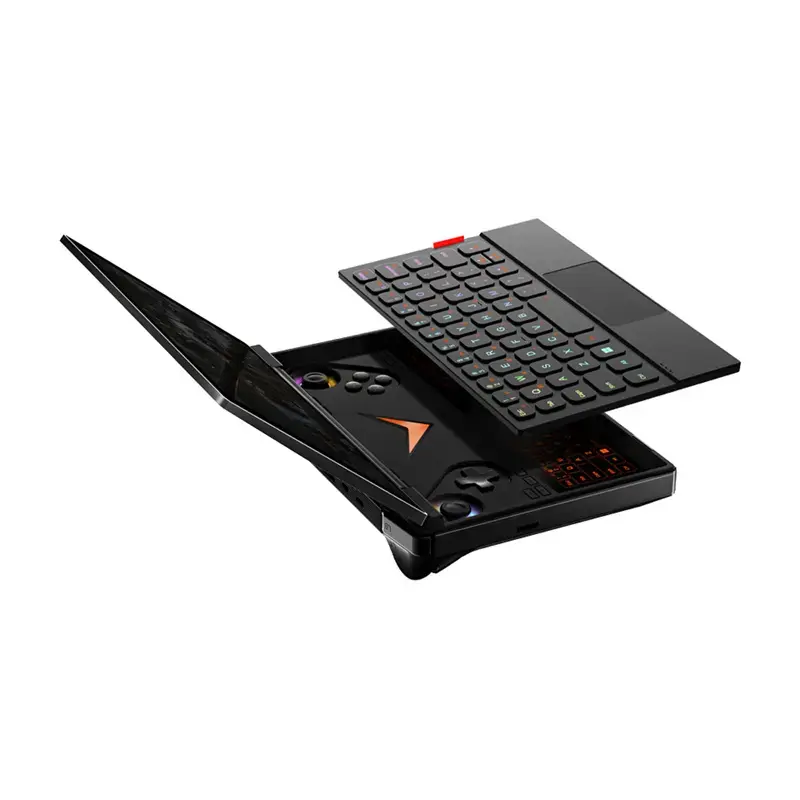
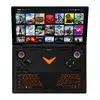
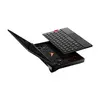
OneXplayer G1 AMD AI370 64GB RAM 4TB is a portable gaming console combining laptop-grade performance with a handheld form factor. It is powered by an AMD Ryzen AI 9 HX 370 processor and AMD Radeon 890M integrated graphics, and features an 8.8-inch 2560×1600 144 Hz LCD display. The device includes OneXConsole software for performance and RGB control, a magnetic keyboard for laptop-like use, a 4TB PCIe 4.0 SSD and 64 GB LPDDR5x memory for fast, responsive gameplay and multitasking.
Advantages
The console delivers next-generation processing with a 12-core, 24-thread AMD Ryzen AI 9 HX 370 and RDNA 3.5-based Radeon 890M graphics, enabling stable frame rates in AAA titles. Its 8.8" 144 Hz panel with 16:10 aspect ratio, 500 cd/m2 brightness and 1500:1 contrast provides detailed, smooth visuals and wider field of view. A dual-fan cooling system with copper heat pipes maintains low temperatures and quiet operation. Connectivity includes OCuLink and two USB-C 4.0 ports for external GPUs and fast peripherals, plus USB-A 3.2, TF slot up to 2 TB and Wi‑Fi 6E/Bluetooth 5.2. Built-in features such as Hall-effect sticks and triggers, fingerprint and Windows Hello camera unlock, linear vibration motor, gyroscope and RGB backlight support precise control and comfortable long sessions.
Key specifications
- Manufacturer: Onexplayer
- Model: G1 AMD AI370 64
- Processor: AMD Ryzen AI 9 HX 370 (12 cores / 24 threads, up to 5.1 GHz)
- Integrated graphics: AMD Radeon 890M (RDNA 3.5)
- RAM: 64 GB LPDDR5x (7500 MHz)
- Storage: 4 TB PCIe 4.0 SSD (read >7000 MB/s, write >6100 MB/s)
- Screen: 8.8" LCD MIPI 8-Line, 2560×1600, 16:10, 144 Hz
- Brightness: 500 cd/m² (typical); Contrast: 1500:1
- Color gamut: DCI-P3 97% (typ.) / 92% (min.)
- Battery: 51.975 Wh (13500 mAh)
- Cooling: Dual fans, 2 copper heat pipes, aluminum heatsink
- Ports: OCuLink (PCIe, 63 Gbps), 2× USB-C 4.0 (40 Gbps), USB-A 3.2, 3.5 mm audio, TF card slot (up to 2 TB)
- Wireless: Wi‑Fi 6E, Bluetooth 5.2
- Audio: 2 speakers (left and right), linear motor
- Controls: Hall joystick, Hall triggers (6.35 mm stroke), microswitch bumpers (1.5–2 mm)
- Sensors & security: 3‑axis gyroscope, fingerprint sensor, 2 MP camera with Windows Hello
- Software & OS: OneXConsole, Windows 11 Home
- Dimensions: 208 × 146.5 × 32 mm; Weight: approx. 880 g
- Included accessories: portable console, power supply, power cable, documentation, keyboard, case
How to use
Power on the device and complete the Windows 11 Home setup. Use OneXConsole to adjust fan speed, power profiles, RGB lighting and button mapping for your preferred gameplay settings. Connect the magnetic keyboard for a laptop-like setup or attach an external monitor, keyboard and mouse over USB-C or OCuLink for desktop use. For improved graphics performance, connect a compatible external GPU via OCuLink or USB-C 4.0. Insert a TF card to expand storage, and charge via the included power supply. Use fingerprint or Windows Hello camera to unlock the console quickly.
Recommendations
For the best gaming experience, use a high-performance power profile in OneXConsole while connected to power and enable adequate ventilation around the device. When playing graphically heavy AAA titles, consider connecting an external ONEXGPU (sold separately) via OCuLink or USB-C 4.0 and use a wired network connection when possible to reduce latency. Regularly update Windows and OneXConsole software and keep the cooling vents clear of dust.