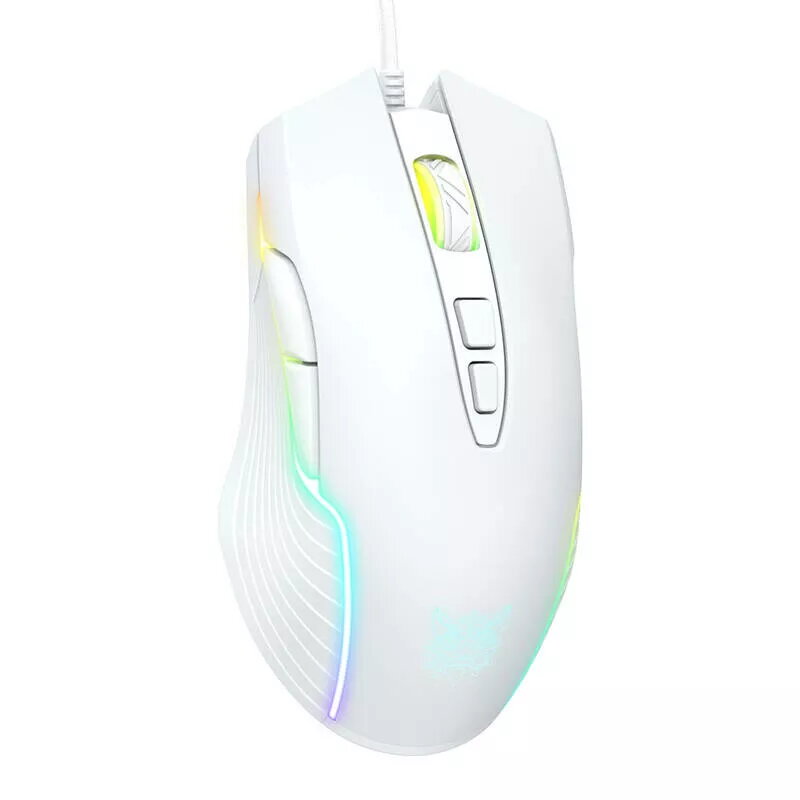
We are comparing the wired gaming mouse Gaming mouse Onikuma CW905 white wired with alternative Onikuma gaming mice such as the CW905 in other colors, the dual 2.4G wireless and wired CW917 models, and the classic CW902. All these devices are built for gamers and offer high-precision tracking, ergonomic shapes for long gaming sessions, and customizable RGB lighting. The main differences lie in their connectivity types (wired only or a combination of 2.4G wireless and wired), available color options, and body finishes.
⚙️ Below is a comparison of the main characteristics of the Onikuma mice, including connectivity, design, and construction features, to help you understand the practical differences between the devices.
| Parameter | Onikuma CW905 white wired | Onikuma CW905 Wired (Purple) | Onikuma CW917 2.4G White | Onikuma CW902 RGB Black | Onikuma CW917 2.4G Black | Practical conclusion |
|---|
| Connectivity | Wired | Wired | 2.4G wireless and wired | Wired | 2.4G wireless and wired | The CW917 models offer more versatility with wireless capability, whereas CW905 and CW902 rely on a reliable wired connection. |
| Color | White | Purple | White | Black | Black | Color does not affect gaming performance but lets you match the mouse to your desktop setup aesthetics. |
| Ergonomics and design | Ergonomic shape, RGB lighting | Ergonomic shape, RGB lighting | Ergonomic shape, white design | Ergonomic shape, black design | Ergonomic shape, black design | All models ensure comfort during extended use and feature visual lighting elements. |
◎ The table below reviews usage scenarios and buyer profiles to determine which product is most suitable for specific needs.
| Use case | Recommended product | Why |
|---|
| Stationary gaming on a white desk setup | Gaming mouse Onikuma CW905 white wired | Matches white peripherals visually and provides a reliable wired connection with no latency. |
| Preference for a purple color scheme | Onikuma CW905 Wired (Purple) | Delivers the same core CW905 features in a distinct purple finish. |
| Need for wireless freedom with wired backup | Onikuma CW917 2.4G White / Black | Dual connectivity modes provide flexibility for both wireless convenience and wired stability. |
| Traditional black gaming setup | Onikuma CW902 RGB Black | Maintains essential gaming performance in a sleek black design. |
The main difference between Gaming mouse Onikuma CW905 white wired and the alternatives is its white color and dedicated wired connection, making it an ideal choice for a light-themed setup where a stable cable connection is preferred. If you need mobility, the CW917 models with wireless support are more suitable, while purple and black variations cater to alternative aesthetic preferences.