
Save time and money with our discounts!
In cart {{totalProductsCount}} item(s)
Your cart is empty
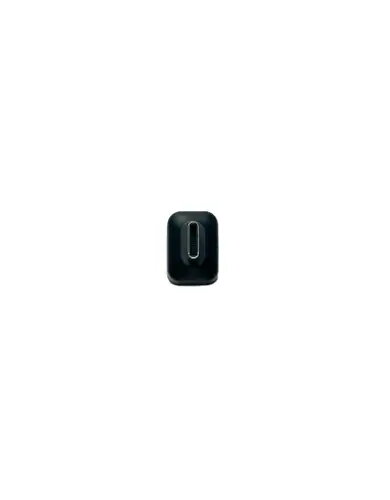
USB-C Bluetooth dongle for OROSOUND TILDE EVO headsets, model TE-DONG-C
The USB-C Bluetooth dongle for OROSOUND TILDE EVO headsets (model TE-DONG-C) is a compact adapter that enables a direct wireless connection between devices with a USB-C port and the TILDE EVO headset. Designed by OROSOUND for desktop and laptop environments, the dongle supports audio streaming and hands-free communication with minimal configuration. It provides a stable Bluetooth link for calls, meetings and media playback when the host device lacks a built-in compatible Bluetooth module or when a dedicated low-latency connection is preferred.
The TE-DONG-C delivers a simple plug-and-play experience via USB-C, reducing latency and improving connection stability compared with some generic Bluetooth adapters. Its engineering matches the TILDE EVO headset requirements to ensure reliable audio transmission and microphone support for voice calls. The dongle’s compact form factor keeps desk space clear and allows easy transport between devices.
Connect the TE-DONG-C dongle to an available USB-C port on your computer. Allow the operating system to recognize the device; most modern OS versions will install required drivers automatically or use native Bluetooth support. Power on the OROSOUND TILDE EVO headset and place it in pairing mode according to the headset instructions. Follow the pairing prompt on the host device if required, or use the headset’s pairing procedure to establish the connection. Once paired, select the TILDE EVO as the audio input and output device in your system or application settings for calls and media.
For optimal results, plug the dongle directly into the host device’s USB-C port rather than using long extension cables or hubs. Position the host device and headset without significant physical obstructions to maintain a stable Bluetooth link. If you experience interference, try moving other wireless devices away or switch to a different USB-C port. Keep headset firmware and host system updates current to ensure compatibility and the best audio performance.
{{highlightedFeature.featureTitle}}:
{{getProductFeatureValueById(product, highlightedFeature.featureId)}}
{{ productComparisonGenerationError }}