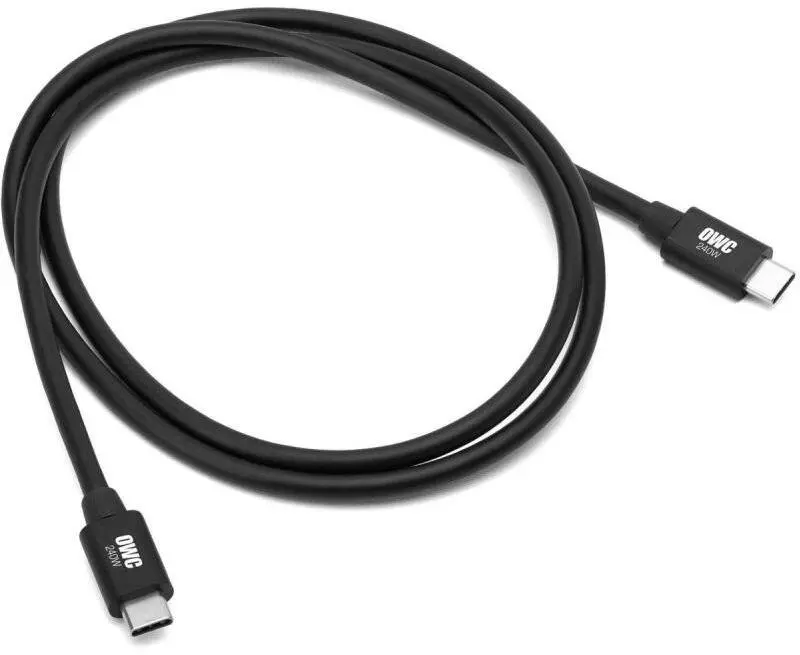
The OWC Thunderbolt 5 / USB-C Cable (2 m) is a high-performance connectivity solution engineered for exceptionally fast data transfer and efficient power delivery. Designed to support modern professional workflows and everyday computing tasks, this cable ensures a stable and reliable connection between your computer and demanding external peripherals. Built to meet rigorous industry standards, it delivers the bandwidth required for high-resolution displays and ultra-fast storage devices without signal degradation.
Advantages
This advanced cable offers massive data bandwidth capacity, enabling rapid file transfers and seamless interaction with performance-heavy peripherals. It supports robust power delivery, reducing the need for multiple cords by supplying power to compatible devices directly through the connection. The two-meter length provides a practical balance between reach and signal integrity, allowing for flexible desk setups and device positioning. Its durable construction ensures longevity and resistance to daily wear and tear.
Suitable for
- Connecting high-speed external storage drives and RAID systems
- Linking modern laptops to external monitors and displays
- Interfacing with advanced docking stations and hubs
- Professional video editing and data-intensive workflows
When it may not be suitable
This cable may exceed the requirements of basic peripheral devices such as standard computer mice, keyboards, or legacy printers that do not utilize Thunderbolt or advanced USB-C protocols. Additionally, users requiring very short cable lengths for portable, on-the-go setups might find the two-meter length less compact than desired.
Key specifications
- Length: 2 meters
- Interface types: Thunderbolt 5 and USB-C
- Primary functions: Data transfer and power delivery
How to use
Connect one end of the OWC Thunderbolt 5 / USB-C Cable directly into an available Thunderbolt or USB-C port on your host computer. Plug the opposite end into the corresponding port on your target peripheral device, such as an external drive, display, or docking station. Ensure that both connected devices support the appropriate protocol standards to achieve optimal performance and transfer speeds.
What to consider before purchase
- Verify that your computer and peripheral devices feature compatible Thunderbolt or USB-C ports
- Assess whether the two-meter length is appropriate for your physical workspace arrangement
- Check the power and data transfer requirements of your specific devices
Usage recommendations: To maintain optimal performance, avoid tightly coiling or sharply bending the cable during use or storage. Ensure the connectors are kept clean and free from dust or debris before plugging them into your devices.