Dreame vacuums for fast and efficient cleaning!
In cart {{totalProductsCount}} item(s)
Your cart is empty
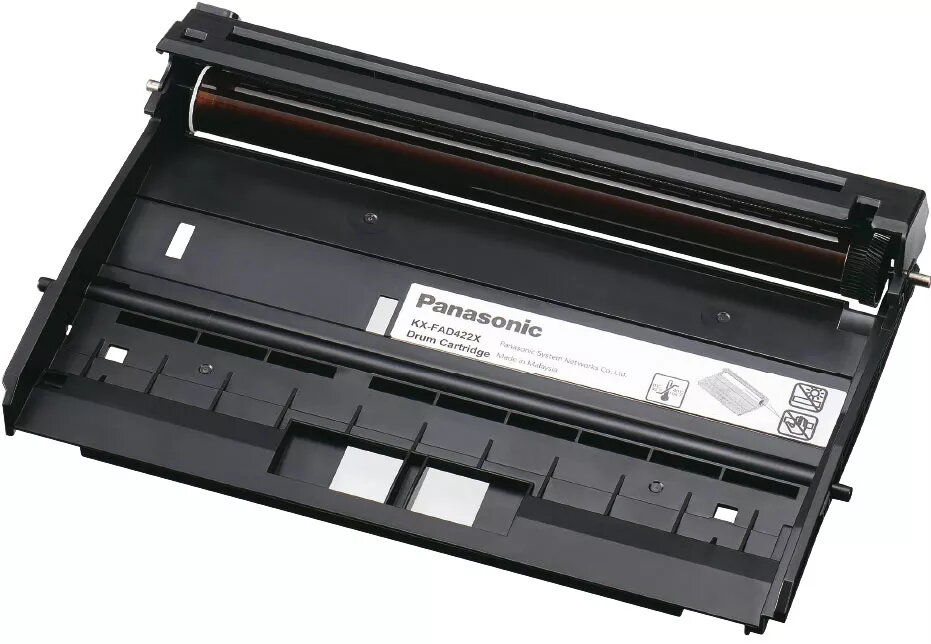
Printer drum Panasonic KX-FAD422X Original, for KX-MB2270/MB2230/MB2575/MB2545/MB2515, 18000 pages
Original Panasonic KX-FAD422X printer drum is a replacement drum unit compatible with a range of Panasonic laser multifunction printers. Designed to ensure correct image transfer and maintain consistent print quality, this drum unit supports typical office and home printing demands with an estimated yield of 18,000 pages under standard testing conditions. The original Panasonic component is engineered to integrate with specified models to preserve reliable operation and predictable maintenance intervals.
The original Panasonic drum provides stable and uniform image transfer for both text and graphics, reducing the risk of streaks and banding. Using an original unit helps maintain manufacturer-recommended print quality and printer longevity by ensuring proper alignment and electrical characteristics. The drum's rated yield allows planning for replacement cycles and reduces the frequency of user intervention compared with shorter-life alternatives.
Turn off the printer and allow it to cool if recently used. Open the front access panel, remove the toner cartridge or old drum assembly following the printer's service instructions, and carefully unpack the replacement drum. Avoid touching the drum surface directly; handle the unit by its casing. Insert the new drum into the printer until it seats firmly, reinstall the toner cartridge if required, close the access panel, and power the printer back on. Run a test print or calibration procedure if the printer supports it to confirm correct installation and image alignment.
Store unused drum units in a cool, dry place away from direct sunlight and strong heat sources. Replace the drum when print quality degrades (streaks, uneven density) or when the printer indicates end-of-life. For consistent results, use genuine Panasonic replacement parts and follow scheduled maintenance guidelines in the printer manual.
{{highlightedFeature.featureTitle}}:
{{getProductFeatureValueById(product, highlightedFeature.featureId)}}
{{ productComparisonGenerationError }}