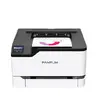
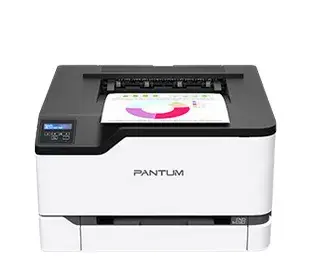
-
Power consumption (printing):
-
395 W
-
Market positioning:
Under which category can the device be positioned in the market, e.g. camera phone.
-
Home & Office
-
Internal memory:
The amount of memory, usually measured in bytes (e.g. MB, GB), which is installed in the system's hardware.
-
512 MB
-
Ethernet LAN:
An Ethernet LAN (Local Area Network) interface is present, for a wired conection via a cable.
-
Yes
-
Wi-Fi:
Popular technology that allows an electronic device to exchange data or connect to the internet wirelessly using radio waves.
-
Yes
-
USB port:
The device features a socket into which a USB cable can be plugged.
-
Yes
-
Maximum ISO A-series paper size:
The maximum paper size the device can handle, defined by ISO A-series.
-
A4
-
Total output capacity:
-
100 sheets
-
Total input capacity:
-
250 sheets
-
Total number of input trays:
-
1
-
Maximum duty cycle:
The maximum number of prints/copies made by a printer/copier in a fixed period.
-
50000 pages per month
-
Print speed (black, normal quality, A4/US Letter):
The print speed of a printer for black & white A4 pages, normal quality. The exact speed varies depending on the system configuration, software program, and document complexity.
-
24 ppm
-
Maximum resolution:
Maximum printing resolution.
-
4800 x 600
-
Duplex printing:
Feature of computer printers and multifunction printers (MFPs) that allows the printing of a sheet of paper on both sides (automatically or manually)
-
Yes
-
Print technology:
Indicates the method used to print by this product.
-
Laser
-
Colour:
The main colour of the product.
-
Yes
-
Product colour:
The colour e.g. red, blue, green, black, white.
-
White
-
ISO A-series sizes (A0...A9):
Different sizes of paper from A0 (big) to A9 (small). A4 is the most common size used for printing documents.
-
A4, A5, A6
-
Paper tray media types:
-
Labels, Pre-Printed, Plain paper, Lightweight paper, Letterhead, Heavy paper, Glossy paper, Envelopes, Card stock, Bond paper, Recycled paper
-
Page description languages:
-
PCL 6, PCL 5, PCLm, PostScript 3
-
Printing colours:
The colours that can be produced by the printer.
-
Yellow, Magenta, Cyan, Black