


Communication Cable Paradox COMCBL — serial/data cable for alarm/control panels
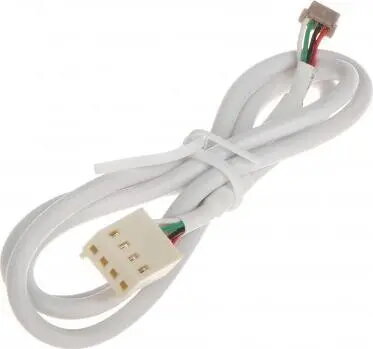
Short description


Cheapest delivery:
Unisend LV
Product information
Description
Paradox COMCBL communication cable is designed for serial/data connections between Paradox alarm and control panels and their peripherals or communication modules. The cable ensures correct routing of data signals for reliable interfacing with Paradox devices and is intended for use where manufacturer-recommended cabling improves compatibility and system performance.
Advantages
The cable provides a dedicated wiring solution for serial and data lines, minimizing signal confusion and simplifying installation. Its construction follows Paradox specifications to maintain compatibility with supported alarm and control panels. Using the correct communication cable reduces troubleshooting time and helps maintain stable connections for telemetry, module communication and peripheral interfacing.
Suitable for
- Connecting Paradox control panels to communication modules or serial peripherals
- Data links in alarm system installations
- Security and access control setups requiring manufacturer-recommended cabling
- Replacement of generic or non‑compatible serial cables in Paradox systems
Key specifications
- Cable type: serial/data communication cable
- Intended use: connection between alarm/control panels and peripherals or communication modules
- Compatibility: designed for Paradox alarm and control systems
- Application environment: indoor installation within security and access control systems
How to use
Install the cable between the Paradox panel communication port and the peripheral or module communication port, following the panel and module wiring diagrams. Ensure power is disconnected from equipment before wiring. Route the cable to avoid strong electromagnetic interference sources and secure it to prevent strain on connectors. After physical connection, power up devices and verify communication through the panel interface or module status indicators.
Usage recommendations
Follow Paradox installation documentation for pin assignments and grounding practices. Use the cable only within the intended indoor environment and avoid exposure to moisture or excessive mechanical stress. If longer runs are required, verify signal integrity and consider installing signal conditioners or follow Paradox guidance for maximum recommended cable lengths.


