
Leave your address - as soon as the price of the product goes down, you'll know about it right away
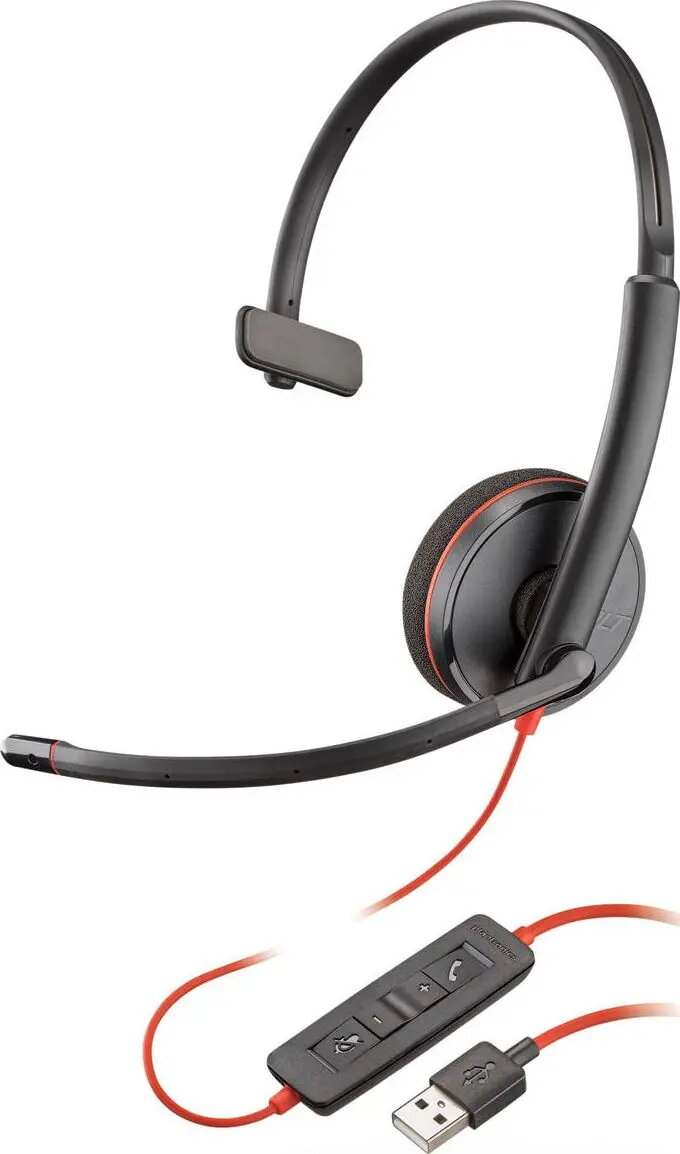
Headset PLANTRONICS Blackwire C3210 wired monaural USB-A (209744-101)
In cart {{totalProductsCount}} item(s)
Your cart is empty
Headset PLANTRONICS Blackwire C3210 wired monaural USB-A (209744-101)
Leave your address - as soon as the price of the product goes down, you'll know about it right away
Headset PLANTRONICS Blackwire C3210 wired monaural USB-A (209744-101)
The Headset PLANTRONICS Blackwire C3210 wired monaural USB-A is a single-ear wired headset designed for voice communication in office, remote work and contact centre environments. With a USB-A plug-and-play connection it provides reliable audio for calls and online meetings while keeping one ear free to monitor the surroundings. The lightweight design and adjustable headband make the headset suitable for extended use during customer service shifts or teleconferences.
This monaural USB headset delivers clear voice transmission and straightforward connectivity without the need for additional drivers. Its single-ear configuration preserves environmental awareness while supporting focused conversations. The wired USB-A connection ensures stable audio and minimal latency, and the comfortable on-ear pad and adjustable headband provide a secure fit for prolonged wear.
Connect the USB-A plug to an available USB port on your computer; the headset is ready to use without additional driver installation on most operating systems. Position the ear cup over one ear and adjust the headband for a secure and comfortable fit. Place the microphone boom close to your mouth for optimal speech clarity and adjust its angle as needed. Use your operating system or softphone application to select the headset as the audio input and output device, and check audio levels before starting calls.
For best voice quality, position the microphone 1–2 cm from the corner of your mouth and avoid covering the ear cup with clothing. Keep the USB connector free of dust and connect directly to a computer USB-A port rather than through an unpowered hub when possible. Regularly check and clean the ear pad and microphone boom to maintain hygiene and clear audio during prolonged use.
{{highlightedFeature.featureTitle}}:
{{getProductFeatureValueById(product, highlightedFeature.featureId)}}