
Dreame vacuums for fast and efficient cleaning!
In cart {{totalProductsCount}} item(s)
Your cart is empty
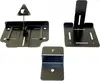
Web camera mounting kit PLANTRONICS EagleEye IV USB — accessory mounting solution for EagleEye IV USB camera
This mounting kit is designed to securely attach the PLANTRONICS EagleEye IV USB camera to monitors, displays or tripods. It contains the necessary hardware and fittings to provide stable positioning and reliable support for the camera, enabling consistent framing and steady video capture during conference calls, remote meetings and collaboration sessions.
The kit offers tool-free adjustable mounting options and durable fittings that maintain camera alignment over time. Its compact components allow unobtrusive installation on a range of display thicknesses and tripod configurations, while providing a firm hold that reduces vibration and movement. The design supports quick repositioning and repeatable placement without altering camera settings.
Attach the clamp to the top edge of the monitor or display, ensuring the clamp grips securely and the camera bracket is level. If using a tripod adapter, secure the adapter to a standard tripod mount and fix the camera in place. Adjust tilt and horizontal position to achieve the desired framing, then tighten any adjustable knobs or screws to lock the camera. Verify cable routing to prevent strain on the USB connection.
For optimal performance, mount the camera at eye level or slightly above and center it relative to the main speaking area. Periodically check that all fasteners remain tight and that the clamp is free from debris that could affect grip. Avoid overtightening plastic components and route cables to avoid interference with display movement.
{{highlightedFeature.featureTitle}}:
{{getProductFeatureValueById(product, highlightedFeature.featureId)}}
{{ productComparisonGenerationError }}