Dreame vacuums for fast and efficient cleaning!
In cart {{totalProductsCount}} item(s)
Your cart is empty
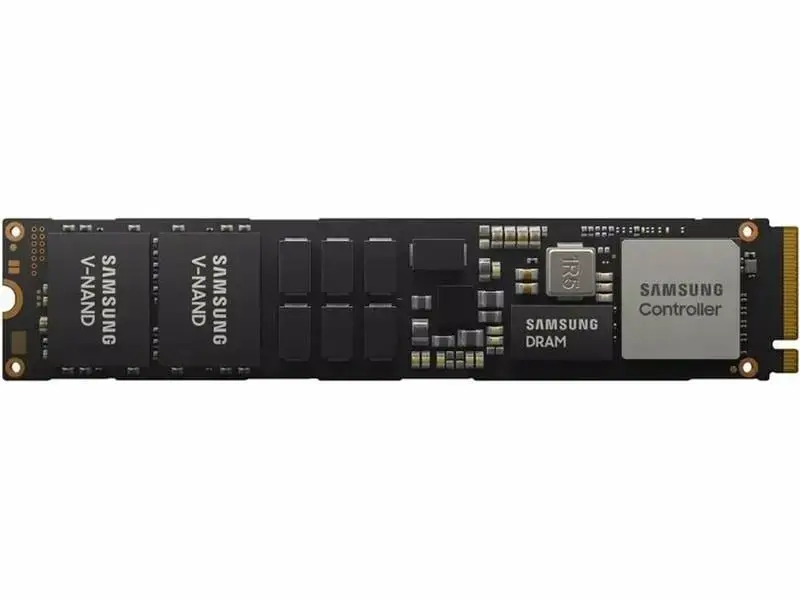
Samsung PM9A3 960 GB M.2 NVMe PCIe 4.0 SSD
The Samsung PM9A3 960 GB M.2 NVMe PCIe 4.0 SSD is a high-performance storage solution engineered to enhance system responsiveness and data throughput in modern PCs and laptops. Utilizing the advanced PCIe 4.0 interface, this drive offers significant improvements in data transfer rates, ensuring that demanding applications and operating systems run with optimal efficiency. Its compact M.2 form factor allows for seamless integration into compatible motherboards and portable devices, providing a reliable upgrade for users who require consistent performance for professional and intensive computing tasks.
This solid-state drive leverages MLC NAND technology to provide a balance of high-speed performance and long-term reliability. With read speeds reaching up to 5500 MB/s, the drive significantly reduces boot times and application loading intervals. The inclusion of 256-bit AES-XTS hardware encryption ensures that sensitive data remains protected against unauthorized access. Furthermore, the drive is designed for sustained performance, making it a robust choice for environments where data integrity and speed are critical requirements.
This drive may not be suitable for devices that lack an M.2 slot or do not support the NVMe protocol. Additionally, users with older motherboards that only support PCIe 3.0 or lower may not be able to utilize the full speed potential of the PCIe 4.0 interface, although the drive remains backward compatible.
To use the Samsung PM9A3, ensure your computer is powered off and disconnected from the power source. Locate the M.2 slot on your motherboard, insert the drive at a slight angle, and secure it with the appropriate mounting screw. Once installed, initialize the drive through your operating system's disk management utility to format it for use. It is recommended to update your motherboard's BIOS to the latest version to ensure full compatibility with PCIe 4.0 devices.
For optimal performance and longevity, ensure that the drive has adequate airflow within the computer chassis and keep the firmware updated through the manufacturer's software tools.
{{highlightedFeature.featureTitle}}:
{{getProductFeatureValueById(product, highlightedFeature.featureId)}}
{{ productComparisonGenerationError }}