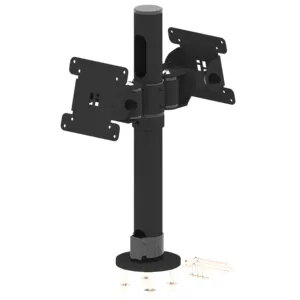
POSPOLE monitor arm Basisvariante 2 is a single-arm VESA mount in black designed to secure one flat-panel display to a desk or countertop. The mount supports ergonomic positioning by allowing tilt, swivel and height adjustment within the arm's range, delivering improved viewing angles for office work, home offices or point-of-sale terminals. The compact footprint and VESA-compatible interface make it a practical choice where stable, space-saving monitor mounting is required.
Advantages
The one-arm construction provides a small desk footprint while allowing flexible positioning of a single monitor. VESA compatibility simplifies installation with most monitors that follow standard mounting patterns. Finished in black, the arm offers a neutral appearance suitable for professional and retail environments. The design emphasises stability and repeated adjustability for daily ergonomic use.
Suitable for
- Office workstations requiring an adjustable single monitor
- Home offices where desk space is limited
- Retail or POS counters that need a compact display mount
- Shared desks or hot-desking setups with one screen per user
When it may not be suitable
This single-arm VESA mount is not intended for multi-monitor setups or very large, unusually heavy displays beyond the arm's rated capacity. It may not be appropriate if your desk surface cannot accommodate the clamp or fixing method used for installation. If you require motorised adjustment or integrated cable management features beyond the basic design, consider more advanced monitor arm models.
Key specifications
- Mount type: single-arm desk VESA mount
- Colour: black
- Compatible VESA patterns: standard square or rectangular VESA hole patterns (check monitor compatibility)
- Adjustment: tilt and swivel with height positioning via arm articulation
- Application: desk or countertop mounting for one monitor
How to use
Attach the VESA plate to the back of your monitor according to the monitor manufacturer's instructions, then secure the plate to the arm using the supplied fasteners. Fix the arm to the desk surface with the provided clamp or through-hole mounting option, ensuring the desk edge or surface meets the required thickness and strength. Adjust the height, tilt and swivel to achieve the desired viewing angle, and route cables to avoid pinching. Make incremental adjustments and verify that the monitor is stable before regular use.
What to consider before purchase
- Verify your monitor's VESA mounting pattern and weight against the arm's compatibility
- Confirm desk or countertop thickness and clearance for the clamp or bolt-through fixing
- Check whether you need additional features such as gas spring lift, multiple arms or integrated cable channels
Usage recommendations
For ergonomic positioning, set the top third of the display at or slightly below eye level and position the screen about an arm's length away. Make small incremental adjustments to tilt and swivel to reduce glare and neck strain. Periodically check and tighten mounting fasteners to maintain stability.