


PRINTE Toner TH49XNC black 6000 pages compatible with HP LaserJet 1320 series
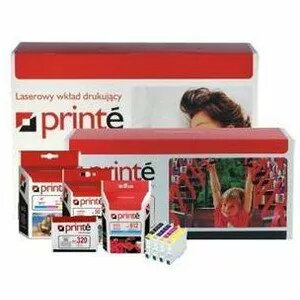
Short description

Cheapest delivery:
Unisend LV
Product information
Description
PRINTE Toner TH49XNC black is a replacement monochrome toner cartridge with an estimated yield of approximately 6000 pages. Designed for compatibility with HP LaserJet 1320 series and related models, this cartridge delivers consistent black output for everyday monochrome printing needs in offices and home workplaces. It is intended for printers that support HP LaserJet 1320, 1320N, 1320NW, 1320TN and model 3390, providing a straightforward replacement option for routine document, invoice and report printing.
Advantages
The cartridge offers a predictable page yield of about 6000 pages and is manufactured to fit the specified HP LaserJet models. It provides stable black density across print runs and is suitable for high-contrast text and standard business documents. Installation follows the same steps as the original cartridge, enabling quick replacement and minimal interruption to printing tasks.
Suitable for
- Everyday office documents and correspondence
- Printing invoices, receipts and reports
- Monochrome print jobs with consistent black output
- Users seeking a cost-effective replacement for HP LaserJet 1320 series
Key specifications
- Colour: Black
- Approximate page yield: 6000 pages (based on standard coverage)
- Technology: Monochrome laser toner cartridge
- Compatible printer models: devices from the HP LaserJet 1320 series and HP 3390
How to use
Turn off your compatible HP LaserJet printer and open the toner access door following the printer manufacturer's instructions. Remove the empty cartridge and unpack the replacement, taking care to remove any protective seals or packaging material. Align the PRINTE Toner TH49XNC with the cartridge guides and insert it until it clicks into place. Close the access door, power the printer on and print a test page to confirm correct installation and print quality.
Usage recommendations
Store the cartridge in a cool, dry place away from direct sunlight and high humidity. Use within the manufacturer's recommended timeframe after opening for best results. For optimal print quality, run routine maintenance and calibration of the printer as advised by the printer manufacturer.
Features
- Printing colours:
- Black


